-1791966549842.webp)





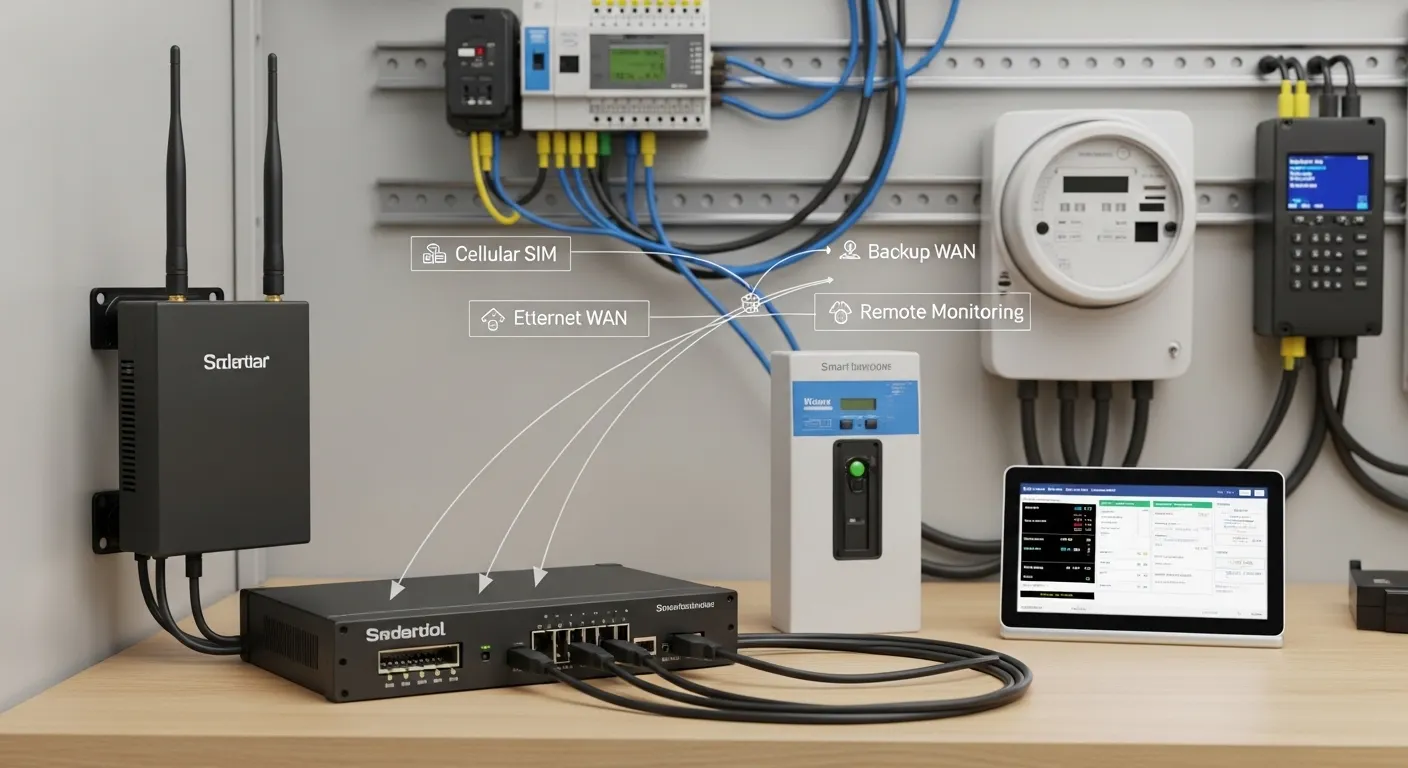

Tespro provides industrial connectivity solutions for utility, metering, AMI/AMR, SCADA, smart city, factory automation, and remote monitoring projects. When buyers choose a multi-WAN industrial router or router with SIM card, the main decision is not only cellular speed. The real buying question is how many network paths the site needs, how failover should work, and what security, interface, power, antenna, and remote access details must be confirmed before purchase.
A multi-WAN router is useful when one failed ISP, SIM carrier, wired line, or weak cellular signal could stop meter data, alarms, field device access, or industrial monitoring. Some projects only need a basic SIM router. Others need dual SIM, Ethernet backup, VPN access, or a more redundant WAN design.
This guide helps project engineers and procurement teams prepare a clearer router RFQ before asking Tespro for a datasheet, quotation, sample, or technical consultation.
When Is a Multi-WAN Industrial Router Worth the Extra Cost?
Extra redundancy is worth considering when the site is difficult to visit, downtime affects operations, or data loss creates service problems. A remote meter cabinet, SCADA node, energy monitoring point, traffic system, EV charging site, or factory control panel may need more than one network path.
A basic router with one SIM card may be enough for low-frequency monitoring. However, if the project requires continuous remote access, alarm delivery, billing-related data, or field equipment control, backup connectivity becomes more important.
Buyers should review these points before choosing the router level:
- How long can the site stay offline before it becomes a problem?
- Is the primary link wired Ethernet, cellular, or both?
- Does the project need remote access to meters, PLCs, gateways, or cameras?
- Will the router connect to SCADA, an energy platform, or a cloud dashboard?
- Is a second SIM carrier required for coverage diversity?
- Is VPN, static IP, private APN, or firewall control required?
- Can field teams easily visit the site if the router needs manual reset?
If the cost of a site visit is high, a better redundancy design may be cheaper than repeated maintenance trips.
Single SIM, Dual SIM, Ethernet Backup, or Multi-WAN?
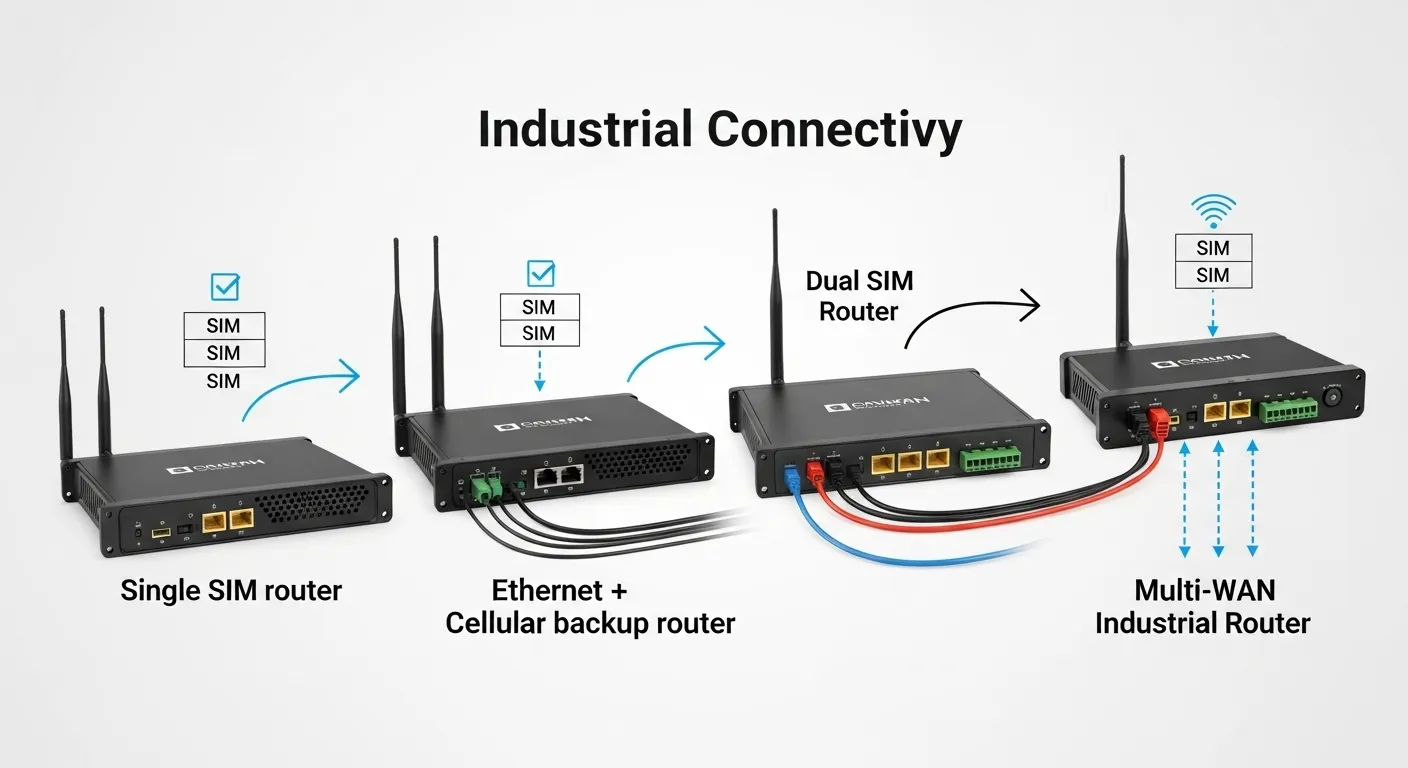
Not every industrial site needs the most complex router. The right choice depends on uptime risk, carrier coverage, wired network availability, traffic volume, and remote access requirements.
| Redundancy option | Best fit | Strength | Limitation | RFQ details to confirm |
|---|---|---|---|---|
| Single SIM router | Low-risk telemetry, temporary sites, basic remote monitoring | Simple setup and lower hardware complexity | One carrier failure can disconnect the site | Carrier, SIM type, data plan, antenna, APN |
| Dual SIM router | Remote sites with carrier coverage risk | Can switch between SIM carriers | Still depends on cellular coverage and failover logic | SIM priority, carrier diversity, failover rule, roaming policy |
| Ethernet + cellular backup | Sites with wired internet but need backup | Keeps the site online if wired WAN fails | Cellular plan must support backup traffic | Primary WAN, backup SIM, VPN, static IP, failback behavior |
| Multi-WAN industrial router | Uptime-critical industrial, SCADA, AMI/AMR, smart city, or remote infrastructure | Supports more flexible backup and link planning | Higher cost and configuration effort | WAN sources, failover priority, VPN, management, power, enclosure |
For projects focused mainly on SIM failover, Tespro’s related dual SIM industrial router failover guide can support the next stage of comparison.
What Failover Rules Should Buyers Confirm?
Failover should not be treated as a simple checkbox. Buyers should confirm how the router detects a failed link, how quickly it switches, and whether it returns to the primary link automatically.
Important failover details include:
- Primary and backup WAN priority
- Health check method, such as ping, DNS, or TCP check
- Failover trigger time
- Failback rule after the primary link returns
- VPN tunnel reconnect behavior
- Remote management access after switching links
- Logging or alarm output for network failure events
- Watchdog or auto-reboot function if the device becomes unreachable
For SCADA polling, MQTT data, meter reading, or remote configuration, session behavior matters. A WAN switch may interrupt active sessions. Therefore, buyers should confirm whether the application can reconnect after the router changes link or IP path.
SIM, APN, Static IP, and VPN Planning
A router with SIM card is only one part of the communication design. The SIM plan, APN, IP addressing, and VPN method can decide whether remote access works smoothly.
For industrial projects, procurement teams should confirm:
- SIM carrier and coverage at the installation site
- Single SIM, dual SIM, or multi-carrier requirement
- Public static IP, dynamic IP, or private APN
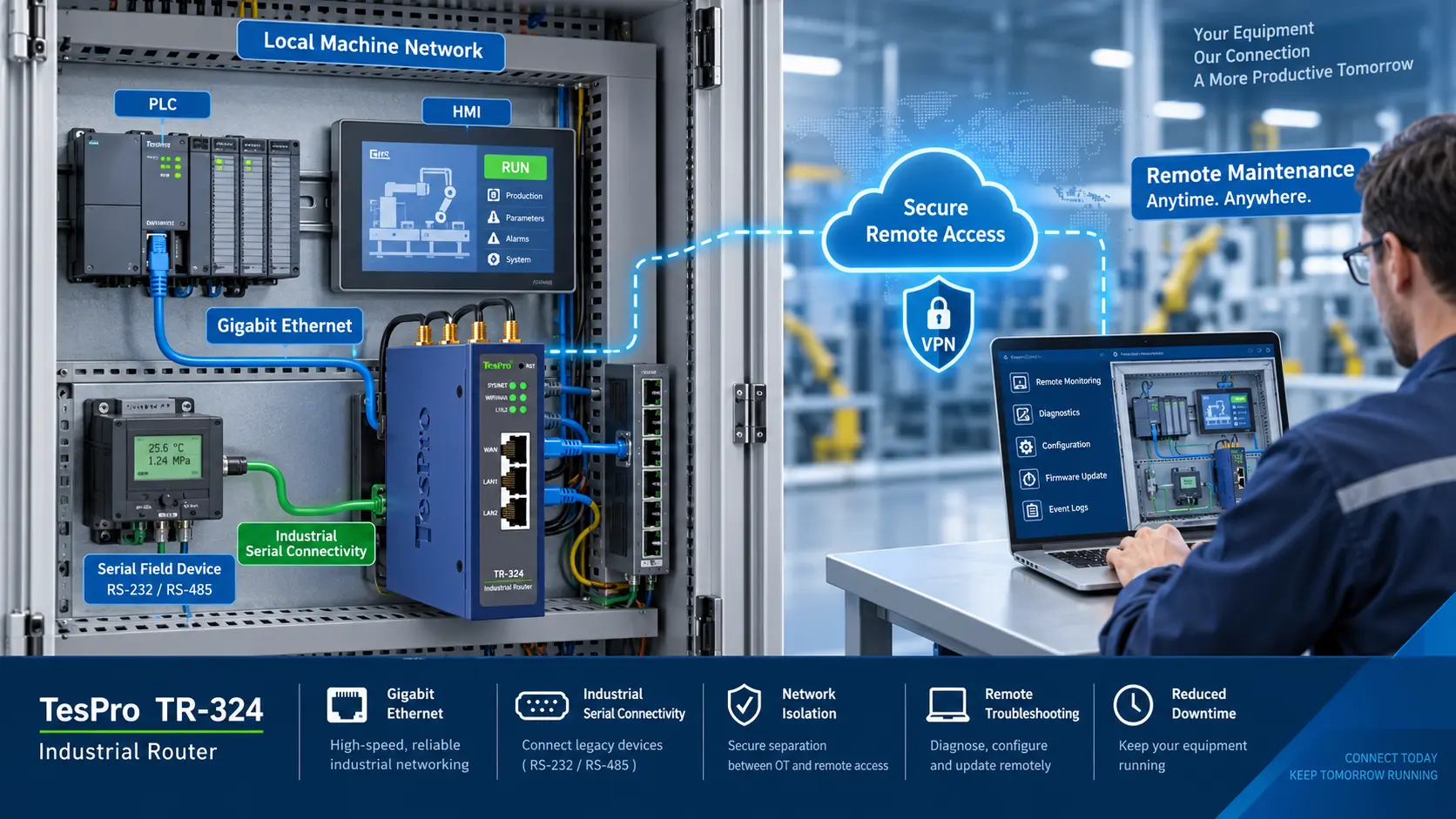
- VPN requirement for secure remote access
- Firewall, NAT, and port access policy
- Data usage estimate for normal and backup operation
- Whether remote users need access to meters, PLCs, gateways, or software dashboards
If the project needs secure remote access, review Tespro’s industrial VPN router secure remote access checklist before finalizing the network design.
Ports and Protocols for Metering and Industrial IoT
Industrial router selection should match the devices connected at the site. Some projects only need Ethernet LAN. Others need serial communication, protocol support, or connection to an industrial gateway.
Before requesting a quote, confirm the required interfaces:
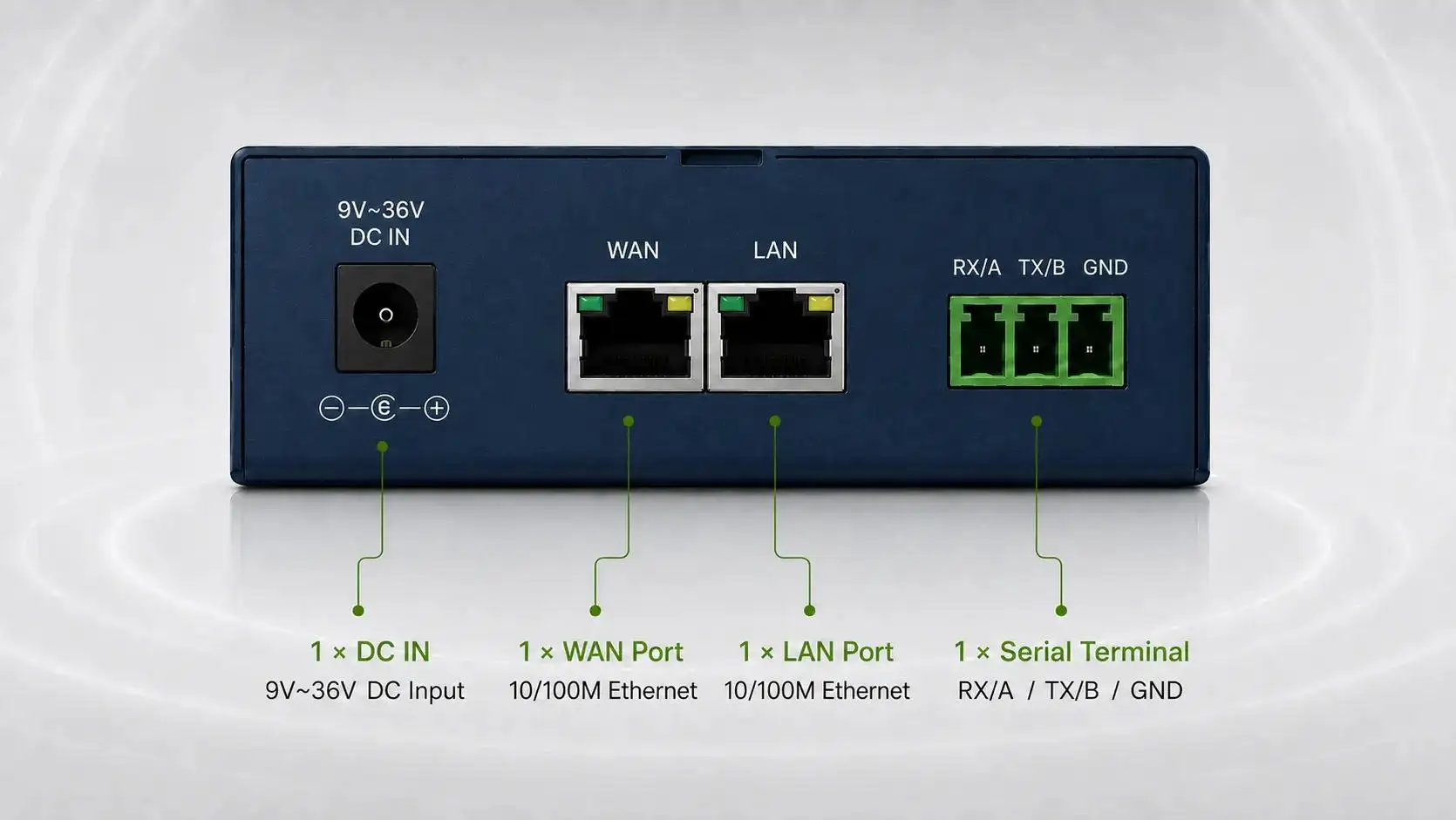
- Ethernet WAN and LAN ports
- RS232 or RS485 if serial devices are involved
- DI/DO if alarms or control signals are required
- Antenna connectors and mounting needs
- Power input and backup power design
- DIN rail, wall mount, or cabinet installation
For metering and remote monitoring projects, buyers may also need to confirm protocol or data flow requirements such as Modbus RTU/TCP, MQTT, TCP/IP, SNMP, DLMS-related system needs, or platform integration. Tespro should not select the router only from bandwidth. The device must fit the full field communication path.
4G or 5G for Backup WAN?
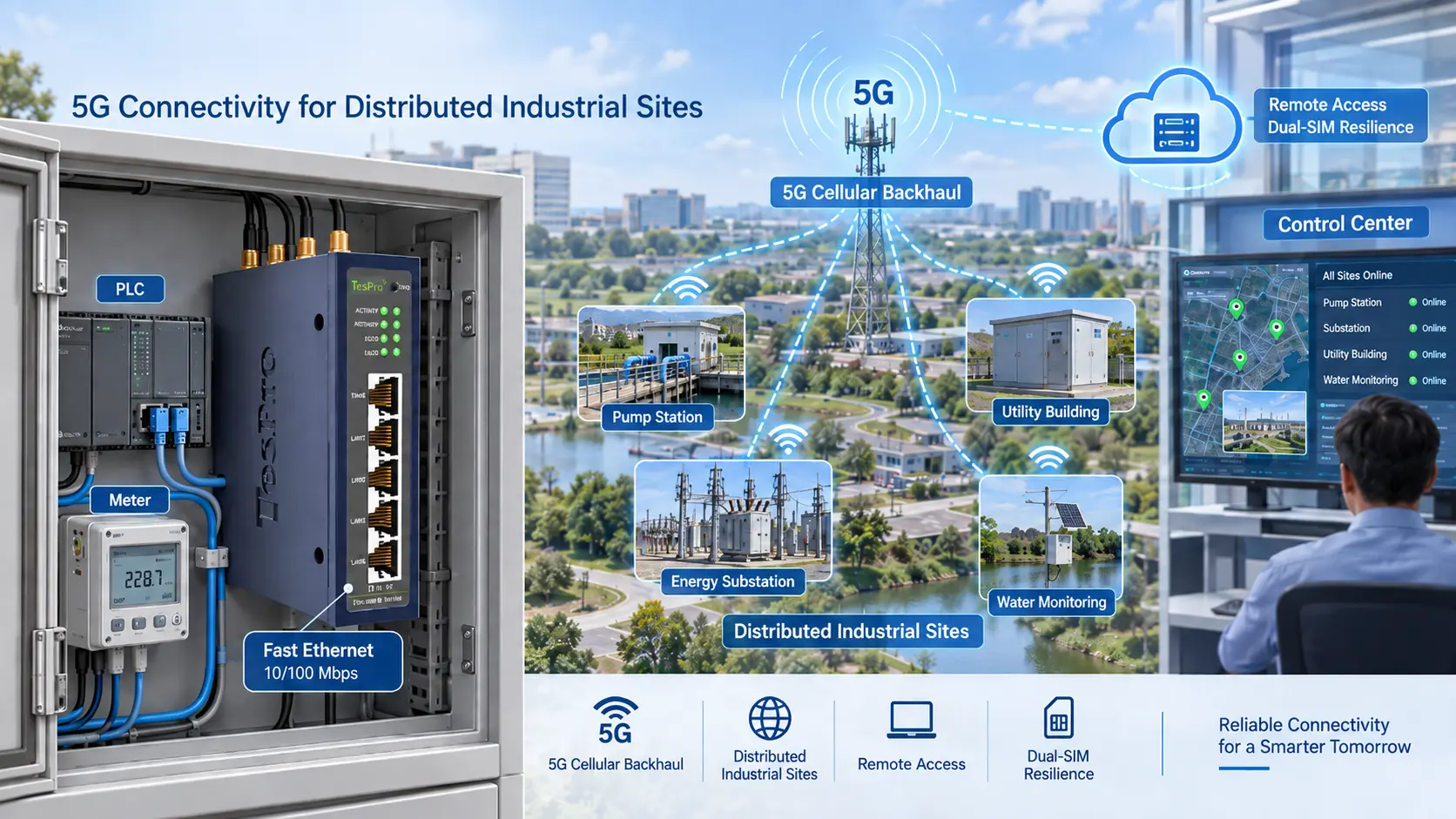
4G is often enough for meter data, low-frequency telemetry, alarms, and remote maintenance. 5G may be useful when the project needs higher bandwidth, lower latency, video, larger data transfer, edge workloads, or longer network lifecycle planning.
The correct decision depends on:
- Available carrier coverage at the site
- Data volume and read frequency
- Latency requirements
- Remote access workload
- Video or camera traffic
- Hardware budget
- Expected project lifecycle
Do not upgrade to 5G only for marketing value. Choose it when the application benefits from the network capability. For deeper comparison, see Tespro’s 5G industrial router upgrade buying checklist.
Site-Readiness Checks Before Installation
Router uptime depends on field conditions, not only product specifications. A strong router can still perform poorly if the antenna is placed badly, the cabinet overheats, or the power supply is unstable.
Before deployment, check:
- Cellular signal strength at the actual cabinet or equipment location
- Antenna type, cable length, and mounting position
- Distance from meter, PLC, gateway, or control equipment
- Power supply voltage and stability
- Grounding and surge protection needs
- Cabinet space and heat conditions
- Dust, moisture, vibration, and outdoor exposure risk
- Access for maintenance, SIM replacement, or antenna adjustment
For harsh-site planning, buyers can also review Tespro’s rugged cellular router harsh-site buyer guide.
Common Procurement Mistakes to Avoid
Many router problems start during specification, not installation. A procurement list that only says “industrial router with SIM card” is usually not enough for a reliable quotation.
Avoid these mistakes:
- Selecting single SIM when the site needs carrier backup
- Buying dual SIM without confirming failover logic
- Ignoring APN, VPN, or static IP requirements
- Forgetting antenna and signal testing
- Not checking Ethernet, RS232, or RS485 needs
- Assuming 5G is always necessary
- Ignoring power, enclosure, and mounting conditions
- Not explaining the target platform, SCADA, or cloud workflow
- Requesting a quote without quantity, country, or application details
A better RFQ helps the supplier recommend a suitable device faster.
RFQ Checklist for Tespro
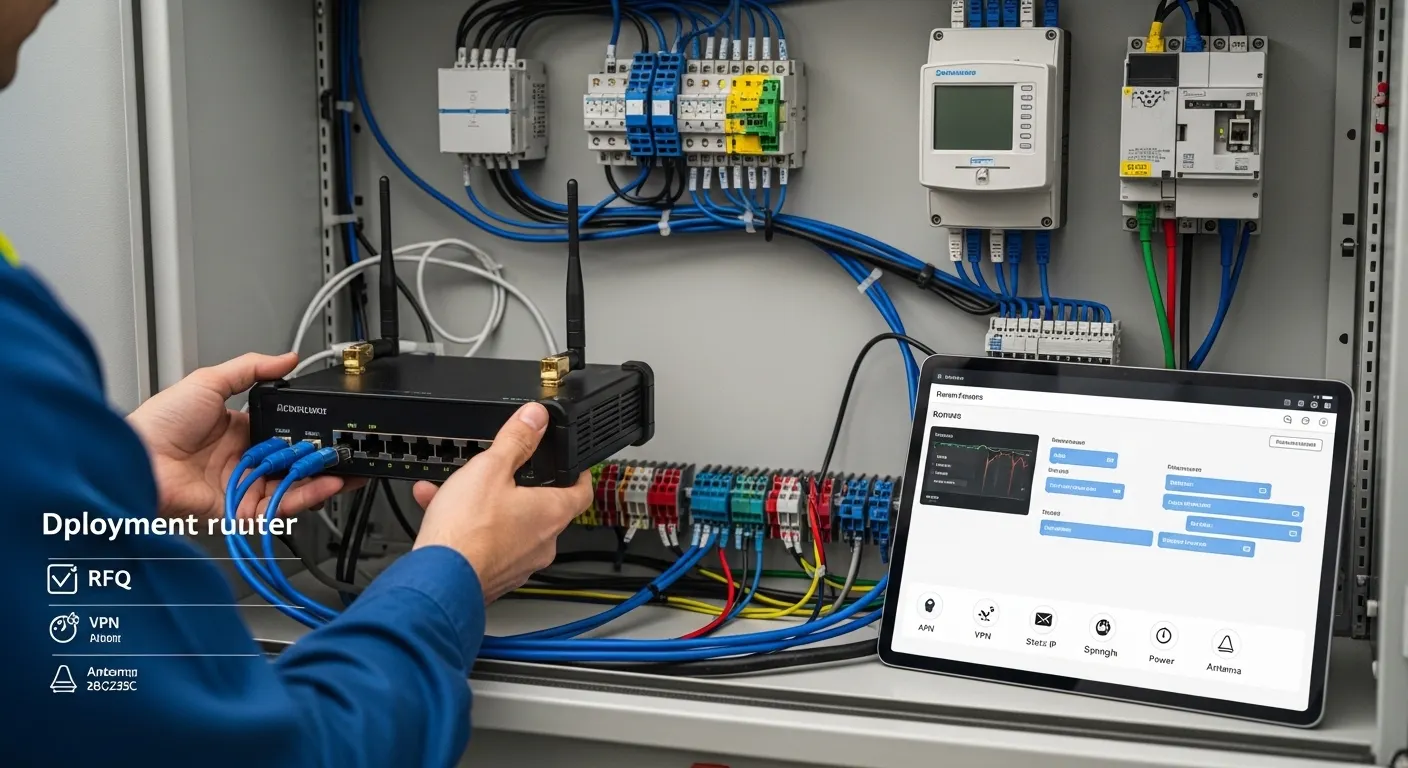
When contacting Tespro, prepare the project details that affect router selection, configuration, and quotation.
Send as many of these details as possible:
- Required device type: industrial router, cellular router, gateway, DTU, or full communication solution
- Quantity and expected deployment scale
- Application: AMI/AMR, SCADA, smart city, factory automation, energy monitoring, remote monitoring, or another use
- Country or deployment region
- Primary WAN and backup WAN options
- 4G, 5G, Ethernet, Wi-Fi, or other network requirement
- Single SIM, dual SIM, or multi-carrier requirement
- APN, VPN, static IP, firewall, or remote access requirements
- Interface requirements: Ethernet, RS232, RS485, DI/DO
- Protocol or data flow requirements
- Connected meter, PLC, gateway, sensor, or platform details
- Power supply and cabinet conditions
- Operating environment and installation constraints
- Antenna, cable, and mounting needs
- Datasheet, sample, demo, or OEM/ODM request
- Delivery destination
- Site drawing, system diagram, or written specification if available
These details help Tespro understand whether the buyer needs a basic router with SIM card, a dual SIM option, Ethernet backup, or a more complete industrial connectivity architecture.
Why Work With Tespro for Industrial Connectivity Projects?
Tespro supports industrial metering, connectivity, and energy data projects with hardware and solution categories such as metering optical probes, DTUs, industrial routers, gateways, meter test stands, calibrators, and software platforms.
For utility and industrial buyers, router selection is often connected to a wider system. The router may support smart meter communication, field data collection, SCADA access, energy monitoring, or device-to-platform integration. Tespro’s role is to help buyers clarify the technical requirement before quotation, not just match a keyword to a device.
Buyers can contact Tespro for router selection support, datasheet requests, sample discussion, project consultation, or OEM/ODM communication where relevant.
Frequently Asked Questions
Is dual SIM the same as multi-WAN?
No. Dual SIM usually means two cellular SIM options. Multi-WAN can include cellular, Ethernet, Wi-Fi, or other WAN links. A buyer should confirm both the physical links and the failover rules.
When is a router with SIM card enough?
A single SIM router may be enough for low-risk telemetry, temporary monitoring, or non-critical sites. If downtime affects operations, billing data, alarms, or remote access, backup WAN planning is safer.
Should Ethernet or cellular be the primary WAN?
Use the most stable and cost-effective link as primary. Ethernet or fiber often works as the main link when available. Cellular can work as backup or primary for remote sites without wired access.
Do I need static IP, APN, or VPN?
It depends on the remote access model. Static IP can support direct access. Private APN can improve network control. VPN is often preferred for secure remote maintenance and device access.
Can failover interrupt SCADA or MQTT sessions?
Yes, failover may interrupt active sessions when the WAN path changes. Buyers should confirm reconnect behavior, VPN recovery, application tolerance, and whether the system can resume data transfer automatically.
Is 5G necessary for every multi-WAN project?
No. 4G may be enough for meter data, alarms, and low-bandwidth monitoring. 5G is more relevant for high data volume, video, low latency, or future upgrade planning.
Request a Multi-WAN Router Quote or Technical Consultation
Share your project requirements with Tespro so our team can help review the right industrial router or connectivity option. Include the device type, quantity, application, WAN sources, SIM/APN/VPN/static IP needs, interface and protocol requirements, power supply, operating environment, enclosure limits, remote management needs, delivery destination, and any site drawing or system diagram.
Contact Tespro to request a quotation, datasheet, sample discussion, demo, or technical consultation for your multi-WAN industrial router project.