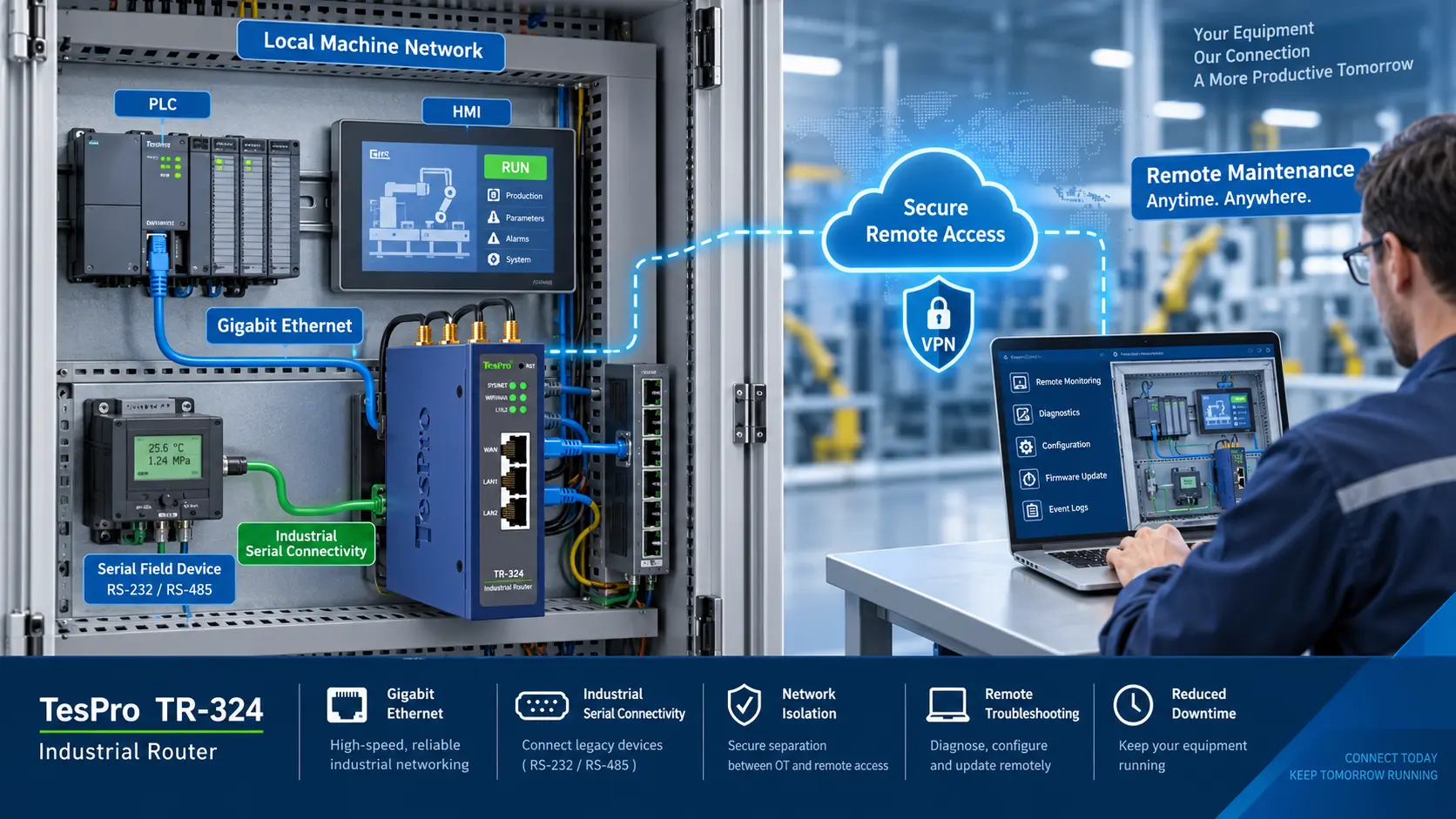
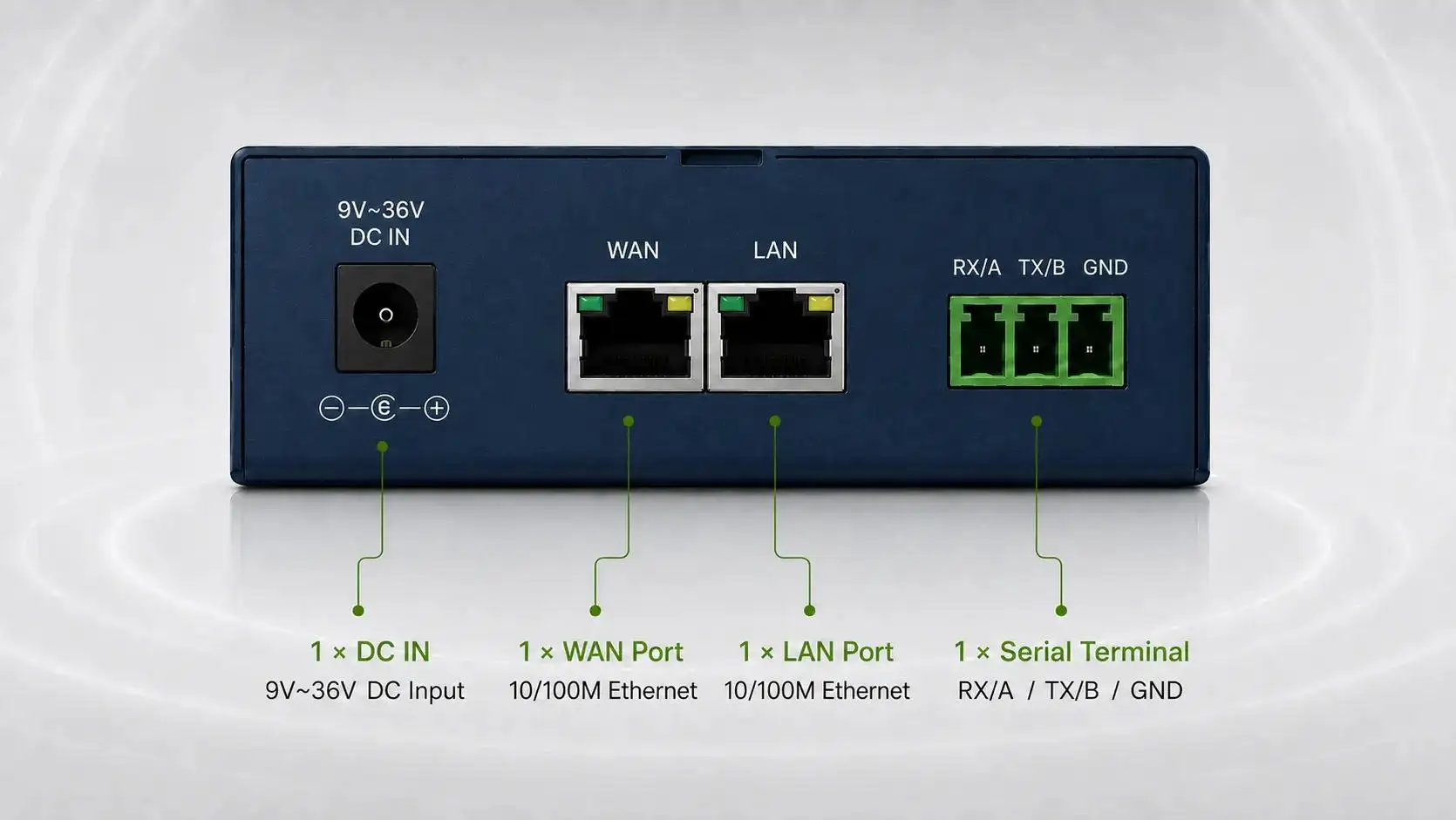
-1791966549842.webp)






Tespro provides industrial metering, connectivity, and energy data solutions for utility, AMI/AMR, SCADA, factory automation, smart city, and remote monitoring projects. When buyers choose a rugged cellular router or industrial wireless router, the decision should start with site failure risks, not general Wi-Fi features.
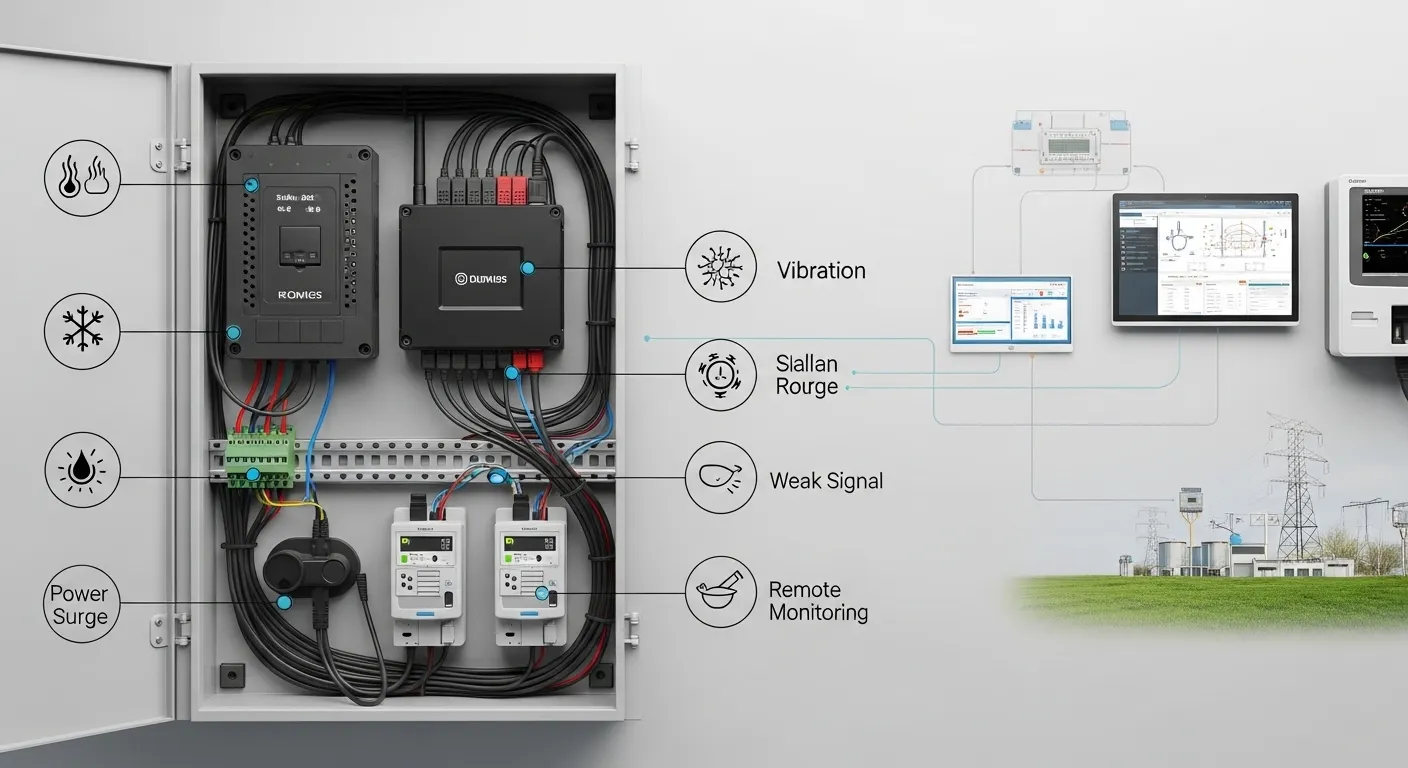
Harsh sites create real connectivity problems. Heat, cold, vibration, power surge, dust, weak signal, unstable SIM access, and limited maintenance access can all cause field downtime. A router that looks suitable on paper may fail if the enclosure, voltage range, antenna plan, mounting method, watchdog, and remote reboot functions are not checked before purchase.
This guide helps technical and procurement teams prepare a practical router specification before asking Tespro for a quote, datasheet, sample, or project consultation. It focuses on the details that affect field reliability: network type, SIM/APN/VPN/static IP needs, Ethernet or serial ports, power supply, enclosure, antenna, security, and remote management.
Harsh Sites Break General Routers First
A consumer or office router is usually designed for clean indoor use. Industrial sites are different. A router may be installed inside a roadside cabinet, smart meter communication box, substation panel, pump station, factory control cabinet, traffic system, or remote monitoring enclosure.
In these sites, failure is rarely caused by one issue. It often comes from several small risks together:
- Cabinet heat during daytime operation
- Cold outdoor or remote installations
- Voltage fluctuation from industrial power sources
- Surge from nearby equipment or unstable lines
- Dust inside panels or outdoor boxes
- Vibration from machines, vehicles, pumps, or field assets
- Weak cellular coverage inside metal cabinets
- No local engineer available for manual restart
For related router selection criteria, buyers can also review Tespro’s industrial cellular router procurement checklist.
What Makes a Cellular Router Rugged Enough?
A rugged cellular router should be evaluated by deployment conditions and maintenance workflow. The word “rugged” should not be accepted as a marketing claim without checking the actual specifications.
Before purchase, confirm whether the router configuration fits:
- The operating temperature at the installation site
- The cabinet or enclosure environment
- The power input available on site
- The antenna location and signal condition
- The number of connected devices
- The required Ethernet, RS232, RS485, or I/O ports
- The remote access method for engineers
- The recovery method if the router freezes or loses connection
A strong industrial wireless router specification should also consider installation style. DIN rail mounting, wall mounting, power terminal type, antenna connector, SIM access, and cabinet space can affect deployment more than buyers expect.
Rugged Cellular Router Spec Checklist for Harsh Sites
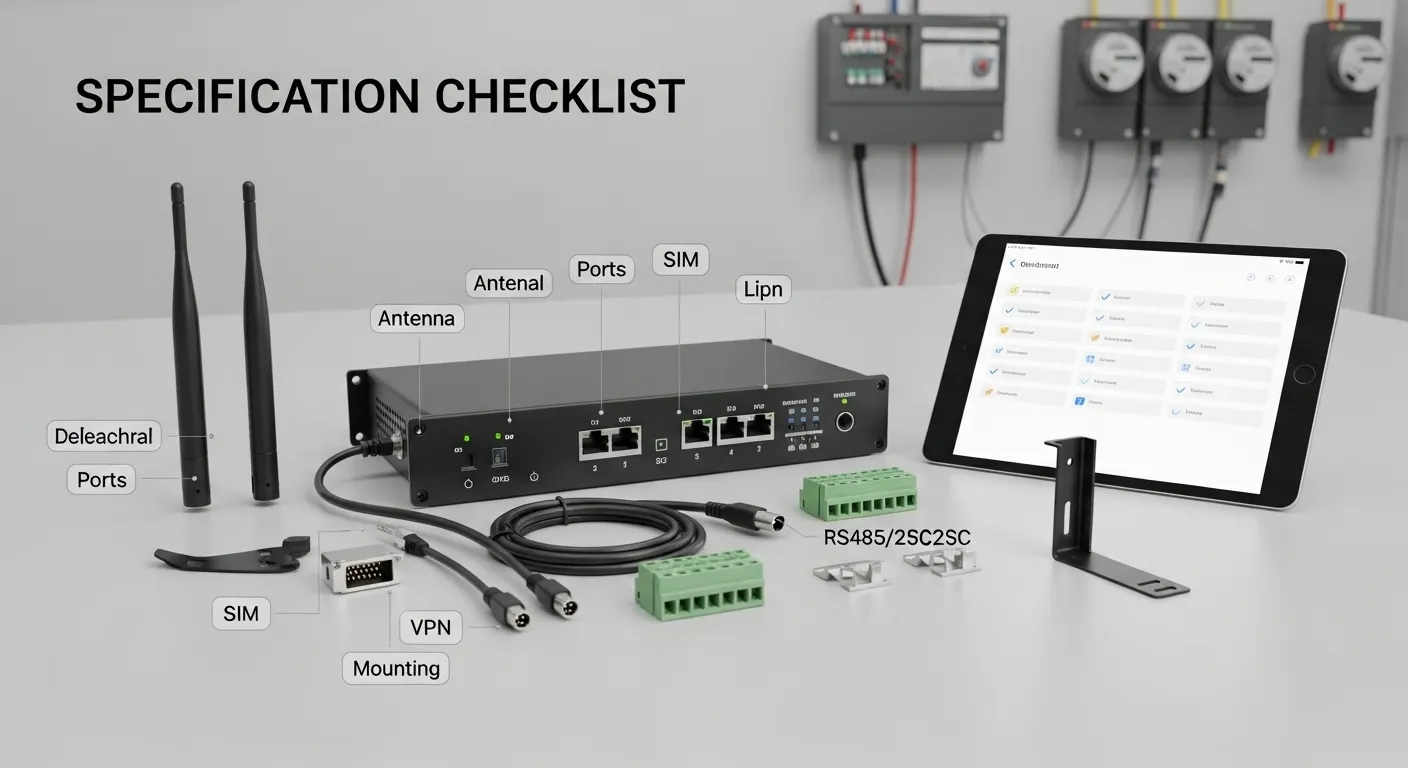
Use this checklist before comparing models or sending an RFQ. It helps connect site risks with the router details that matter during quotation.
| Site risk or requirement | Spec to confirm | Why it matters | RFQ detail to send Tespro |
|---|---|---|---|
| Heat or cold | Operating temperature range | Prevents failure in outdoor or cabinet conditions | Expected lowest and highest site temperature |
| Dust or cabinet exposure | Enclosure and installation environment | Helps choose suitable housing and mounting | Indoor cabinet, outdoor box, panel, or exposed area |
| Power instability | Voltage input and protection needs | Reduces restart and surge-related failure risk | Available power supply and voltage range |
| Weak signal | Antenna type and placement | Improves cellular reliability | Signal condition, cabinet material, antenna position |
| Unattended site | Watchdog and remote reboot needs | Reduces field visits after connection loss | Whether remote restart or auto-recovery is required |
| Multi-carrier need | Single SIM or dual SIM | Supports backup network planning | Operator, SIM count, APN, and failover need |
| Remote access | VPN, APN, or static IP | Affects how engineers reach field devices | Required access method and security policy |
| Legacy devices | RS232 or RS485 ports | Connects meters, PLCs, or controllers | Device type, interface, and protocol |
| Local network | Ethernet port count | Connects meters, cameras, gateways, or switches | Number of LAN/WAN devices |
| Panel installation | DIN rail or wall mount | Affects cabinet layout and installation | Mounting method and available space |
4G, 5G, Dual SIM, APN, Static IP, or VPN?
Network choice should follow the application. Many remote monitoring, metering, SCADA, and alarm projects do not need very high bandwidth. For periodic meter data, status signals, or industrial telemetry, a stable 4G industrial router may be enough.
However, 5G may be useful when the project needs higher bandwidth, lower latency, more connected devices, video, edge workloads, or longer technology planning. Buyers planning an upgrade can compare requirements with Tespro’s 5G industrial router upgrade buying checklist.
Dual SIM is important when uptime depends on network availability. It allows the project team to plan carrier backup, but it does not solve every connectivity problem by itself. Buyers still need to confirm signal strength, operator coverage, APN settings, data plan, and failover logic.
For field deployment planning, SIM and antenna details are also covered in Tespro’s 4G industrial router field deployment checklist.
Interfaces and Protocols Buyers Should Confirm
A rugged router is not selected only by cellular speed. It must connect to the devices already used in the project.
For industrial metering, utility, and automation projects, buyers should confirm:
- Ethernet ports for meters, gateways, PLCs, cameras, or switches
- RS232 or RS485 for legacy meters, controllers, or serial devices
- DI/DO requirements for alarms or simple status signals
- Wi-Fi only if needed for local access or a specific field workflow
- TCP/IP requirements for networked industrial devices
- Modbus RTU or Modbus TCP requirements if used in the project
- MQTT or platform data forwarding needs where applicable
- SNMP or network monitoring requirements for maintenance teams
If the project mainly needs transparent serial data transmission, a DTU may be more suitable than a router. Buyers comparing this option can review Tespro’s DTU datasheet spec guide.
Antenna Planning for Weak-Signal Sites
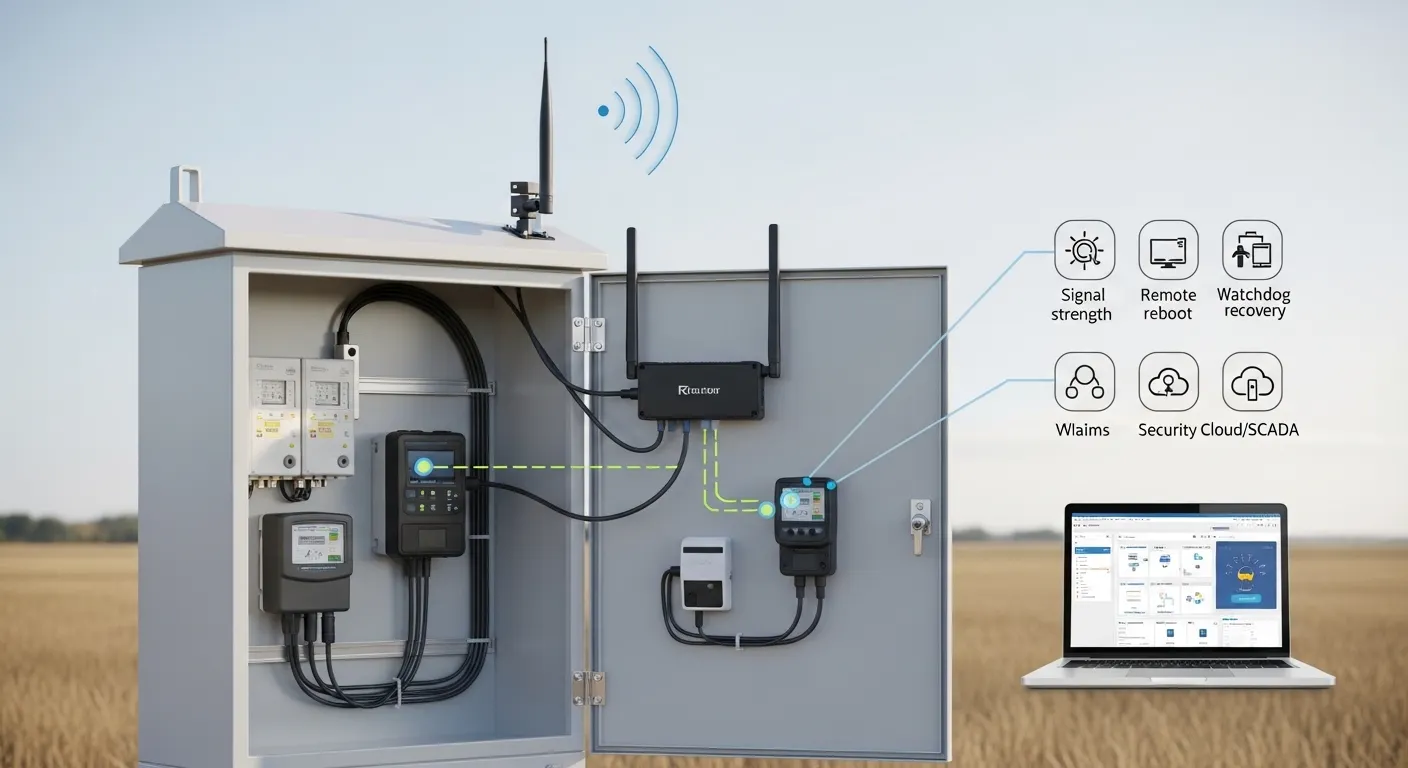
Weak signal is one of the most common reasons industrial wireless router projects become unstable. A router installed inside a metal cabinet may have poor reception even when the outdoor signal is acceptable.
Before ordering, buyers should check:
- Whether the router will be inside a metal cabinet
- Whether the antenna must be placed outside the cabinet
- Antenna connector type required by the router
- Cable length and signal loss
- Indoor or outdoor antenna placement
- Available mounting point
- Network operator coverage at the site
- Whether the site needs a higher-gain antenna
The antenna plan should be part of the RFQ. Without it, the router model may be correct, but the field connection may still be unreliable.
Power, Enclosure, and Mounting Details
Harsh-site reliability depends heavily on installation quality. The router must fit the available power supply and physical space.
Procurement teams should confirm the available DC voltage, backup power plan, grounding requirement, cabinet size, and cable routing. If the site has unstable power, ask about protection needs and recovery behavior after power loss.
Mounting also matters. DIN rail installation is common in industrial cabinets, while wall mounting may fit other enclosures. Buyers should include panel layout, cabinet dimensions, and any thermal concerns when requesting guidance.
Remote Management, Watchdog, and Reboot Planning
Remote sites are expensive to maintain. A router that requires a technician visit for every lockup can increase project cost over time.
For unattended deployments, confirm whether the project needs:
- Watchdog or connection monitoring
- Automatic reconnection after link failure
- Remote reboot
- Local or cloud-based device management
- Log access for troubleshooting
- Firmware update workflow
- User access control
- Alarm or status monitoring
Remote management is especially important for SCADA, smart city, energy monitoring, water systems, and utility field networks. It helps engineers diagnose network problems before sending a technician.
Security Requirements for Industrial Wireless Routers
Security should be specified before purchase, not added later. The correct security setup depends on how data moves and who needs access to the field network.
Buyers should define whether the router will only send data outbound, or whether engineers need inbound access to meters, PLCs, gateways, or SCADA devices. This affects APN, static IP, VPN, firewall, and user access planning.
For utility and industrial projects, include security requirements such as:
- VPN access
- Private APN requirement
- Static IP requirement
- Firewall rules
- User permission needs
- Remote configuration policy
- Firmware update control
- SNMP or network monitoring needs
Do not assume every project needs the most advanced configuration. The right choice depends on risk, access method, and maintenance workflow.
Router, DTU, or Gateway: Which Fits the Project?
A rugged cellular router is usually the right choice when the site needs routing, VPN access, Ethernet networking, SIM failover, remote device access, or multiple connected devices.
A DTU may fit projects that mainly need serial data transmission from meters or controllers to a remote server. It can be suitable for simpler data forwarding where routing functions are not the main requirement.
An industrial gateway may be better when the project needs protocol conversion, edge processing, data buffering, MQTT forwarding, API integration, or device-to-platform architecture.
This distinction helps buyers avoid overbuying or choosing a device that cannot support the required workflow.
RFQ Checklist for Tespro Rugged Router Selection
Before requesting a quote, datasheet, sample, or consultation, prepare the key project details. This helps Tespro recommend a more suitable router configuration.
Send the following details where available:
- Product type required: industrial router, DTU, or gateway
- Quantity and expected project scale
- Application type: AMI/AMR, SCADA, factory automation, smart city, energy monitoring, remote monitoring, or other use case
- Deployment country or region
- Preferred network type: 4G, 5G, or other cellular option
- SIM requirements: single SIM, dual SIM, APN, static IP, private network, or VPN
- Connected devices: meter, PLC, sensor, camera, gateway, server, or platform
- Interface needs: Ethernet, RS232, RS485, DI/DO, USB, or Wi-Fi
- Protocol needs: TCP/IP, Modbus RTU/TCP, MQTT, SNMP, or project-specific protocol
- Power supply: voltage, backup power, solar, battery, or cabinet power
- Installation environment: temperature, dust, moisture, vibration, indoor cabinet, outdoor box, or panel
- Mounting requirement: DIN rail, wall mount, or custom cabinet layout
- Antenna requirement: indoor, outdoor, high-gain, cable length, or weak-signal condition
- Security and remote management requirements
- Datasheet, sample, demo, or OEM/ODM support needs
- Delivery destination
- Site photos, drawings, topology diagram, or written technical specification
Why Work With Tespro
Tespro supports buyers who need industrial metering, communication, and energy data solutions instead of isolated hardware only. Our product scope includes optical probes, DTUs, industrial routers, gateways, meter test stands, calibrators, software platforms, and related smart metering communication solutions.
For rugged router projects, Tespro can help buyers clarify device type, network configuration, interface needs, deployment risks, and RFQ details. This is useful for utilities, meter manufacturers, system integrators, automation engineers, distributors, and OEM/ODM buyers preparing industrial connectivity projects.
Frequently Asked Questions
Is a rugged cellular router different from a normal router?
Yes. A rugged cellular router is selected for industrial power, enclosure, mounting, antenna, temperature, remote access, and field recovery needs. A normal router is usually not designed for harsh cabinets, weak signal, unstable power, or unattended sites.
Is 4G enough for remote monitoring?
Often, yes. 4G can be enough for meter data, alarms, SCADA signals, and low-bandwidth monitoring. 5G may be useful for video, higher data volume, lower latency, or future-ready network planning.
When should buyers choose dual SIM?
Choose dual SIM when uptime depends on carrier backup. It is useful for remote sites, weak coverage areas, and critical monitoring projects. Buyers should still confirm operators, APN settings, signal strength, and failover requirements.
Which ports should be checked before purchase?
Check Ethernet, RS232, RS485, DI/DO, USB, and Wi-Fi needs. The correct port selection depends on connected meters, PLCs, sensors, cameras, gateways, or local maintenance devices.
Why are watchdog and remote reboot important?
They help reduce field visits. If the connection drops or the router becomes unresponsive, watchdog recovery and remote reboot functions can help restore service without sending a technician to the site.
What should I send for a router quote?
Send the application, quantity, network type, SIM/APN/VPN/static IP needs, interfaces, protocols, power supply, operating environment, mounting constraints, antenna plan, security needs, and any diagram or written specification.
Request a Rugged Router Quote or Technical Consultation
Share your harsh-site connectivity requirements with Tespro for router selection, datasheet review, quotation, sample request, demo discussion, or OEM/ODM support. Include your device type, quantity, application, network type, SIM/APN/VPN/static IP needs, ports, protocols, power supply, enclosure conditions, antenna plan, remote management needs, delivery destination, and any site drawing or system diagram.