-1791966549842.webp)





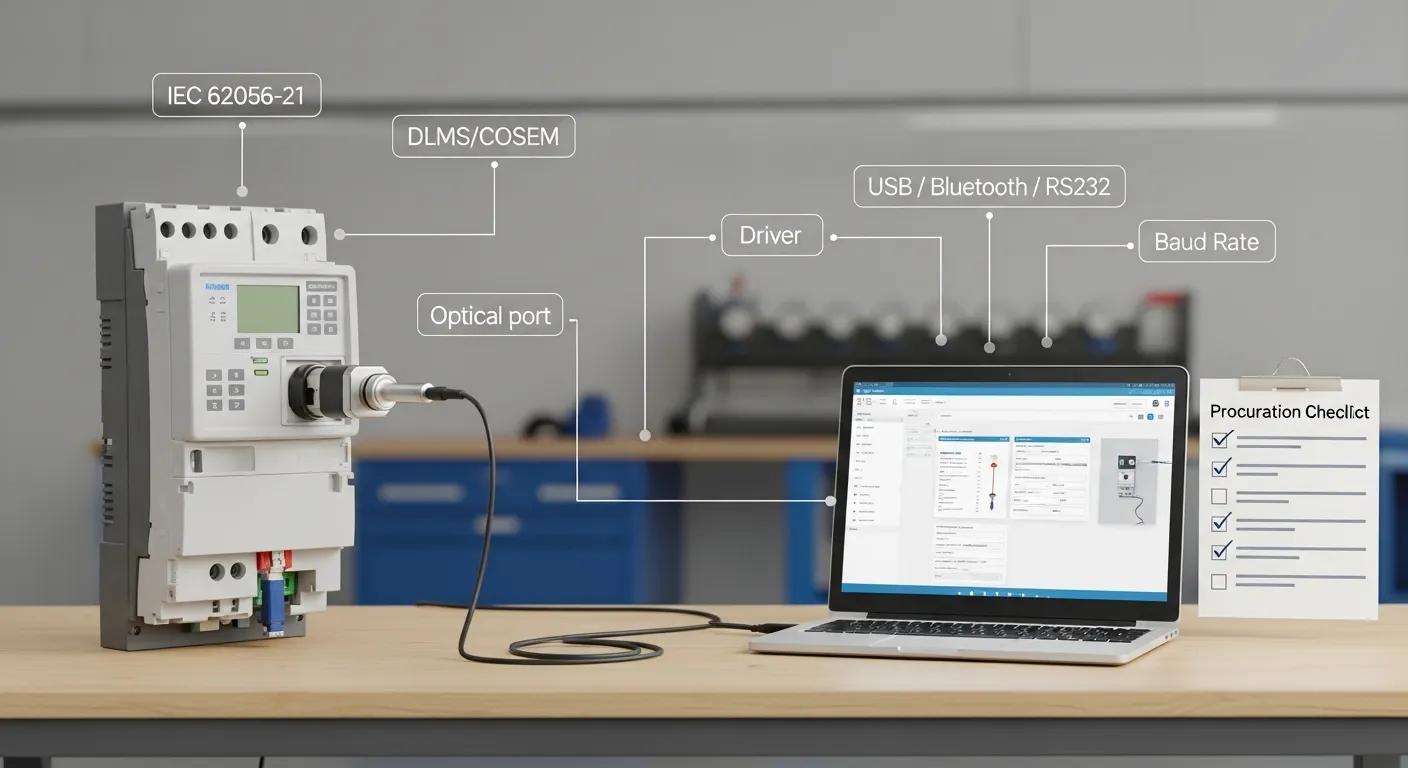

Tespro provides metering optical probes and related smart metering hardware for utilities, meter manufacturers, AMI/AMR project teams, testing labs, distributors, and system integrators. When buyers search for an IEC 62056 optical probe or DLMS optical probe, the real procurement question is not only “Does the probe attach to the meter?” It is whether the probe, meter, driver, software, baud rate, interface, and field workflow can work together reliably.
IEC 62056-21 and DLMS/COSEM are often mentioned together, but buyers should confirm the exact meter communication requirement before placing an order. A probe may match the optical port physically, yet still fail if the software, driver, meter mode, authentication, or baud-rate handling is wrong.
This guide helps procurement and engineering teams prepare a clean specification before requesting a Tespro datasheet, sample, quote, or compatibility consultation.
Why IEC/DLMS Compatibility Affects Procurement
An optical probe is a small device, but it can affect a large metering workflow. Field technicians may use it for local meter reading, meter configuration, commissioning, testing, diagnostics, or data collection. Meter manufacturers and QA labs may use optical probes for testing, programming, and verification. AMR and AMI teams may use probes during installation, field service, or backup reading.
The risk is that many purchase requests only say “IEC 62056 optical probe” or “DLMS probe.” That is not always enough for accurate selection.
Before ordering, buyers should confirm:
- Meter standard and protocol requirement
- Meter brand and model
- Optical port type
- Probe interface
- Driver and operating system
- Meter-reading software
- Baud rate and communication mode
- Field or lab usage conditions
- Sample testing requirement before bulk order
For broader probe selection, buyers can also review Tespro’s smart meter optical probe model selection guide.
Is IEC 62056-21 the Same as DLMS/COSEM?
IEC 62056-21 is commonly associated with local optical meter communication. DLMS/COSEM is used in many smart metering environments, but it is not always the same buying requirement as IEC 62056-21.
In practice, some meters may use an IEC 62056-21 style optical handshake before switching to another communication mode. Some may require DLMS/COSEM software support. Others may need authentication keys, manufacturer tools, or specific readout settings.
That means buyers should avoid vague compatibility assumptions. A better RFQ should say:
- Whether the meter requires IEC 62056-21, IEC1107, DLMS/COSEM, or another protocol
- Whether the probe will be used only as an optical hardware interface
- Which software will communicate with the meter
- Whether the software expects USB, Bluetooth, RS232, RS485, or virtual COM port access
- Whether baud rate switching or specific meter modes are required
This is especially important for utilities and integrators with mixed meter fleets. A single field team may work with different meter brands, old and new firmware versions, or different software tools.
IEC 62056 Optical Probe Compliance and Spec Checklist
Use this checklist before shortlisting a model or requesting a sample. It helps both engineering and purchasing teams avoid unclear specifications.
| Check item | What buyers should confirm | Why it matters |
|---|---|---|
| Meter standard | IEC 62056-21, IEC1107, DLMS/COSEM, or other requirement | Prevents ordering based on a vague “DLMS compatible” label |
| Meter brand and model | Exact model, firmware if known, and application | Helps confirm physical and communication compatibility |
| Probe interface | USB-A, USB-C, Bluetooth, RS232, RS485, or TTL | Must match the PC, handheld, gateway, or field device |
| Driver support | Windows, Linux, Android, macOS, or other system | The software must detect the probe correctly |
| Software workflow | OEM software, AMR software, lab software, or custom tool | Hardware alone does not guarantee meter reading success |
| Baud rate and mode | Startup speed, switching behavior, Mode C/E if relevant | Wrong settings can block meter communication |
| Physical fit | Magnet strength, optical head alignment, cable length | Affects field reliability and technician workflow |
| Power method | USB power, battery, serial port power, or external power | Important for field tools and embedded systems |
| Deployment environment | Lab bench, outdoor field reading, utility service, OEM testing | Determines durability, cable, and wireless requirements |
| Sample need | Datasheet, sample, or bulk quote | Helps validate compatibility before quantity purchase |
For more procurement-focused checks, see Tespro’s energy meter optical probe purchase checklist.
Which Interface Should Buyers Choose?
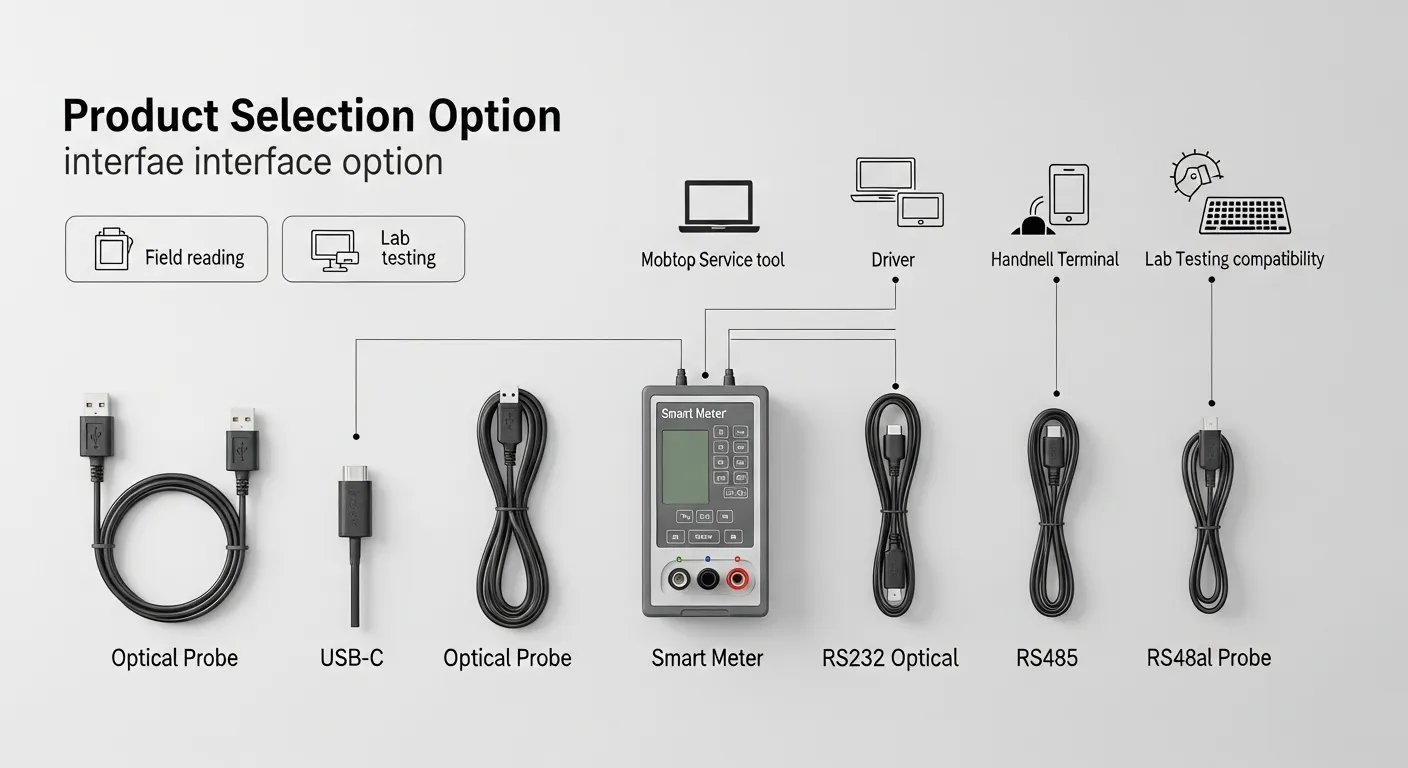
The probe interface should match the real work environment, not only the meter standard.
USB optical probes are common for laptop, desktop, lab, and service software use. They are suitable when technicians or engineers connect directly to a PC and need stable local communication.
USB-C optical probes may fit newer laptops, tablets, and modern field devices. Buyers should still confirm driver support and whether the software recognizes the probe as expected.
Bluetooth optical probes are useful for mobile field reading, handheld workflows, Android devices, and situations where cable handling is inconvenient. However, buyers should check battery, pairing behavior, mobile OS support, and software compatibility.
RS232 and RS485 optical probes may fit older terminals, embedded meter-reading equipment, gateways, test devices, or industrial systems. These options are useful when the probe must connect into a serial workflow instead of a normal PC USB port.
TTL or UART options may be needed for OEM development, custom equipment, or embedded integration. These should be specified carefully because voltage level and device-side design matter.
The right choice depends on who uses the probe, where it is used, and which software controls the meter session.
Driver, Baud Rate, and Field Software Checks
A standards-compatible optical probe still needs the correct software path. For USB models, buyers should confirm whether the driver creates a virtual COM port and whether the meter-reading software can use that port.
For Bluetooth models, buyers should check whether the software supports the Bluetooth profile required for serial-style communication. For RS232 or RS485 models, buyers should confirm the serial settings and any converter requirements.
Important details include:
- Operating system used by the field team
- Driver availability and installation rules
- Virtual COM port behavior
- Meter-reading software name and version
- Baud rate range
- Automatic baud-rate switching if required
- Data format and communication mode
- DLMS/COSEM authentication or access settings if required by the meter
If the optical probe connects but the software cannot read the meter, the issue may not be the physical device. It may be the driver, meter mode, baud rate, readout command, password, authentication level, or software configuration.
For projects where optical probe data later connects into energy management software, buyers can also review Tespro’s energy management platform device integration checklist.
Field, Lab, and AMR/AMI Project Use Cases
Different buyer teams use optical probes in different ways. The best model depends on the workflow.
For utility field service, buyers should consider cable length, magnetic attachment, rugged housing, driver stability, and whether technicians use laptops or mobile devices.
For meter manufacturers, the probe may support configuration, testing, firmware-related workflows, or production-line checks. In this case, interface consistency and software compatibility are more important than basic product cost.
For meter testing labs and QA teams, repeatable communication matters. Buyers should confirm the probe works with the lab software, test bench workflow, and meter types used in routine verification.
For AMI/AMR project teams, probes may be used during commissioning, troubleshooting, or backup reading. They should fit the wider metering environment, including field tools, meter software, and data collection process.
For distributors and OEM/ODM buyers, customization needs may also matter. Buyers should state if they need specific cable length, connector style, branding, packaging, or sample validation before volume order.
Common Procurement Mistakes to Avoid
Many optical probe problems start with incomplete RFQ details. A buyer may order a probe that looks correct on paper but does not match the actual meter-reading workflow.
Avoid these mistakes:
- Asking only for “DLMS optical probe” without meter details
- Ignoring the difference between physical optical fit and software communication
- Forgetting to mention the operating system
- Choosing Bluetooth without confirming field software support
- Buying USB probes for mobile-only teams
- Ignoring baud rate and meter mode requirements
- Assuming every meter brand behaves the same
- Skipping sample validation for a new meter fleet
- Not confirming driver and virtual COM port behavior
- Ordering bulk quantity before testing with the actual meter and software
The safest procurement process is to validate the probe, meter, software, and field device together.
What to Send Tespro for a Sample or RFQ
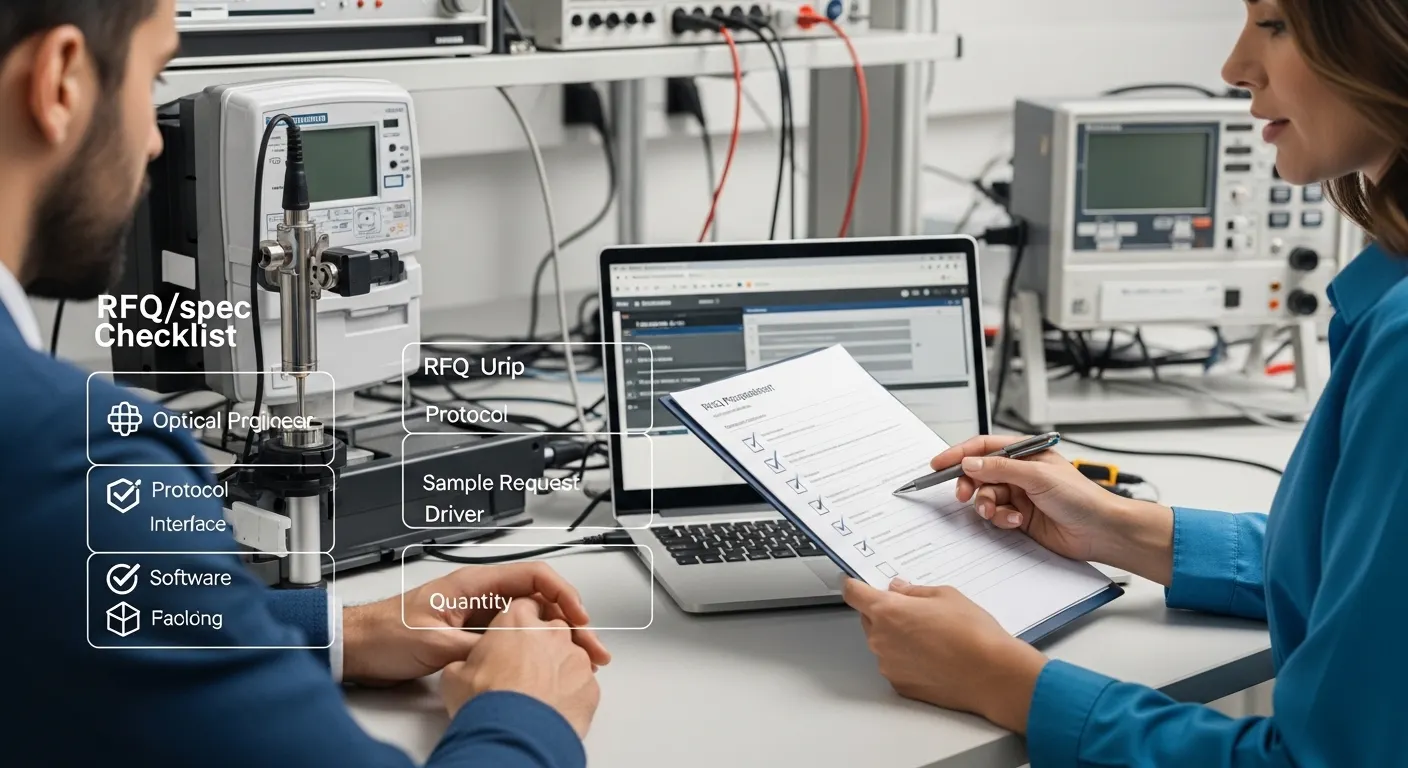
A clear RFQ helps Tespro recommend the right optical probe option faster. It also reduces back-and-forth between procurement, engineering, and field teams.
Send these details when requesting a quote, datasheet, sample, or compatibility consultation:
- Required product type: IEC optical probe, DLMS optical probe, USB probe, Bluetooth probe, RS232/RS485 probe, or other option
- Quantity and expected order stage
- Meter brand and model
- Meter standard or protocol requirement
- Application: field reading, lab testing, meter configuration, AMR/AMI rollout, OEM tool, or distributor order
- Interface requirement: USB-A, USB-C, Bluetooth, RS232, RS485, or TTL
- Operating system: Windows, Linux, Android, macOS, or handheld terminal
- Meter-reading software or platform
- Baud rate and mode requirements if known
- Cable length, connector, or enclosure preference
- Field environment, such as outdoor use, cabinet use, or lab bench use
- Sample, datasheet, or OEM/ODM requirement
- Delivery destination
- Any drawing, system diagram, written specification, or existing probe reference
If meter data will later move into a larger MDM workflow, the buyer can also connect the device decision with Tespro’s meter data management system procurement checklist.
Why Work With Tespro for Optical Probe Selection?
Tespro supports industrial metering, smart meter communication, and energy data projects across hardware and system-level workflows. Optical probe selection is often a small but important part of a wider metering project.
Our team can help buyers review the device category, interface requirement, meter communication standard, software workflow, and RFQ details before ordering. This is useful for utilities, meter manufacturers, QA labs, AMR/AMI teams, distributors, and OEM/ODM buyers who need more than a generic accessory listing.
Instead of selecting only by a keyword or product title, buyers can share their meter and software details so Tespro can help identify the suitable probe direction, datasheet request, or sample requirement.
Frequently Asked Questions
Is an IEC 62056-21 optical probe always a DLMS optical probe?
Not always. IEC 62056-21 and DLMS/COSEM may appear in the same metering workflow, but buyers should confirm the meter mode, software, baud rate, and authentication requirements before ordering.
What is the most important detail before buying?
The exact meter brand and model are critical. Buyers should also provide the protocol, interface, software, operating system, and field use case so the probe can be matched correctly.
Should I choose USB or Bluetooth?
Choose USB for stable PC or lab workflows. Choose Bluetooth when technicians need mobile or cable-free field reading. Always confirm driver, pairing, software, and operating system support before ordering.
Can a probe fit the meter but fail to read data?
Yes. Physical alignment does not guarantee successful communication. Driver issues, wrong baud rate, unsupported software, meter mode, password, or DLMS authentication can still block reading.
When should buyers request a sample?
Request a sample when using a new meter model, new software tool, new field device, or large-volume purchase. Sample testing helps confirm the complete meter-probe-software workflow.
What should be included in a DLMS probe RFQ?
Include meter model, protocol, software, OS, interface, baud rate, quantity, application, and sample requirement. If authentication or special access settings are needed, mention them clearly.
Request an IEC/DLMS Optical Probe Quote or Sample
To select the right IEC 62056 or DLMS optical probe for your project, send Tespro your meter model, protocol or standard, required interface, operating system, meter-reading software, quantity, application, and sample or datasheet requirement.
Tespro can help review your optical probe needs for utility field reading, AMR/AMI support, meter manufacturing, QA lab testing, distributor supply, or OEM/ODM projects. Contact Tespro with your specification, drawing, site details, or written RFQ to request a quote, datasheet, sample, or technical consultation.