-1791966549842.webp)





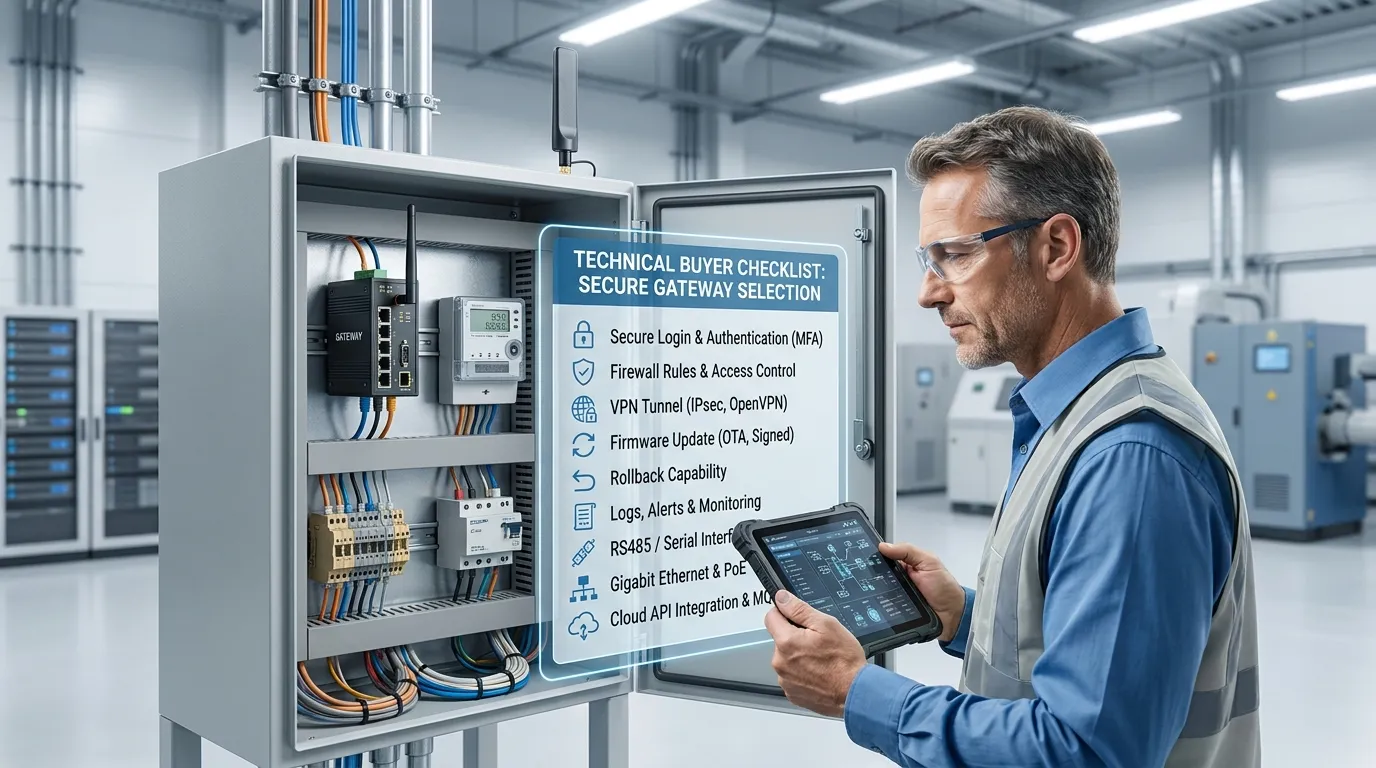

Tespro provides industrial metering, connectivity, and energy data solutions for utility teams, AMI/AMR projects, SCADA systems, industrial IoT integrators, automation engineers, and procurement buyers. For gateway remote management projects, buyers should not choose a device only by port count or network type. A remote management gateway must also match the project’s firewall, VPN or tunnel, secure login, firmware update, rollback, logs, alerts, interface, protocol, power, and deployment requirements.
This checklist is for teams managing distributed gateways across meter rooms, factory cabinets, smart grid sites, energy monitoring systems, and remote industrial locations. It helps buyers prepare a clear RFQ before requesting a quote, datasheet, sample, demo, or technical consultation from Tespro.
The goal is simple: select a gateway with firewall and remote operations features that can support secure maintenance without exposing field devices, meters, PLCs, or site networks unnecessarily.
When Do You Need a Remote Management Gateway with Firewall?
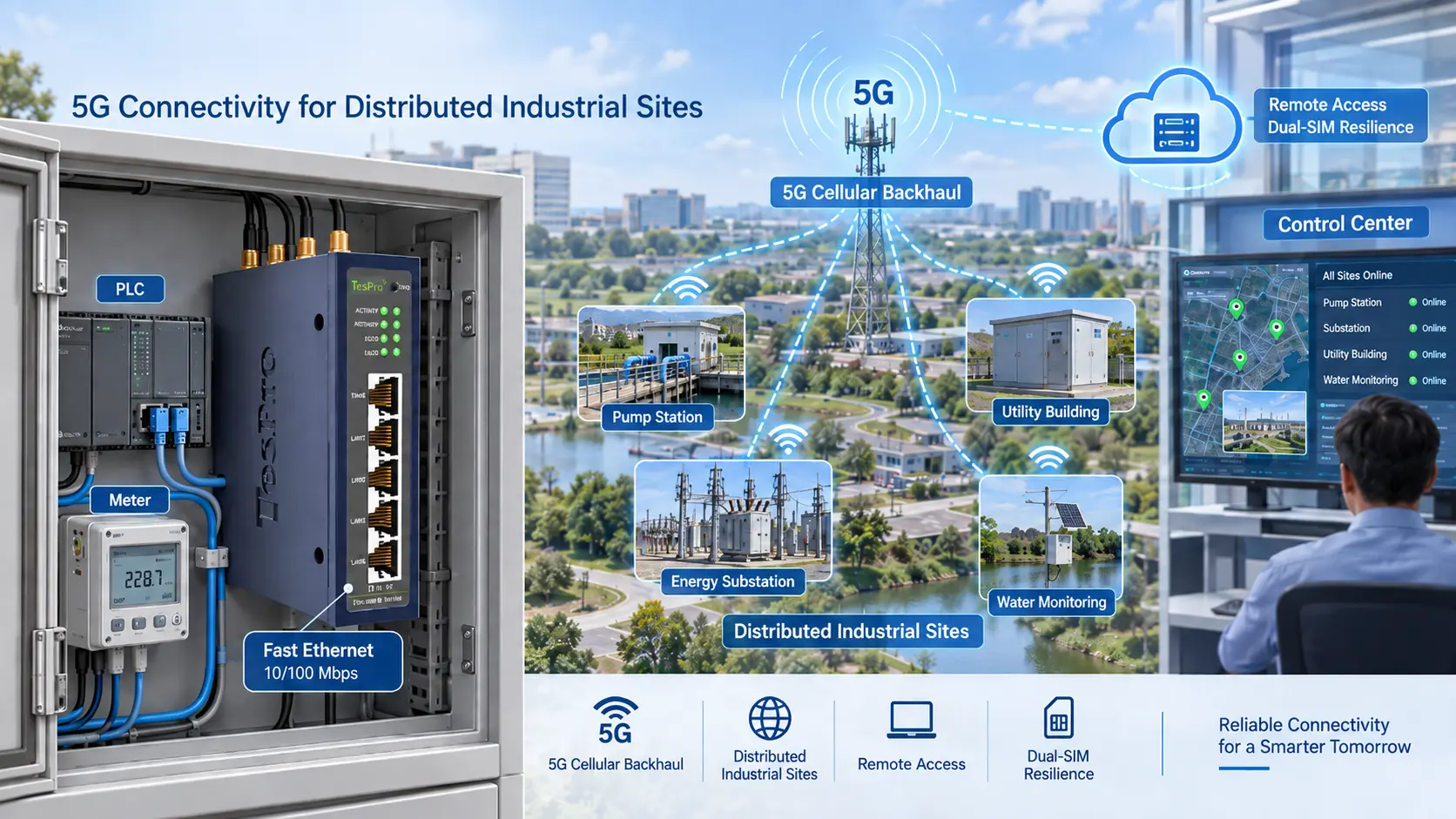
A remote management gateway is useful when field devices are spread across many locations and technicians cannot visit each site for every configuration change, firmware update, or troubleshooting task.
Common project scenarios include:
- Utility meter communication sites
- AMI/AMR data collection projects
- Smart grid monitoring cabinets
- Factory automation panels
- SCADA remote access points
- Energy management systems
- Industrial IoT sensor networks
- Smart city or distributed infrastructure projects
- OEM equipment that needs remote maintenance access
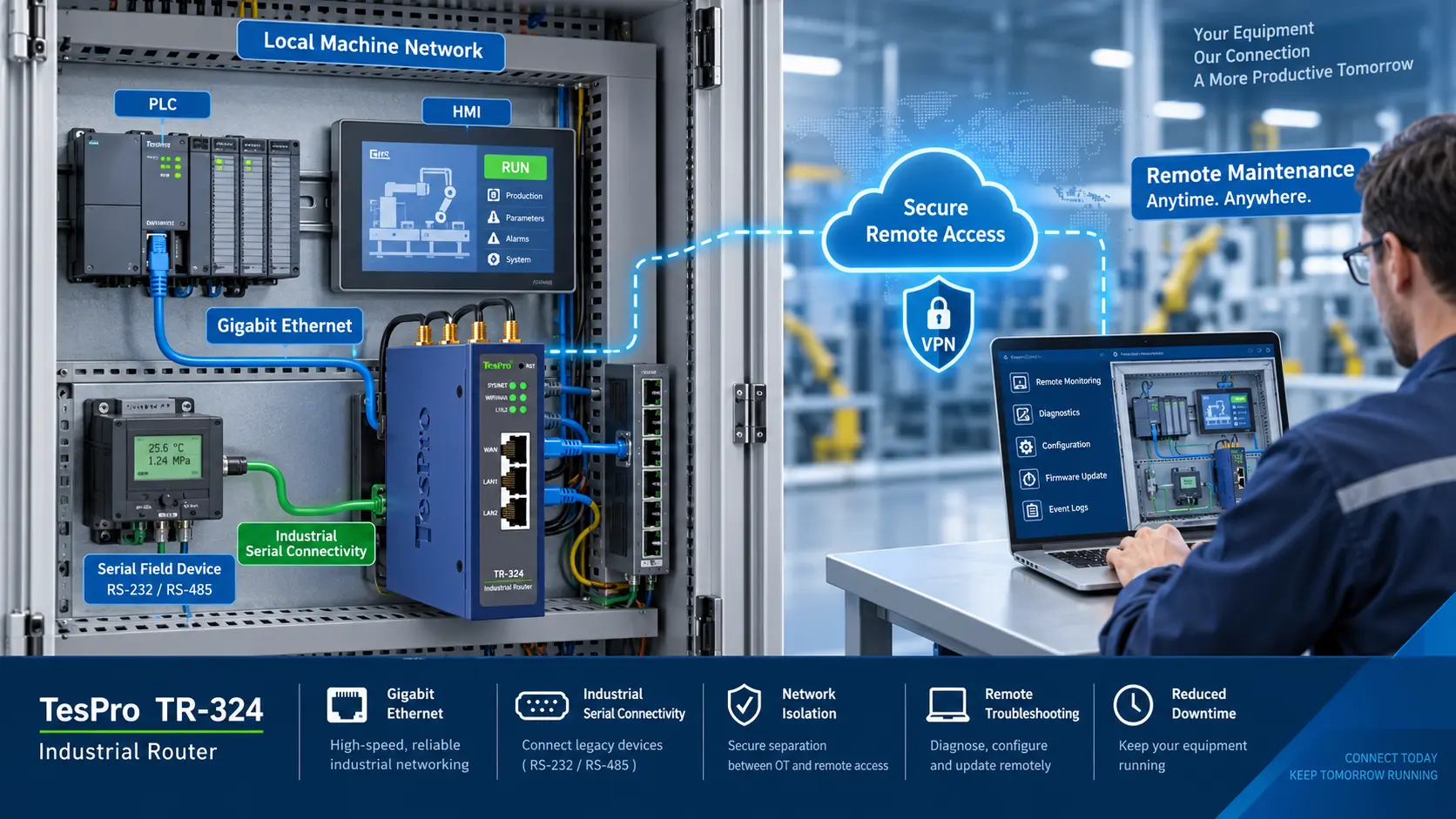
A gateway with firewall is especially important when the gateway connects field devices to cellular, Ethernet, cloud, or remote support networks. The firewall helps control which traffic is allowed, which services can be reached, and which users or systems can access the site.
For technical buyers, the buying decision should cover both communication and security. A gateway that sends data successfully may still create risk if remote access, user control, update handling, and logging are weak.
What Should Buyers Confirm Before Choosing a Gateway?
Before shortlisting a device, define how the gateway will work in the full system. A remote gateway may connect meters, PLCs, sensors, controllers, or serial devices on one side and a cloud platform, SCADA system, dashboard, or remote maintenance user on the other side.
Key buying checks include:
- What field devices will connect to the gateway?
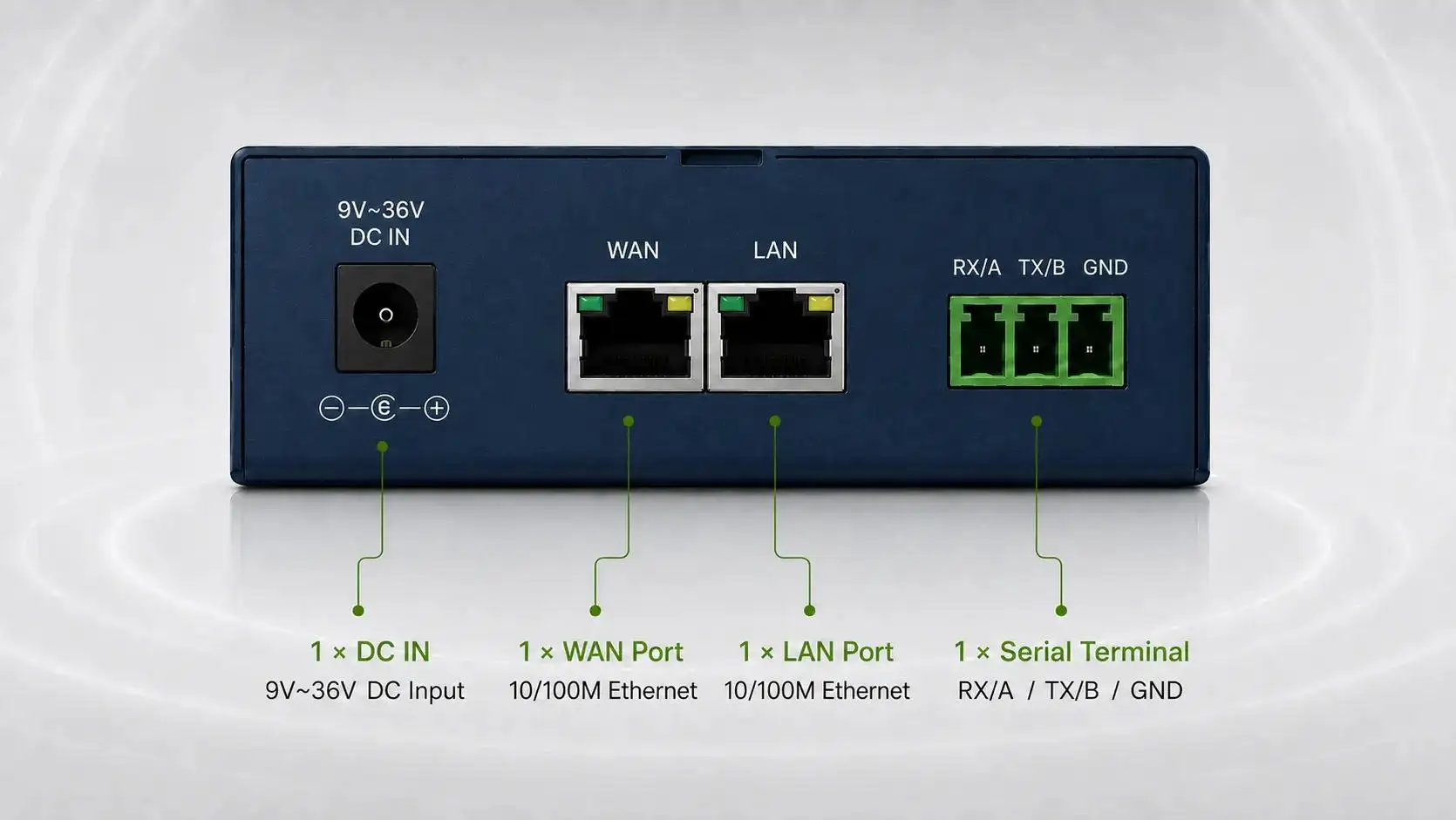
- Which interfaces are required: RS485, RS232, Ethernet, DI/DO, or other ports?
- Which protocols are needed: Modbus RTU, Modbus TCP, TCP/IP, MQTT, REST API, or project-specific protocols?
- Will the gateway use Ethernet, cellular, Wi-Fi, or mixed connectivity?
- Is 4G, 5G, LTE-M, NB-IoT, or another network type required?
- Does the project need SIM, APN, static IP, VPN, private network, or cloud tunnel access?
- Who needs remote access: internal engineers, integrators, OEM support, or maintenance teams?
- What logs, alerts, and firmware update controls are required?
- What power supply, enclosure, antenna, and cabinet conditions apply?
If the project involves utility metering or smart grid communication, the gateway must also fit the data path from field device to platform. For related planning, buyers can review Tespro’s smart grid gateway protocol integration checklist.
Security and Operations Checklist for Distributed Gateways
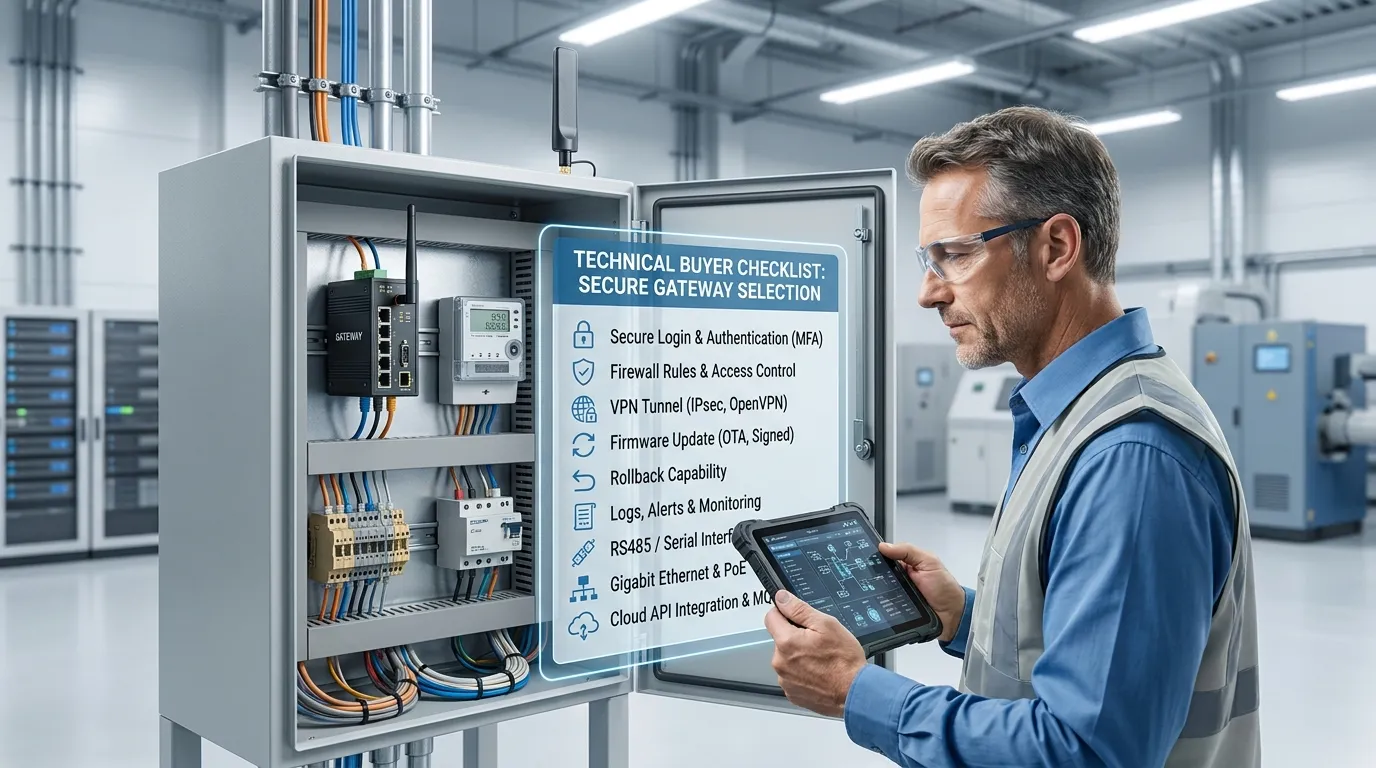
The table below helps integrators and maintenance managers compare gateway requirements before requesting a quote.
| Requirement | What to verify before purchase | Why it matters | RFQ detail to send Tespro |
|---|---|---|---|
| Secure login | User access method and admin control | Prevents uncontrolled remote access | Required user roles and access workflow |
| Firewall rules | Allowed ports, IP ranges, and services | Limits exposure of field devices | Firewall policy or security requirement |
| VPN or tunnel | VPN, private APN, static IP, or cloud access method | Defines remote maintenance architecture | SIM/APN/VPN/static IP needs |
| Field interface | RS485, RS232, Ethernet, or other ports | Ensures device connection compatibility | Connected device type and port count |
| Protocol support | Modbus RTU/TCP, MQTT, REST API, TCP/IP, or other protocols | Affects data collection and integration | Required protocol and data flow |
| Firmware update | Remote update method and control process | Reduces field visits and maintenance risk | Update policy and maintenance schedule |
| Rollback or recovery | Backup, recovery, or rollback expectation | Helps avoid failed remote updates | Recovery requirement if needed |
| Logs and alerts | Connection, login, data, and device health visibility | Supports remote troubleshooting | Alarm and reporting requirements |
| Network type | Ethernet, 4G, 5G, Wi-Fi, or mixed network | Affects uptime and installation design | Site network and carrier details |
| Installation environment | Power, enclosure, DIN rail, antenna, cabinet space | Prevents field deployment problems | Site conditions and installation notes |
This table should be used before model selection, not after purchase. It helps procurement teams avoid incomplete RFQs and helps engineers compare security, connectivity, and operations requirements together.
VPN, APN, Static IP, or Cloud Tunnel?
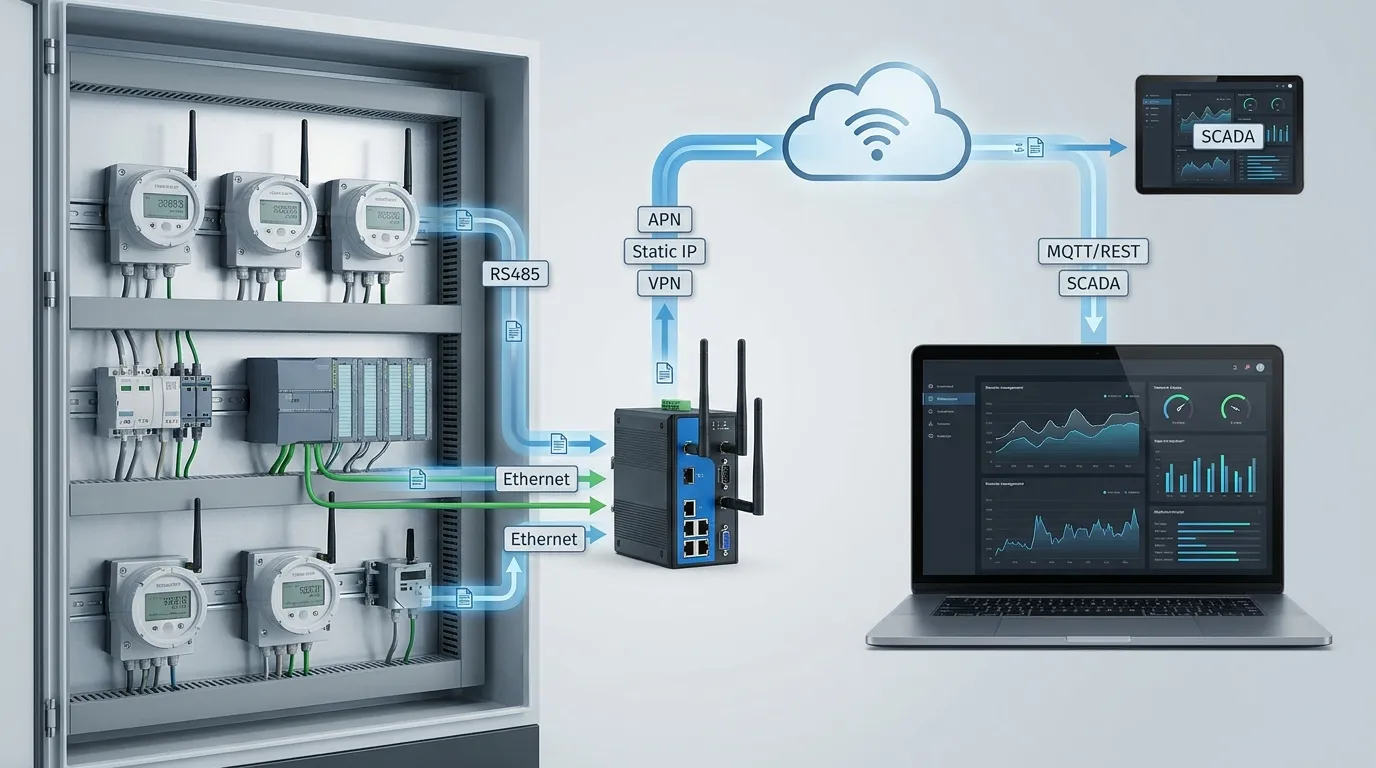
Remote management architecture affects both security and cost. Some projects use a VPN tunnel. Others use private APN, static IP, public IP with firewall restrictions, or a cloud-based remote access method.
The right option depends on the buyer’s IT policy, carrier plan, site count, maintenance process, and security rules.
A utility project with many remote meter cabinets may prefer a controlled network design. A factory automation project may need strict access approval from the plant IT team. An OEM support project may need temporary remote access for service engineers. A smart city deployment may require scalable access across many sites.
Buyers should confirm:
- Whether public IP is allowed
- Whether a private APN is required
- Whether static IP is available from the carrier
- Whether remote users need VPN access
- Whether the gateway must work behind NAT
- Whether cloud-based access is acceptable
- Whether firewall rules can restrict services by IP, port, or user role
Do not treat VPN and API integration as the same requirement. VPN is mainly for secure remote access. MQTT, REST API, or platform integration is mainly for data exchange. Many projects need both.
For cloud and API planning, see Tespro’s MQTT and REST API gateway cloud buyer checklist.
Interface and Protocol Planning for Field Devices
A secure remote gateway still needs to match the devices at the site. If the field side is wrong, firewall and remote access features will not solve the integration problem.
For metering, energy monitoring, and industrial control projects, common interface and protocol checks include:
- RS485 for Modbus RTU or serial meter communication
- RS232 for specific devices or legacy equipment
- Ethernet for PLCs, controllers, meters, or local networks
- Modbus TCP for Ethernet-based industrial systems
- MQTT or REST API for platform or cloud data transfer
- TCP/IP requirements for remote device communication
- Multiple Ethernet ports if uplink, downlink, LAN segmentation, or service access must be separated
For Modbus and RS485 projects, buyers can use Tespro’s industrial Modbus gateway RS485 buying checklist to prepare device-side requirements. If the project needs several LAN ports or separate network paths, review the multiple Ethernet gateway port planning checklist.
Firmware Updates, Backup, and Rollback Planning
Remote management is not only about logging into a gateway. It also affects how the device is maintained over its full deployment life.
Before purchase, buyers should ask how firmware updates and configuration changes will be handled. A remote firmware update can reduce site visits, but it can also create risk if the process is not planned.
Check whether the project needs:
- Remote firmware update support
- Scheduled update windows
- Configuration backup before changes
- Firmware version tracking
- Remote reboot control
- Rollback or recovery planning
- Local recovery procedure if the site goes offline
- Update approval workflow for IT or operations teams
Do not assume rollback is available unless the supplier confirms it. If rollback, recovery, or backup is critical, include it clearly in the RFQ.
Logs, Alerts, and Maintenance Visibility
A gateway may be reachable remotely, but that does not mean it is easy to maintain. Distributed gateway projects need visibility into site health.
Maintenance teams should define which events must be visible. Useful alerts may include connection loss, repeated login failure, VPN status change, SIM/network issue, data transmission failure, device reboot, firmware version mismatch, or abnormal gateway status.
Logs and alerts help teams understand whether a problem is caused by the gateway, field device, network, SIM plan, cloud endpoint, or power supply. This reduces troubleshooting time and helps avoid unnecessary site visits.
For procurement, ask what monitoring data is available and how your team will access it. If a dashboard, software platform, API, or alarm workflow is required, include that requirement before quotation.
Common Mistakes When Buying a Remote Gateway
Many gateway projects fail because buyers focus on one feature and miss the full deployment workflow.
Avoid these mistakes:
- Choosing a gateway only by cellular generation or port count
- Ignoring firewall rule planning
- Assuming public IP is always available
- Forgetting APN, SIM, or carrier requirements
- Treating VPN as a replacement for data integration
- Ignoring firmware update and recovery planning
- Not checking logs and alerts before rollout
- Buying a device without confirming protocol and interface needs
- Sending an RFQ without site conditions or system diagrams
- Allowing broad remote access to the whole local network
A good buying process connects device selection, security policy, field communication, platform integration, and maintenance workflow.
What to Include in the RFQ
A clear RFQ helps Tespro recommend the right device category, configuration, datasheet, sample, demo, or consultation path.
Before contacting Tespro, prepare:
- Product or device type needed
- Quantity
- Application or project type
- Meter, PLC, sensor, or field device model if relevant
- Required interface: RS485, RS232, Ethernet, DI/DO, or other ports
- Required protocol or standard
- Network type: Ethernet, 4G, 5G, Wi-Fi, or mixed
- SIM, APN, VPN, static IP, or public IP requirements
- Firewall and remote access requirements
- Cloud, dashboard, SCADA, MQTT, REST API, or platform needs
- Firmware update, backup, rollback, log, and alert requirements
- Power supply and backup power conditions
- Enclosure, DIN rail, antenna, or cabinet constraints
- Operating environment and installation location
- Delivery destination
- Datasheet, sample, demo, or OEM/ODM support needs
- Any drawing, site photo, system diagram, or written specification
The more complete the RFQ is, the easier it is to avoid overbuying, under-specifying, or selecting a gateway that does not match field conditions.
Why Work with Tespro for Gateway Security Planning?
Tespro supports industrial metering, smart meter communication, data transmission units, industrial routers, gateways, meter test equipment, calibrators, and software/platform-related solutions. This gives buyers a practical partner when the project involves both field hardware and data connectivity.
Our team can help buyers think through device category, interface, protocol, network, remote management, security, and platform requirements before quotation. This is useful for utilities, meter manufacturers, AMI/AMR project teams, system integrators, automation engineers, distributors, and OEM/ODM buyers.
Tespro’s role is not only to supply hardware. It is to help buyers prepare the right technical details so the recommended solution fits the application, deployment environment, and maintenance workflow.
Frequently Asked Questions
Is a firewall enough for remote gateway security?
No. A firewall is only one layer. Buyers should also confirm secure login, VPN or tunnel access, user roles, logs, alerts, firmware update control, and recovery planning.
Can a gateway be managed without a public IP?
In many projects, yes, but the method depends on the network design. Buyers may need VPN, private APN, static IP, cloud remote access, or another approved remote access architecture.
What is the difference between a gateway and an industrial router?
An industrial router mainly manages network connectivity and routing. A gateway may also connect field devices, translate protocols, and send data to SCADA, cloud, or software platforms. Some devices combine both roles.
Do I need MQTT or REST API if I already use VPN?
VPN supports secure remote access. MQTT or REST API supports data exchange with a platform or cloud system. If the project needs both maintenance access and data integration, both may be required.
What logs should maintenance teams request?
Useful logs may include login attempts, connection status, reboot events, VPN status, firmware version, data transmission issues, and network health. The exact requirement should match the project’s maintenance workflow.
Should rollback be included in the RFQ?
Yes, if failed updates could cause costly site visits. Ask the supplier to confirm update, backup, recovery, or rollback options before deployment.
If you are selecting a remote management gateway, gateway with firewall, industrial router, DTU, or secure connectivity solution for a distributed project, share your requirements with Tespro before choosing a model.
Send your device type, quantity, application, connected meter or device model, interface, protocol, network type, SIM/APN/VPN/static IP needs, cloud or API requirements, power supply, operating environment, enclosure limits, remote management needs, datasheet/sample/demo request, delivery destination, and any system diagram or written specification.
Tespro can review your project details and help you request the right quote, datasheet, sample, demo, consultation, or OEM/ODM support for your gateway deployment.