-1791966549842.webp)






Tespro provides industrial gateways, routers, DTUs, and metering connectivity solutions for utility, AMI/AMR, factory automation, SCADA, smart grid, and industrial IoT projects. When buyers search for a gateway with multiple Ethernet ports, the real question is usually not only “how many RJ45 ports are available?” It is “how many wired devices, protocols, uplinks, and service connections must the gateway support without adding unnecessary switches, wiring, and failure points?”
A gateway with Ethernet should be selected by port role, protocol, network topology, power supply, cabinet space, and software integration requirements. Too few ports can force an extra industrial switch, more DIN rail space, additional power wiring, more patch cables, and a harder troubleshooting process.
This checklist helps engineers and procurement teams plan Ethernet port requirements before requesting a quote, datasheet, sample, demo, or technical consultation from Tespro.
Why Ethernet Port Count Matters Before Gateway Selection
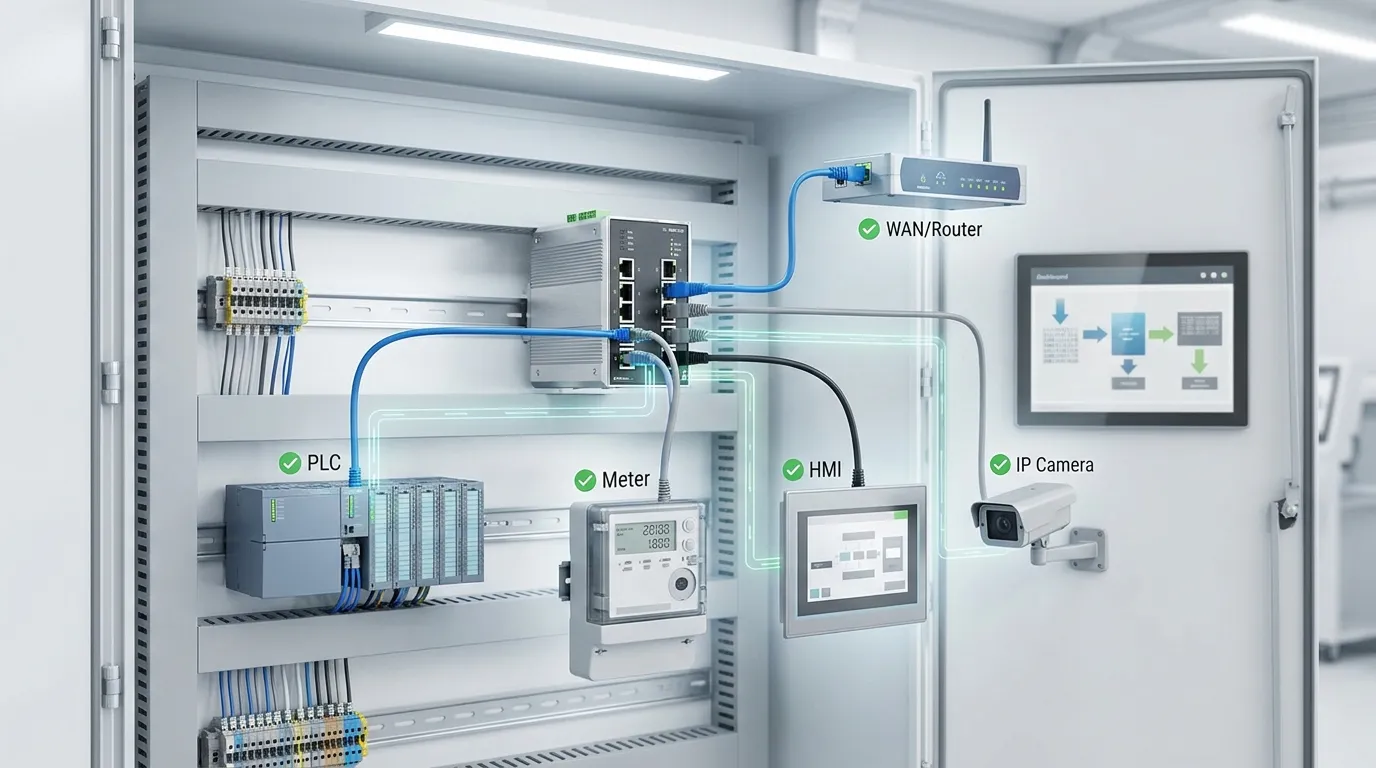
In many industrial projects, the gateway is installed inside a control cabinet, meter panel, machine cabinet, outdoor enclosure, or remote monitoring box. It may connect PLCs, meters, HMIs, IP cameras, industrial PCs, serial devices, upstream routers, or cloud platforms.
If the gateway has too few Ethernet ports, the project may still work. However, the buyer may need to add a separate switch. That can increase:
- Cabinet space
- Power supply load
- Wiring complexity
- Installation time
- Maintenance points
- Troubleshooting risk
- Procurement cost
A low-cost gateway can become expensive if it forces the integrator to redesign the cabinet. That is why port planning should happen before model selection.
How Many Ethernet Ports Should an Industrial Gateway Have?
Buyers should count port roles, not just devices. A gateway may have Ethernet ports, but each port may serve a different function.
Common port roles include:
- Local connection to a PLC
- Connection to smart meters or power monitoring devices
- HMI or industrial PC connection
- IP camera or inspection device connection
- Upstream router, firewall, or WAN connection
- Engineering laptop or maintenance access
- Spare port for future expansion
- Separate network segment for OT and IT security
For simple remote monitoring, a 1-port or 2-port Ethernet gateway may be enough. For machine cabinets, smart grid sites, or multi-device data acquisition, buyers should plan more carefully.
A gateway with multiple Ethernet ports is useful when the project needs direct wired connections without adding another network device. However, if the site has many Ethernet devices, a gateway plus industrial switch may still be the cleaner architecture.
Ethernet Port Planning Table for Industrial Projects
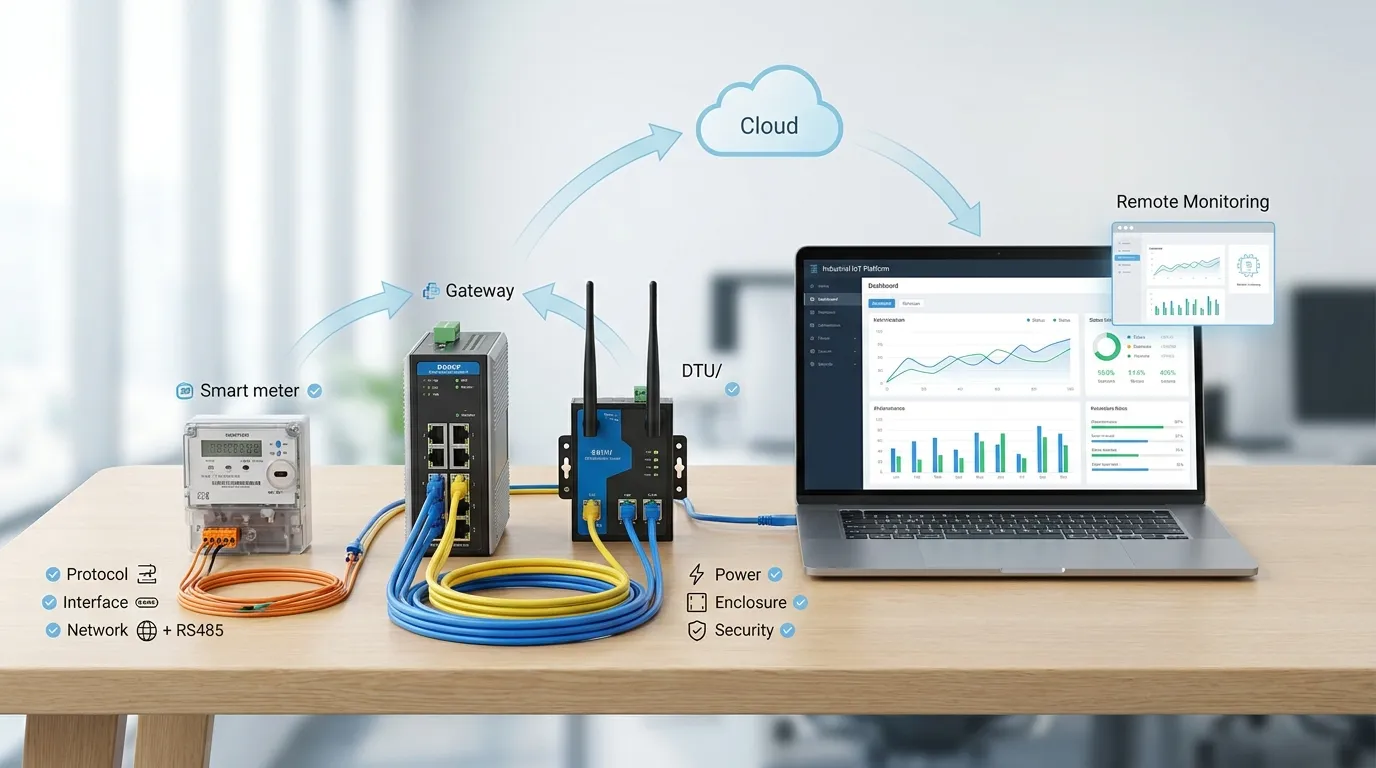
Use this table before preparing the RFQ. It helps separate physical port demand from protocol and integration requirements.
| Connected device or function | Typical connection need | Ethernet port planning note | Key RFQ detail to confirm |
|---|---|---|---|
| PLC | 1 port per PLC or shared via switch | Check Modbus TCP, EtherNet/IP, or other PLC protocol needs | PLC model, protocol, data points, update frequency |
| Smart meter or power meter | Ethernet or RS485 | Ethernet meters may need LAN ports; RS485 meters can share a serial bus | Meter model, interface, protocol, baud rate if serial |
| HMI or industrial PC | Usually 1 port | May need access to PLC and gateway data | Network topology and access permissions |
| IP camera or NVR | 1 port or switch | Cameras may need higher bandwidth or PoE planning | Camera count, bandwidth, PoE need, storage path |
| SCADA system | Local or upstream network | May need stable LAN/WAN route and security rules | SCADA protocol, IP addressing, polling interval |
| Upstream WAN/router | 1 port | Required if the gateway sends data to a remote platform | WAN type, static IP, VPN, APN, firewall needs |
| Cloud/API endpoint | Via WAN or router | Check MQTT, REST API, TCP/IP, or platform workflow | Cloud platform, API format, data frequency |
| Service laptop | Optional port | Useful for maintenance without unplugging devices | Local access method and security requirement |
| Spare expansion | 1 or more ports | Reduces future redesign risk | Expected future devices or project phase two |
When Is a 2-Port Ethernet Gateway Enough?
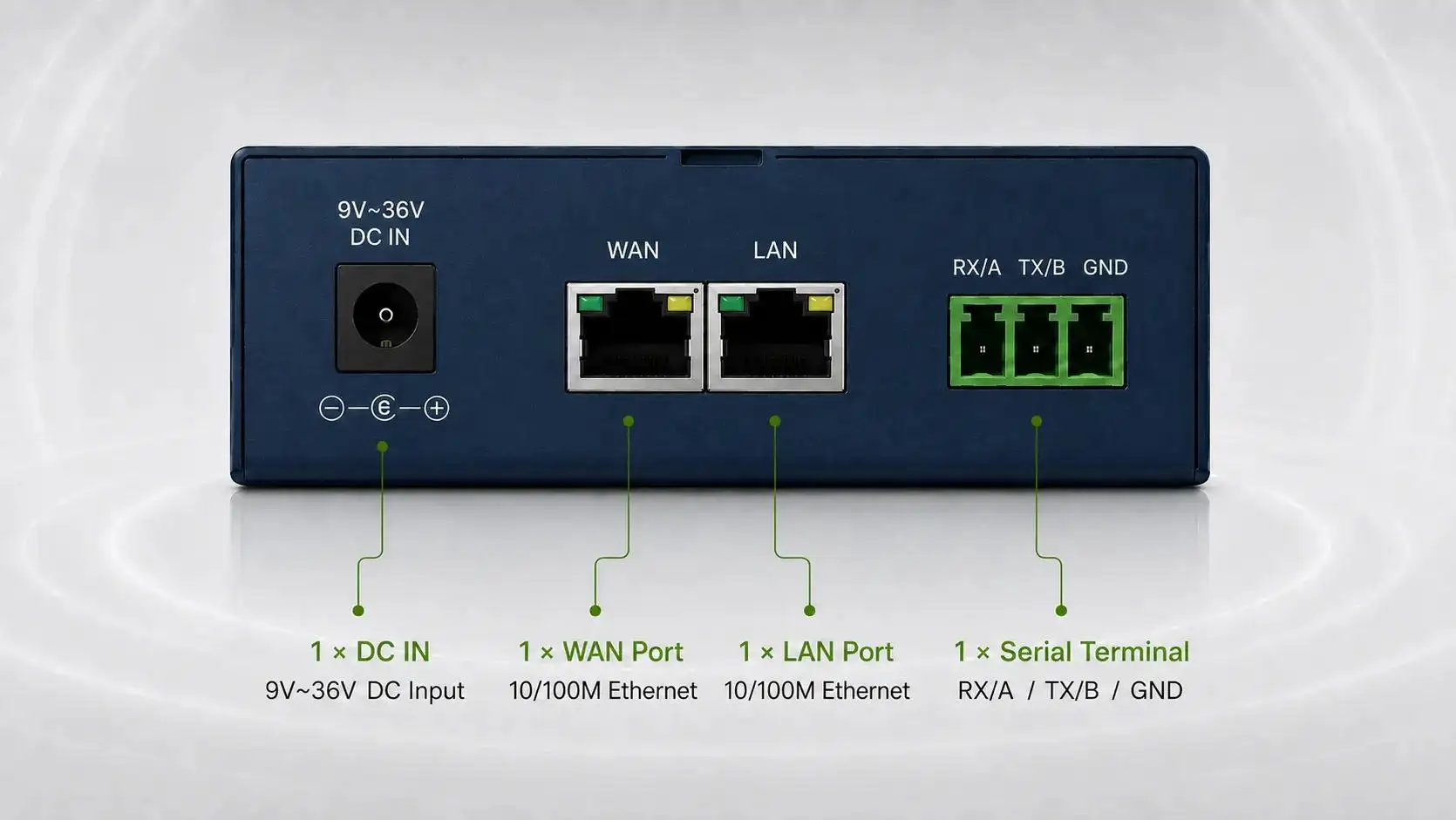
A 2-port gateway can be enough when the system has a simple device-to-network layout. For example, one port may connect to a PLC or meter network, while the other connects to an upstream router, firewall, or WAN path.
This can fit:
- A small power monitoring cabinet
- A single PLC data collection point
- A small AMR or remote meter reading site
- A Modbus TCP to cloud upload project
- A simple SCADA communication bridge
However, a 2-port device may become restrictive when the buyer also needs an HMI, IP camera, local SCADA PC, engineering laptop, and future expansion. In that case, the project should consider a gateway with more ports or a dedicated industrial switch.
For cloud and API-focused projects, buyers can also review Tespro’s guide to MQTT and REST API gateway planning.
When Do You Need More Ports or an Industrial Switch?
More Ethernet ports become important when the gateway is part of a local industrial network, not just a data uplink. This is common in factory automation, power monitoring, smart grid sites, and remote equipment rooms.
A gateway with more ports may be useful when:
- Multiple PLCs or controllers need direct wired access
- HMI, SCADA PC, and gateway must stay connected together
- IP cameras or inspection devices are part of the same cabinet
- The buyer wants fewer devices in the cabinet
- Maintenance access should not require unplugging active devices
- The project needs spare capacity for future expansion
A separate industrial switch may be better when the number of Ethernet devices is high. It can also help when the project needs managed switching, VLANs, network segmentation, or PoE.
The decision should not be based only on port count. Buyers should also compare cabinet space, power input, cable routing, reliability, security, and maintenance access.
For factory projects with PLCs, HMIs, and field devices, see Tespro’s related guide on factory automation gateway integration.
Ethernet Is Only One Part of the Gateway Specification
A gateway with Ethernet may still be the wrong choice if the protocol or interface does not match the project. Buyers should confirm both the physical connection and the data communication method.
Important interface and protocol questions include:
- Are the field devices Ethernet, RS485, RS232, I/O, or mixed?
- Do meters use Modbus RTU, Modbus TCP, DLMS, DNP3, or another protocol?
- Does the PLC require Modbus TCP, EtherNet/IP, or another industrial protocol?
- Will the gateway send data to SCADA, MQTT, REST API, or a cloud platform?
- Is local buffering required when the network is unstable?
- Is remote configuration or firmware management needed?
- Are VPN, firewall, static IP, APN, or SIM requirements involved?
For RS485 and Modbus projects, buyers should review Tespro’s industrial Modbus gateway RS485 buying checklist. RS485 devices may not need one Ethernet port per meter, but they still need careful address, baud rate, termination, and protocol planning.
For utility and smart grid projects, Tespro’s smart grid gateway protocol integration checklist can help buyers map protocol and system requirements.
Deployment Details That Affect Gateway Selection
Port count also affects the physical installation. A compact gateway may look suitable on a datasheet, but the full cabinet design may require more planning.
Before choosing a gateway with Ethernet, confirm:
- Available DIN rail or panel space
- Power supply voltage and power budget
- Cable routing and connector access
- Indoor or outdoor enclosure requirements
- Operating temperature and site condition
- Antenna location if cellular is involved
- Grounding, surge, and electrical noise conditions
- Maintenance access for technicians
- Local security policy for ports and network access
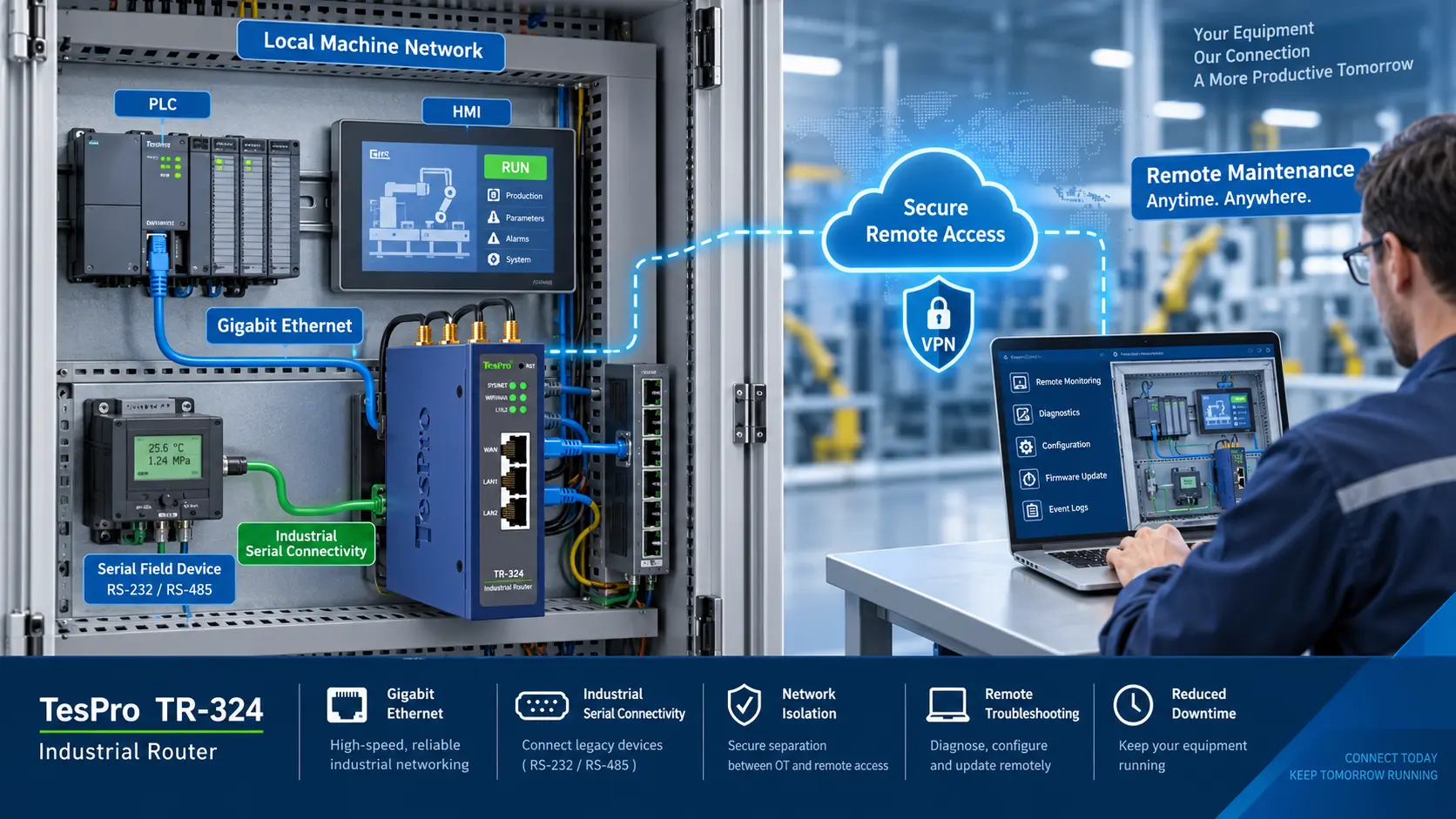
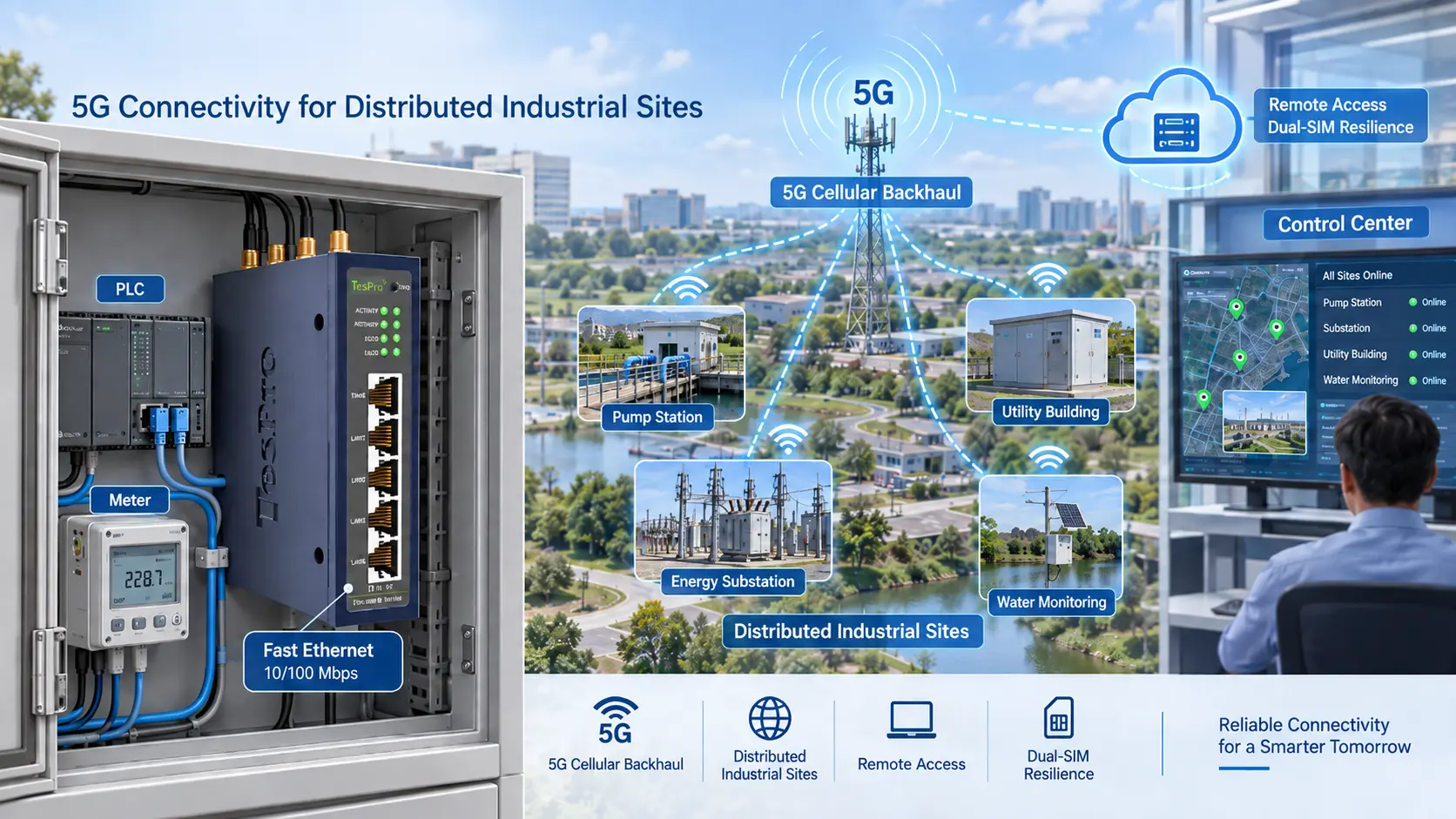
For remote sites, the gateway may also need to work with an industrial router, DTU, cellular network, VPN, static IP, or cloud platform. In these cases, Ethernet port count should be planned together with WAN and remote management requirements.
Common Mistakes When Buying a Gateway With Ethernet
The most common mistake is choosing the device only by price or basic port count. That can create problems later during installation.
Buyers should avoid:
- Counting only today’s devices and ignoring expansion
- Forgetting the upstream WAN or router port
- Using all ports for active devices with no service access
- Assuming RS485 meters need individual Ethernet ports
- Ignoring protocol conversion requirements
- Ignoring cloud, SCADA, or API integration
- Adding a switch without checking cabinet power and space
- Selecting Gigabit Ethernet without a real bandwidth need
- Ignoring VPN, static IP, APN, or cybersecurity requirements
A good port plan should show the full path from field device to gateway, gateway to network, and network to software platform.
What Should Be Included in the RFQ?
A clear RFQ helps Tespro recommend the right industrial gateway, router, DTU, or gateway-and-switch architecture. It also reduces back-and-forth during quotation.
Send the following details when possible:
- Product or device type needed
- Quantity
- Application type, such as AMI/AMR, factory automation, SCADA, smart grid, or remote monitoring
- Field device list, including PLCs, meters, HMIs, cameras, or sensors
- Meter, PLC, or device model if available
- Required Ethernet port count
- LAN, WAN, service, and spare port requirements
- Protocols or standards, such as Modbus TCP, Modbus RTU, DLMS, DNP3, MQTT, REST API, or TCP/IP
- Interface requirements, such as Ethernet, RS485, RS232, I/O, USB, or cellular
- Network type, such as wired LAN, 4G, 5G, NB-IoT, LTE-M, or existing router
- SIM, APN, VPN, firewall, or static IP requirements
- Cloud, dashboard, SCADA, API, or export requirements
- Power supply and cabinet constraints
- Operating environment
- Security or remote management needs
- Datasheet, sample, demo, or OEM/ODM support needs
- Delivery destination
- Site drawing, cabinet layout, topology diagram, or written specification
Why Work With Tespro for Gateway Port Planning?
Tespro supports industrial metering, smart meter communication, data transmission, industrial routers, gateways, test equipment, calibrators, and software/platform workflows. This helps buyers discuss the full project path, not only the Ethernet port count.
For example, a utility project may need meter communication hardware, data collection, remote monitoring, and software integration. A factory automation project may need PLC connectivity, Modbus communication, router support, cloud upload, and secure remote access.
Tespro can help technical and procurement teams prepare the right device shortlist by reviewing port requirements, interface needs, protocol planning, deployment conditions, and RFQ details. This is useful for utilities, meter manufacturers, system integrators, distributors, OEM/ODM buyers, and industrial IoT project teams.
Frequently Asked Questions
How many Ethernet ports should an industrial gateway have?
It depends on the number of wired devices, upstream network path, service access, and future expansion. Count PLCs, meters, HMIs, cameras, SCADA devices, WAN/router links, and maintenance ports before choosing the gateway.
Is a 2-port Ethernet gateway enough?
A 2-port gateway may be enough for one local device network and one uplink. It may not be enough for PLC, HMI, camera, SCADA PC, service laptop, and future expansion without an external switch.
Should I choose more gateway ports or add a switch?
Choose more gateway ports when you want fewer cabinet devices and simpler wiring. Add an industrial switch when many Ethernet devices, VLANs, PoE, or managed network features are required.
Do RS485 meters need separate Ethernet ports?
Usually no. RS485 meters can share a serial bus when properly addressed and configured. However, the gateway must support the required serial interface, protocol, baud rate, and meter communication workflow.
Do I need Gigabit Ethernet for a gateway?
Many meter reading and PLC telemetry projects can work with lower bandwidth. Gigabit may be useful for cameras, large data transfer, edge computing, or high-volume local network traffic.
What should I send before requesting a quote?
Send device count, port count, protocols, interfaces, network type, SIM/APN/VPN/static IP needs, cloud or SCADA requirements, power supply, cabinet constraints, site environment, and any topology drawing or written specification.
Plan Your Gateway Port Requirements With Tespro
If you are selecting a gateway with Ethernet for metering, AMI/AMR, smart grid, SCADA, factory automation, energy monitoring, or industrial IoT, share your project requirements with Tespro.
Send your device list, required Ethernet port count, protocol or standard, interface requirements, network type, SIM/APN/VPN/static IP needs, cloud or platform requirements, power supply, operating environment, enclosure constraints, security needs, quantity, delivery destination, and any site drawing or system diagram.
Tespro can help you review the port plan and recommend a suitable gateway, industrial router, DTU, software/platform workflow, datasheet, sample, demo, consultation, or OEM/ODM solution for your project.