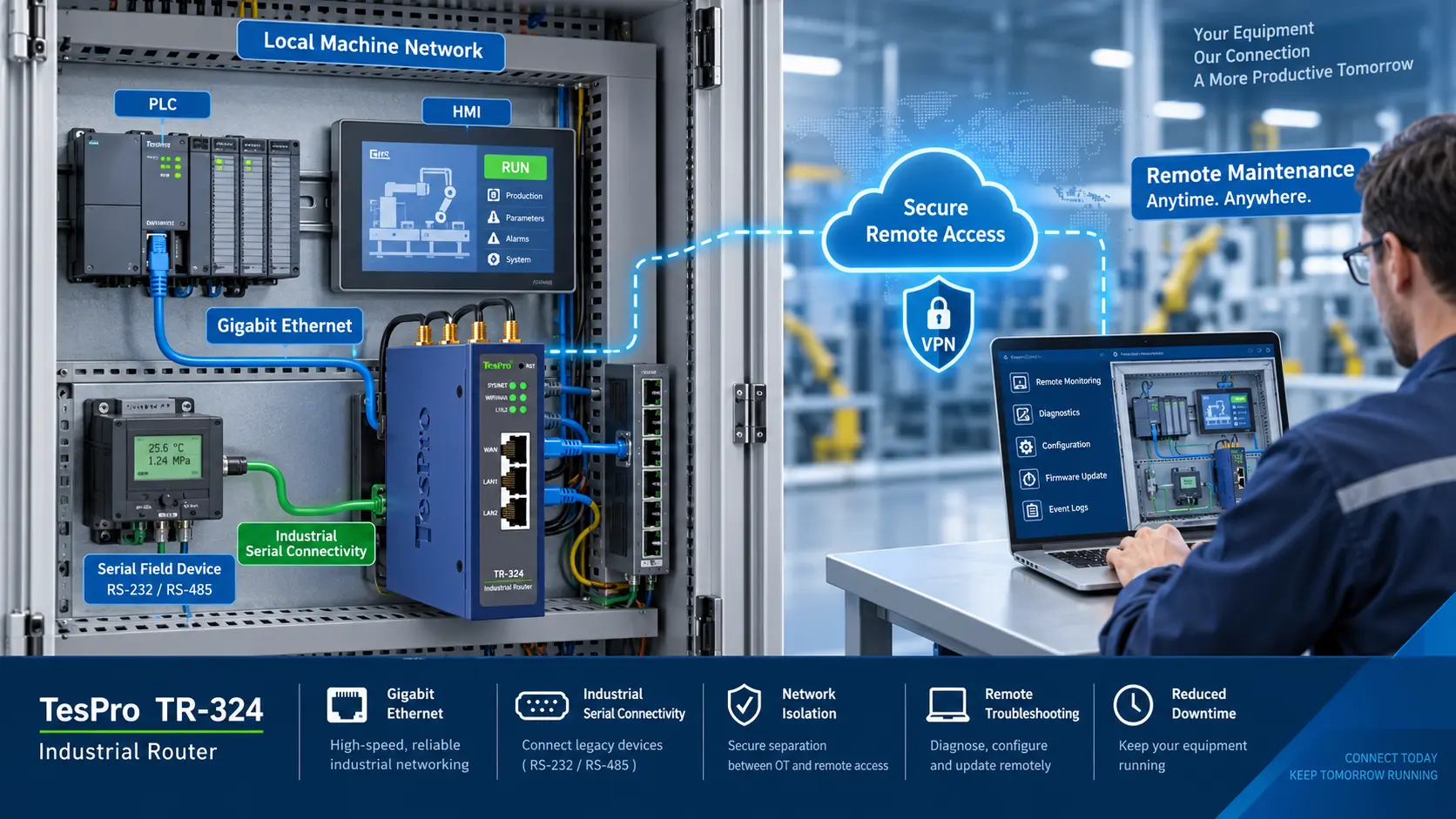
-1791966549842.webp)





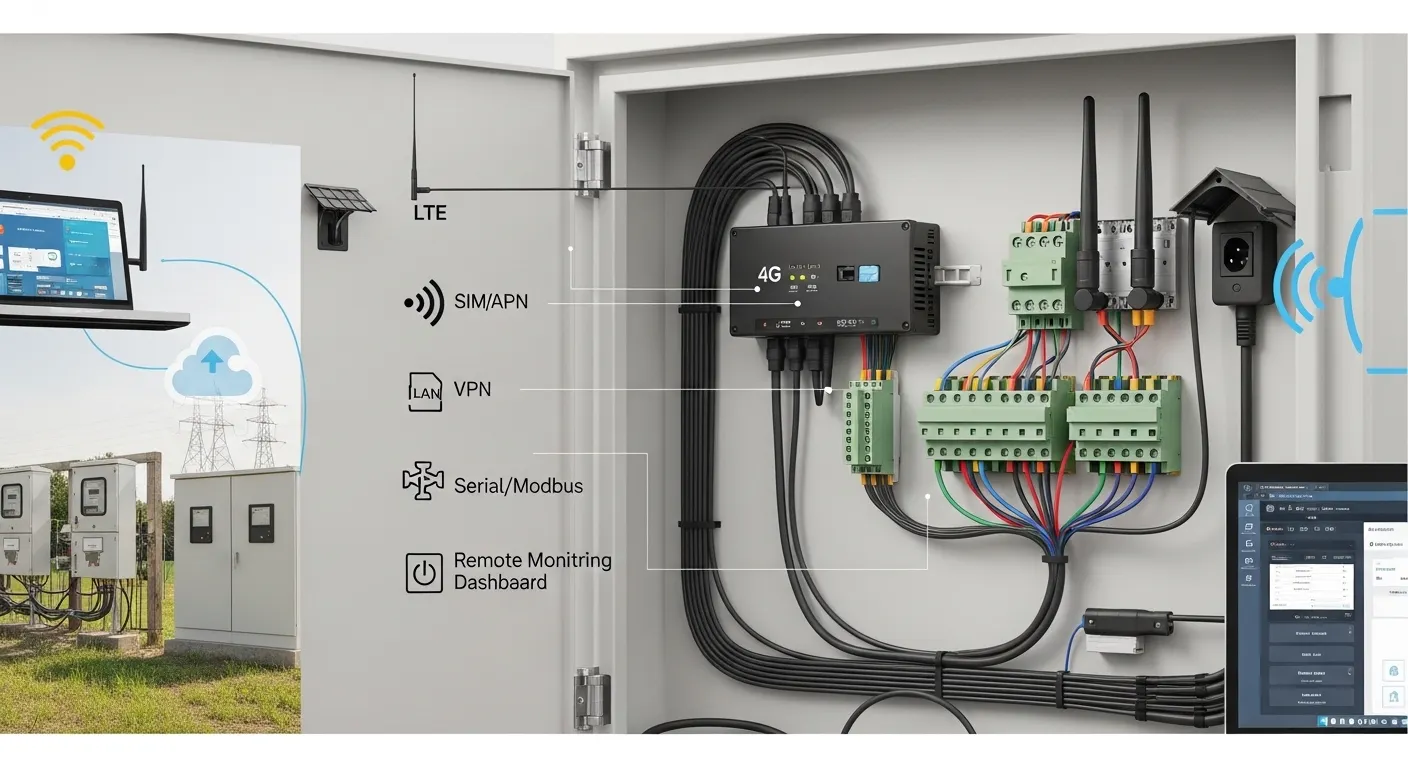

Tespro provides industrial connectivity solutions for utilities, smart metering teams, industrial IoT integrators, SCADA projects, automation engineers, and procurement buyers who need stable field communication. A 4G industrial router or industrial LTE router should be selected based on the actual site conditions, not only the product name or cellular speed.
Before choosing a router, buyers should confirm signal quality, antenna location, SIM and APN requirements, LAN and serial ports, Modbus or TCP/IP communication needs, power supply, cabinet space, remote access method, and security requirements. These details affect installation success, maintenance cost, and quotation accuracy.
This checklist helps project teams prepare for router deployment in metering cabinets, remote assets, substations, factories, pump stations, smart city sites, and energy monitoring systems. It also explains what information to send Tespro when requesting a datasheet, quotation, sample, demo, or technical consultation.
When Is a 4G Industrial Router Needed?
A 4G industrial router is used when field devices need reliable cellular network access in locations where wired internet is unavailable, costly, or difficult to maintain. It is common in remote monitoring, smart metering, AMI/AMR, SCADA, industrial control, and energy management projects.
Buyers usually need this type of router when they must connect:
- Smart meters or meter concentrators
- PLCs, RTUs, sensors, or controllers
- Data loggers and monitoring devices
- Cameras or access control equipment
- Factory machines or remote cabinets
- Energy monitoring and utility assets
- SCADA or cloud-connected field systems
A standard office router is usually not suitable for these sites. Industrial deployments may require wider power input, DIN rail or cabinet installation, stronger antenna planning, serial interfaces, VPN access, remote reboot, and better tolerance for field environments.
For broader router procurement criteria, buyers can also review Tespro’s industrial cellular router procurement checklist.
Confirm Site Readiness Before Selecting a Router
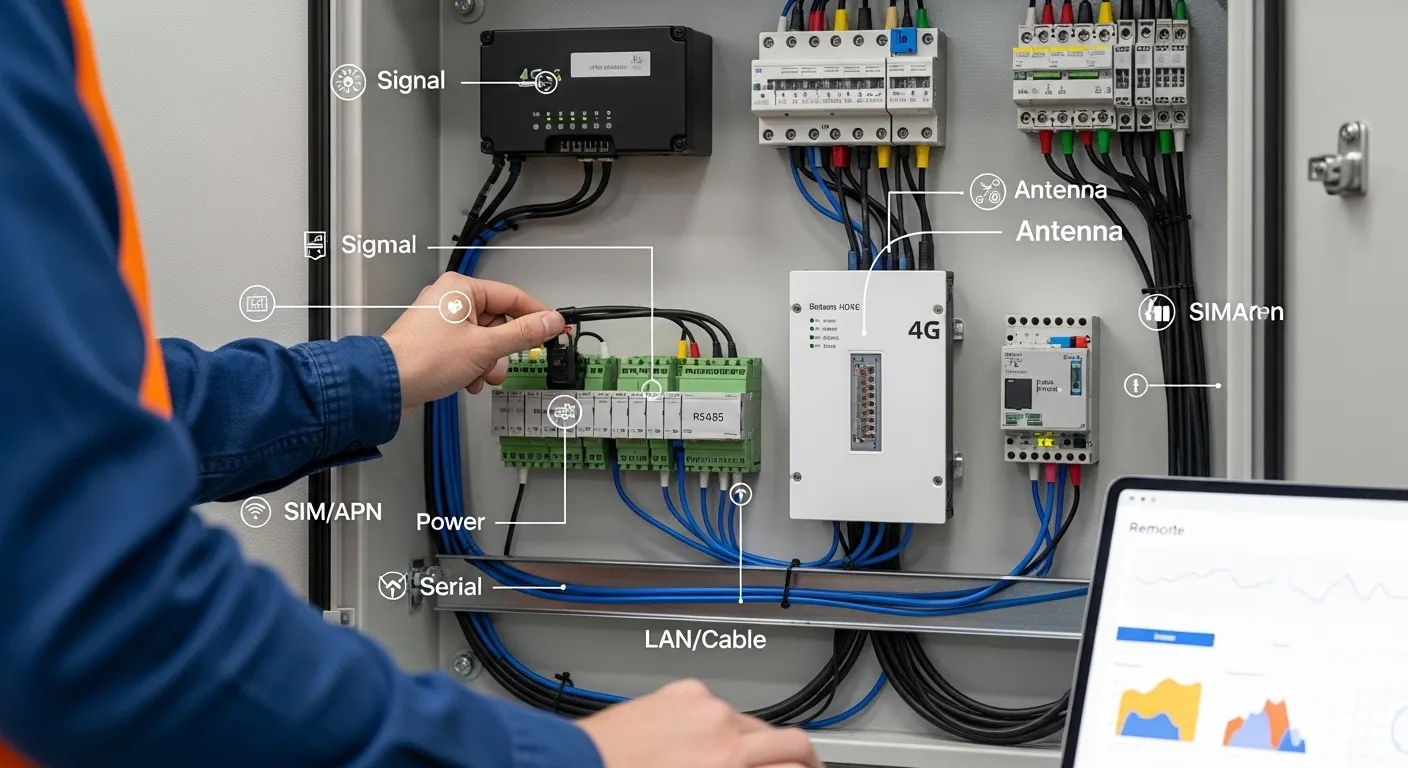
The first decision is not the router model. It is whether the site is ready for stable cellular communication.
Field teams should check the installation location before requesting a quote. A router installed inside a metal cabinet, basement, substation room, factory corner, or outdoor enclosure may not receive the same signal quality as a phone tested nearby.
Before selection, confirm:
- Deployment country and cellular operator
- 4G LTE coverage at the actual site
- Signal strength inside and outside the cabinet
- Whether an external antenna is required
- Antenna cable length and mounting position
- Cabinet material and available space
- Indoor, outdoor, dusty, hot, humid, or vibration-prone conditions
- Power source and backup power plan
- Need for DIN rail, wall, or panel mounting
Weak signal is one of the most common field problems. If the antenna is selected late, the router may be correct on paper but unstable in real operation.
SIM, APN, VPN, and Static IP Planning
A 4G router cannot be selected only by checking whether it supports cellular connectivity. The network access method must also match the project.
For simple internet access, a standard SIM may be enough. For SCADA, remote device login, meter data collection, or camera access, the buyer may need a private APN, static IP, VPN, or secure remote access method.
Confirm these points early:
- Single SIM or dual SIM requirement
- Primary and backup cellular operator
- Standard APN or private APN
- Static public IP or private network access
- VPN requirement for remote maintenance
- Firewall, NAT, or port forwarding needs
- Remote login policy for engineers or operators
- Data plan limits and expected traffic volume
Dual SIM may be useful for hard-to-access sites where carrier backup is important. However, it should be chosen based on uptime risk, not only as a feature preference.
Ports and Interfaces to Check
The router must physically connect to the devices in the cabinet or field site. If the port count or interface type is wrong, the installation team may need extra converters, switches, or redesign work.
Common interface details include:
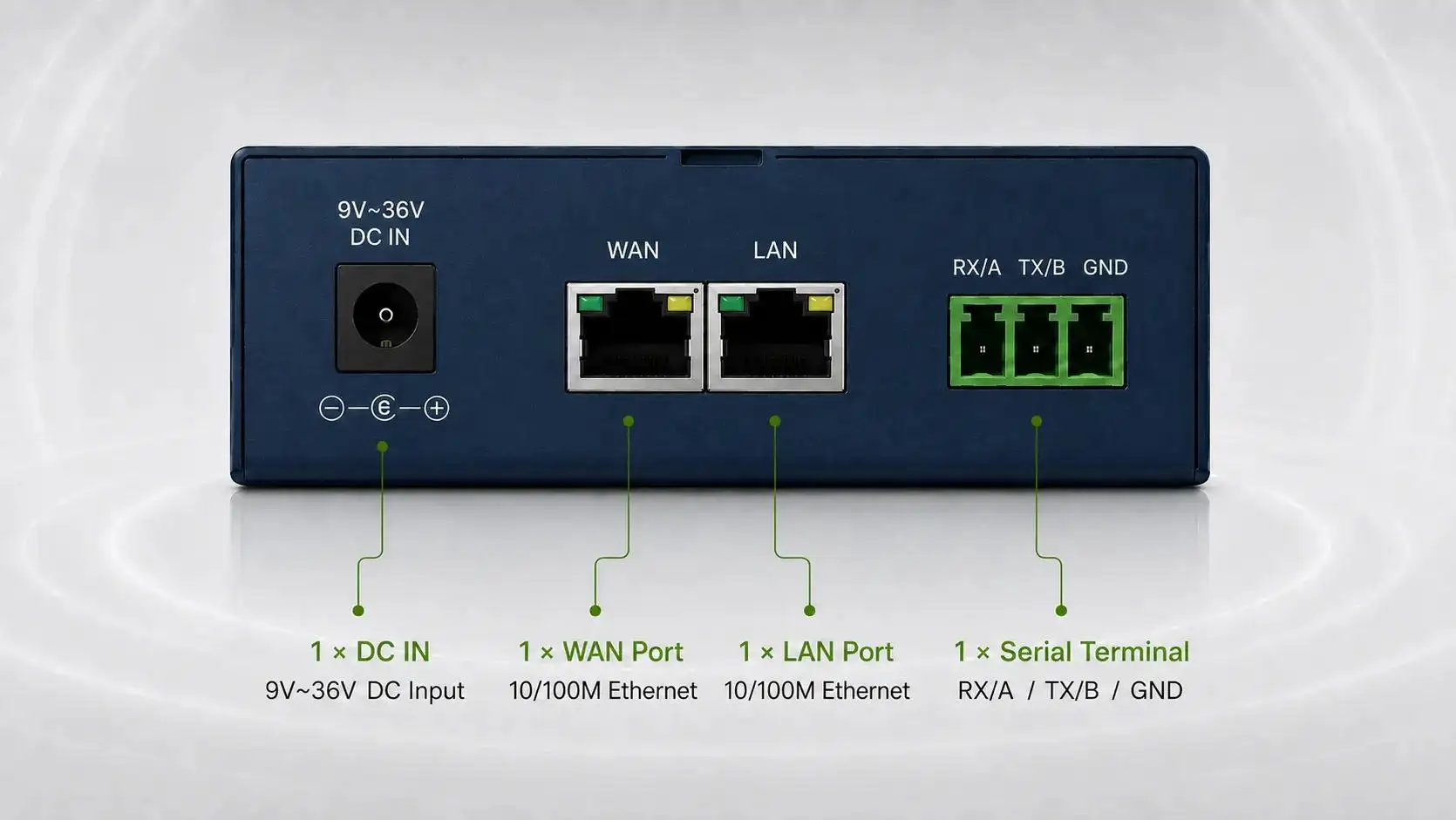
- Ethernet LAN ports for PLCs, gateways, computers, or cameras
- WAN port requirement if wired internet is also used
- RS232 for serial equipment
- RS485 for meters, RTUs, or Modbus devices
- DI/DO requirements for alarms or control signals
- Wi-Fi requirement for local access or device connection
- USB or other maintenance interfaces, if required
For serial-heavy projects, buyers should compare whether a router, DTU, or gateway is the better device. If the main requirement is RS232 or TCP/IP data transmission, Tespro’s RS232 TCP/IP DTU interface selection checklist may help clarify the device choice.
Protocol and Data Communication Requirements
Industrial router selection should consider the data path from the field device to the monitoring system. The router may only provide network access, or it may need to support specific communication workflows.
Project teams should confirm whether the system uses:
- TCP/IP or UDP communication
- Modbus RTU or Modbus TCP
- MQTT for cloud data transfer
- SNMP for network monitoring
- VPN for secure SCADA access
- Serial-to-IP communication
- Remote device configuration
- Cloud platform, dashboard, or API endpoint
- Metering software or energy management platform
Do not assume every router supports every protocol or software workflow. Instead, include protocol and platform requirements in the RFQ so Tespro can help match the correct device category and configuration.
Power, Cabinet, and Environmental Conditions
A router installed in a utility cabinet or industrial panel faces different conditions than a router installed in an office. Power stability, enclosure type, and heat can affect long-term performance.
Confirm these deployment details:
- Available DC power supply
- Voltage range required by the cabinet design
- Backup battery or UPS requirement
- Grounding and surge protection plan
- DIN rail, wall, or panel mounting space
- Cabinet ventilation and heat level
- Outdoor enclosure requirement
- Dust, humidity, vibration, or high-temperature exposure
- Cable routing for Ethernet, serial, power, and antenna lines
If the router is part of a metering or remote monitoring project, the installer should also confirm whether maintenance access is easy. A remote site may need stronger planning for reboot, logging, antenna position, and remote troubleshooting.
Field Deployment and RFQ Checklist
The table below can help engineering and purchasing teams prepare quotation-ready details before contacting Tespro.
| Requirement area | What to confirm | Why it matters | Details to send Tespro |
|---|---|---|---|
| Application | AMI/AMR, SCADA, factory, smart city, energy monitoring, remote asset | Defines router class and integration needs | Project type, site count, connected devices |
| Cellular network | Country, operator, 4G coverage, LTE bands if known | Prevents network mismatch | Deployment country, carrier, SIM type |
| SIM/APN/access | Single SIM, dual SIM, private APN, static IP, VPN | Affects remote access and uptime | APN, IP, VPN, failover needs |
| Antenna | Internal/external antenna, cabinet position, cable length | Weak signal can cause unstable data | Installation photos or antenna constraints |
| Ports | LAN/WAN, RS232, RS485, DI/DO, Wi-Fi | Ensures devices can connect physically | Port count and interface list |
| Protocols | TCP/IP, UDP, Modbus RTU/TCP, MQTT, SNMP | Affects data flow and system integration | Protocols and communication path |
| Power | DC input, backup power, surge plan | Prevents installation and reliability issues | Available power and cabinet design |
| Environment | Indoor/outdoor, heat, humidity, dust, vibration | Guides enclosure and installation planning | Site condition and enclosure needs |
| Remote management | Reboot, firmware, logs, alarms, secure access | Reduces field maintenance cost | Maintenance and security requirements |
| Commercial details | Quantity, destination, datasheet/sample/demo needs | Helps prepare accurate quotation | Quantity, delivery country, requested documents |
Common Deployment Risks to Avoid
Many router problems happen because site details were not confirmed before purchase. A device can meet the keyword requirement but still fail in the project.
Common risks include:
- Choosing a router before checking local signal quality
- Installing the antenna inside a metal cabinet without testing
- Ignoring APN, static IP, or VPN requirements
- Selecting too few LAN or serial ports
- Forgetting Modbus or SCADA communication needs
- Using a router where a DTU or gateway is more suitable
- Missing power input or backup power requirements
- Not planning remote reboot or maintenance access
- Requesting a quote without sharing the full system diagram
A better approach is to prepare a short deployment specification before procurement. This helps Tespro recommend a device option based on the real project, not only a keyword or model name.
How This Fits Smart Metering, SCADA, and Industrial IoT
For AMI/AMR and smart metering projects, a 4G router may connect meter cabinets, concentrators, gateways, or field communication devices to a central platform. The buyer should confirm meter communication paths, read frequency, data destination, and security requirements.
For SCADA and remote monitoring, remote access is often more important than basic internet access. Teams should confirm VPN, static IP, private APN, firewall policy, and maintenance workflow before installation.
For factory automation, the router may connect PLCs, HMIs, sensors, or machine networks. In this case, LAN port count, Modbus TCP, MQTT, local access, and network segmentation may affect the final device choice.
For energy management and smart city sites, the router may support distributed assets across many locations. Multi-site projects should prepare quantity, site categories, operating environment, data frequency, and support needs before requesting a quotation.
What to Ask Before Choosing a Supplier
A supplier should help buyers translate deployment conditions into the correct router configuration. Before placing an order, ask:
- Which router type fits this application?
- Is 4G enough, or should the project consider another network option?
- Is dual SIM necessary for this site?
- What antenna type and placement should be planned?
- Can the device connect the required LAN and serial equipment?
- How should VPN, APN, or static IP access be handled?
- What information is needed for a complete quotation?
- Can the supplier provide datasheet, sample, demo, or technical consultation?
If the project includes multiple industrial connectivity devices, supplier evaluation may also involve DTUs, routers, gateways, software, and documentation quality. For DTU-focused sourcing, see Tespro’s industrial DTU supplier factory vetting checklist.
Quotation-Ready Details to Prepare
To get a faster and more accurate recommendation, prepare the following details before contacting Tespro:
- Required device type, if known
- Quantity and delivery destination
- Application or project type
- Site count and deployment environment
- Meter, PLC, RTU, sensor, or controller type
- Required LAN, WAN, RS232, RS485, DI/DO, or Wi-Fi interfaces
- Protocols such as Modbus RTU, Modbus TCP, MQTT, TCP/IP, UDP, or SNMP
- Cellular country, operator, SIM, APN, static IP, or VPN requirements
- Power supply and backup power conditions
- Cabinet size, mounting method, enclosure, and antenna constraints
- Cloud, SCADA, software, dashboard, or API requirements
- Security and remote management requirements
- Datasheet, sample, demo, or consultation request
- Any site photo, wiring drawing, network diagram, or written specification
If buyers already have a technical sheet, Tespro can also help review important specification points. For related specification review, see the Tespro DTU datasheet specs buyers should check.
Frequently Asked Questions
Do I need a router or a DTU?
Use a router when the site needs IP networking, VPN, LAN access, or multiple connected devices. Use a DTU when the main need is serial data transmission. If the project includes protocol conversion or cloud logic, a gateway may be better.
Is dual SIM necessary for every site?
No. Dual SIM is useful for remote or critical sites where carrier backup matters. For simple or easy-to-access installations, a single SIM may be enough. Confirm uptime risk before choosing.
Do I need a static IP or VPN?
You may need static IP, private APN, or VPN if engineers must remotely access PLCs, meters, cameras, or SCADA equipment. Basic outbound data upload may not require the same access method.
Which ports should I confirm first?
Confirm Ethernet LAN/WAN, RS232, RS485, DI/DO, and Wi-Fi requirements. Also confirm the number of connected devices. Wrong port planning can create extra converter or switch costs.
Why is antenna planning important?
Poor antenna placement can cause weak signal, unstable data, and repeated site visits. Check signal at the actual installation point, especially inside metal cabinets or remote enclosures.
What should I send for a router quote?
Send application, quantity, country, operator, SIM/APN/VPN/static IP needs, port requirements, protocols, power, cabinet conditions, antenna plan, software destination, delivery location, and any drawings or site details.
Request a 4G Industrial Router Quote from Tespro
Tespro supports industrial metering, connectivity, remote monitoring, and energy data projects with practical device selection and quotation support. If you are planning a 4G industrial router or industrial LTE router deployment, share your project details with our team before choosing a model.
Send Tespro your application, quantity, deployment country, cellular operator, SIM/APN/VPN/static IP needs, LAN and serial port requirements, Modbus/MQTT/TCP/IP or SCADA requirements, power supply, cabinet conditions, antenna constraints, remote management needs, datasheet/sample/demo request, delivery destination, and any site drawing or system diagram. Our team can help review the requirements and recommend the next step for quotation or consultation.