-1791966549842.webp)





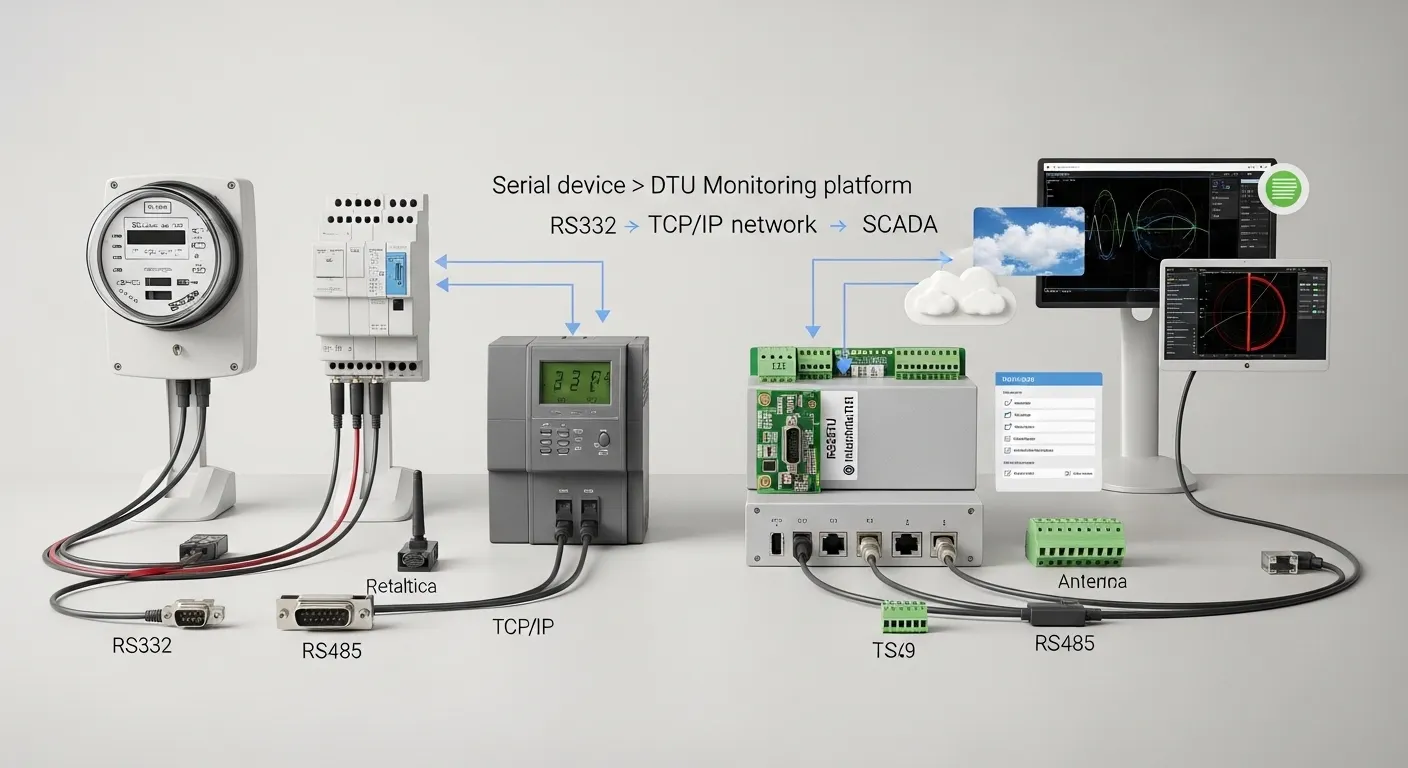

Tespro provides industrial DTU and connectivity solutions for utility metering, AMI/AMR projects, SCADA connectivity, remote monitoring, factory automation, and industrial IoT data collection. When choosing an RS232 DTU or TCP/IP DTU, buyers should not start with only the device name. The correct selection depends on the serial interface, protocol behavior, network access, power, enclosure, security, and deployment environment.
For engineers and procurement teams, the key decision is simple: match the field device first, then choose the correct transmission mode. A meter, PLC, sensor, controller, or test system may need RS232, RS485, transparent transmission, Modbus handling, TCP Client, TCP Server, UDP, cellular access, Ethernet, or secure remote management.
This checklist helps buyers prepare the technical settings Tespro needs to recommend a suitable industrial DTU module, provide a datasheet, or support quotation discussions.
When Is an RS232 TCP/IP DTU Needed?
An RS232 TCP/IP DTU is used when a serial device needs to send or receive data through an IP network. The field device may already communicate through RS232, but the project needs remote access, centralized monitoring, cloud upload, SCADA connection, or private server communication.
Common use cases include:
- Smart meter data collection
- PLC and controller monitoring
- Remote sensor data acquisition
- Energy monitoring systems
- Factory automation equipment
- SCADA serial device access
- Utility field device communication
- Industrial IoT gateway connection
In many projects, the DTU works as a bridge between old serial equipment and modern network infrastructure. The buyer must confirm whether the requirement is simple serial tunneling, protocol conversion, or managed data transmission.
For broader wireless data collection planning, buyers can also review Tespro’s wireless DTU data collection buyer guide.
Should You Choose RS232 or RS485?
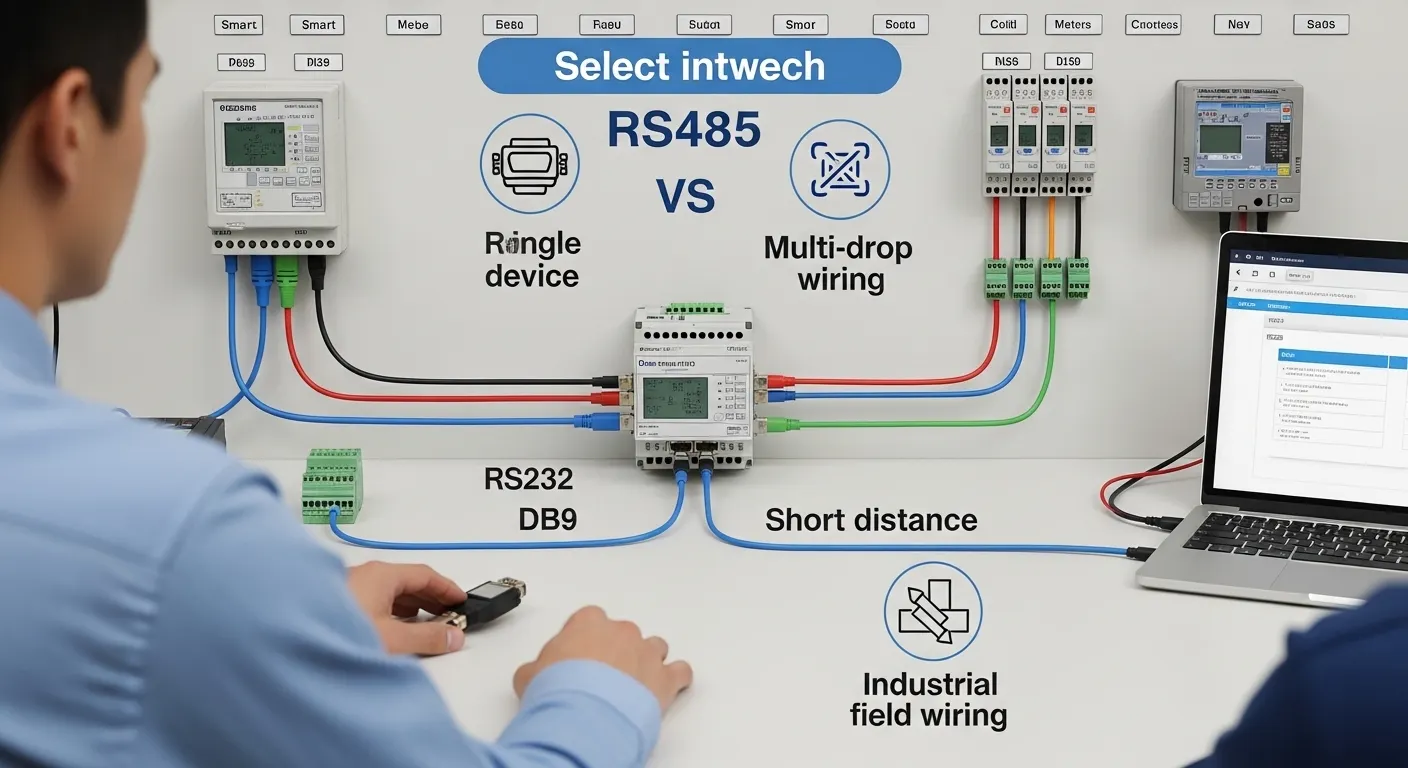
The first selection point is the field-side interface. A DTU cannot be selected correctly until the buyer knows what the meter, PLC, sensor, or controller actually uses.
RS232 is usually used for point-to-point communication. It is common in legacy devices, test equipment, single controllers, and equipment with DB9 serial ports. If the project connects one device at a short distance, RS232 may be enough.
RS485 is usually preferred for industrial sites with longer cable runs, noisy electrical environments, or multiple devices on the same bus. It is common in energy meters, automation systems, distributed sensors, and Modbus RTU networks.
Buyers should confirm:
- Existing device interface: RS232, RS485, RS422, or TTL
- Connector type: DB9, terminal block, pin header, or custom cable
- Number of serial devices
- Cable distance
- Electrical noise level
- Whether multi-drop wiring is required
- Whether the device manual specifies flow control
If the project has mixed serial devices, ask Tespro whether one DTU model can support the required interface combination or whether separate device options are better.
Transparent Transmission or Protocol Handling?
After the interface is confirmed, the next question is how the data should be handled.
Transparent transmission means the DTU passes serial data through the network without changing the protocol. This is useful when the existing software, server, or SCADA system already understands the original serial data. Many buyers choose this mode to avoid changing the field device or rewriting software.
Protocol handling is different. In this case, the DTU or related gateway function may need to interpret, convert, or map data. For example, a project may require Modbus RTU on the serial side and Modbus TCP on the network side. Other projects may need MQTT, HTTP, cloud upload, or platform-specific data formatting, depending on the selected device and system architecture.
Before requesting a quote, decide whether the project needs:
- Transparent serial-to-IP transmission
- Modbus RTU to Modbus TCP handling
- Private protocol forwarding
- Serial tunneling between two sites
- MQTT or HTTP data reporting
- SCADA or cloud platform integration
- Local server communication
- Remote configuration or device management
Do not assume every DTU supports every protocol mode. Share the protocol requirement with Tespro so the technical team can recommend the correct device category or configuration.
TCP Server, TCP Client, or UDP Mode?
TCP/IP DTU selection also depends on connection direction. This is often where field projects fail during configuration.
TCP Client mode is common when the DTU sends data to a central server, cloud platform, or monitoring system. It is useful when the DTU is behind a router, firewall, or cellular network and must initiate the connection outward.
TCP Server mode is useful when a host computer, SCADA system, or local software needs to connect directly to the DTU. This may require a reachable IP address, local network access, port forwarding, VPN, or private APN depending on the network.
UDP mode may be suitable for lightweight telemetry or applications where low overhead is more important than strict delivery confirmation. However, control systems, billing data, and critical monitoring usually need more careful reliability planning.
| Buyer requirement | DTU setting to confirm | Why it matters |
|---|---|---|
| One legacy serial device | RS232, baud rate, TCP Client or Server | Keeps existing device communication usable over IP |
| Long cable or multi-drop wiring | RS485, Modbus RTU if needed | Supports industrial field wiring better |
| Existing software expects raw data | Transparent transmission | Avoids changing the software protocol |
| SCADA expects Modbus TCP | Modbus handling requirement | Prevents protocol mismatch |
| Cloud or private server upload | TCP Client, MQTT, HTTP, or server settings | Defines how data reaches the platform |
| Remote cellular site | SIM, APN, VPN, static IP, antenna | Affects access, security, and reliability |
| Harsh outdoor or cabinet site | Power, enclosure, mounting, temperature | Prevents deployment failure |
If the project involves cellular uptime, failover, or secure communication, see Tespro’s dual SIM secure DTU failover buying checklist.
Serial Settings Buyers Must Confirm
A DTU can be the correct hardware and still fail if the serial settings are wrong. Engineers should collect these details before quotation or configuration.
Confirm the following from the field device manual or existing system:
- Baud rate
- Data bits
- Stop bits
- Parity
- Flow control
- Device address, if using Modbus
- Polling interval
- Packet length or timeout needs
- Master/slave relationship
- Whether the device sends data actively or waits for polling
For meter reading, energy monitoring, and SCADA systems, also confirm whether the field device is polled by software or pushes data automatically. This affects TCP mode, server settings, and timing behavior.
Network, Security, and Remote Management Details
An industrial DTU module may connect through Ethernet, Wi-Fi, cellular, or a private industrial network depending on the project. The buyer should define the network path before asking for a model recommendation.
Important network details include:
- Ethernet, Wi-Fi, 4G/LTE, 5G, or mixed network requirement
- Static IP, DHCP, or private network access
- Server IP address or domain name
- TCP or UDP port number
- SIM card and carrier requirements
- APN or VPDN requirement
- VPN or secure tunnel requirement
- Local or remote configuration needs
- Watchdog, heartbeat, or reconnect behavior
- Firmware update or remote maintenance expectations
For critical sites, security should not be added later as an afterthought. Confirm whether the project requires VPN access, private APN, restricted IP access, user authentication, or encrypted communication. Availability depends on the selected device and project design, so include these needs in the RFQ.
Deployment Conditions That Affect DTU Selection
Field conditions can change the correct DTU choice. A device used inside a clean control cabinet may not be suitable for an outdoor, high-temperature, unstable-power, or remote site.
Before choosing the hardware, confirm:
- Power supply voltage and stability
- Cabinet, DIN rail, wall, or panel installation
- Indoor or outdoor location
- Temperature and humidity conditions
- Dust, vibration, or electrical noise exposure
- Antenna placement and signal strength
- Surge or ESD protection needs
- Maintenance access
- Whether remote reboot or remote diagnostics are required
For harsh remote projects, Tespro’s DTU harsh remote sites spec checklist can help buyers prepare site-readiness details. For outdoor infrastructure and distributed public systems, the DTU smart city systems deployment checklist may also be useful.
Common Selection Mistakes to Avoid
Many DTU problems happen before installation. They start with incomplete specifications.
Avoid these mistakes:
- Buying an RS232 DTU when the field device actually uses RS485
- Choosing TCP Server mode without confirming network reachability
- Assuming transparent transmission can replace protocol conversion
- Ignoring baud rate, parity, and stop-bit settings
- Forgetting APN, VPN, or static IP requirements for cellular projects
- Selecting hardware without checking power and mounting conditions
- Treating a DTU, router, and gateway as the same device
- Sending an RFQ without the field device model or protocol details
If the project includes data processing, protocol mapping, or cloud integration, a gateway or router may be more suitable than a simple DTU. Tespro can help review the communication path before model selection.
RFQ Checklist for Tespro
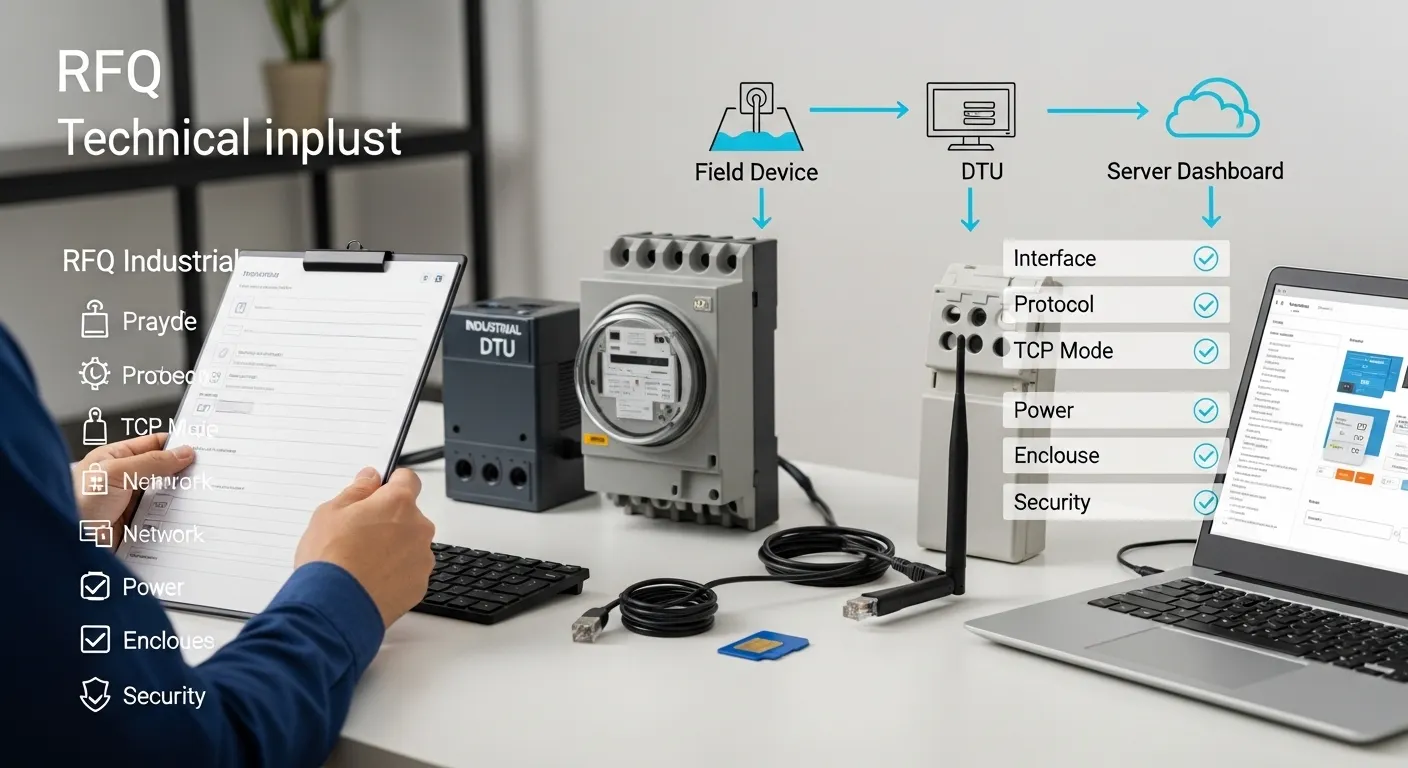
To receive a more accurate recommendation, send Tespro the details below when requesting a quote, datasheet, sample, or consultation.
Include:
- Device type needed: RS232 DTU, TCP/IP DTU, industrial DTU module, router, or gateway
- Quantity
- Application: meter reading, SCADA, PLC monitoring, sensor data, energy management, or industrial IoT
- Field device model and serial interface
- RS232, RS485, RS422, or TTL requirement
- Connector or cable requirement
- Protocol: transparent, Modbus RTU, Modbus TCP, private protocol, MQTT, HTTP, or other
- Baud rate, data bits, stop bits, parity, and flow control
- TCP Client, TCP Server, UDP, or other connection mode
- Server IP/domain and port, if available
- Network type: Ethernet, Wi-Fi, 4G/LTE, 5G, or private network
- SIM, APN, VPN, VPDN, or static IP needs
- Cloud, SCADA, software, or API integration requirement
- Power supply
- Installation environment
- Enclosure or mounting constraints
- Security and remote management expectations
- Delivery destination
- Datasheet, sample, demo, or OEM/ODM support needs
- Any system diagram, wiring drawing, or written technical specification
This information helps Tespro understand both the hardware requirement and the communication architecture.
Why Work With Tespro for DTU Selection?
Tespro supports industrial metering, connectivity, and energy data projects where hardware selection affects long-term system reliability. Our solutions include metering optical probes, DTUs, industrial routers, gateways, meter test equipment, calibrators, and software platforms.
For buyers, the value is not only the device. It is the ability to discuss the application, interface, protocol, field environment, and integration requirement before procurement. This is especially important for utility metering, AMI/AMR projects, industrial IoT systems, remote monitoring, and OEM/ODM device planning.
Tespro can review your project requirements and help you identify whether the application needs a simple serial-to-IP DTU, a cellular DTU, a secure DTU, an industrial router, or a gateway-based architecture.
Frequently Asked Questions
Can an RS232 TCP/IP DTU work without changing my existing protocol?
Yes, if transparent transmission fits the project. The DTU can pass serial data over IP while the existing software handles the protocol. Confirm this with Tespro before ordering.
Is RS485 better than RS232 for industrial DTU projects?
RS485 is often better for longer cable runs, noisy sites, or multi-device wiring. RS232 may be enough for one short-distance device. The correct choice depends on the field device port.
Should I use TCP Client or TCP Server mode?
Use TCP Client when the DTU connects outward to a server or cloud platform. Use TCP Server when software connects directly to the DTU. Network access rules matter.
Do I need static IP, APN, or VPN?
You may need them for remote access, cellular networks, private systems, or secure maintenance. Share the network architecture with Tespro so the access method can be checked.
Can a DTU connect meters or PLCs to SCADA?
Yes, in many projects, a DTU can connect serial meters, PLCs, or controllers to SCADA or server software. Confirm the protocol, serial settings, and TCP/IP mode first.
What should I send for a DTU quotation?
Send the device model, interface, protocol, serial settings, network type, TCP/UDP mode, power supply, installation environment, quantity, and any server, cloud, or security requirements.
Request an RS232 TCP/IP DTU Quote or Datasheet
Share your serial device model, interface type, protocol, TCP/IP mode, network requirement, power supply, installation environment, security needs, quantity, and project application with Tespro. Our team can review your requirements and help you request the right DTU datasheet, sample, quotation, consultation, or OEM/ODM support for your metering, SCADA, remote monitoring, or industrial IoT project.