-1791966549842.webp)





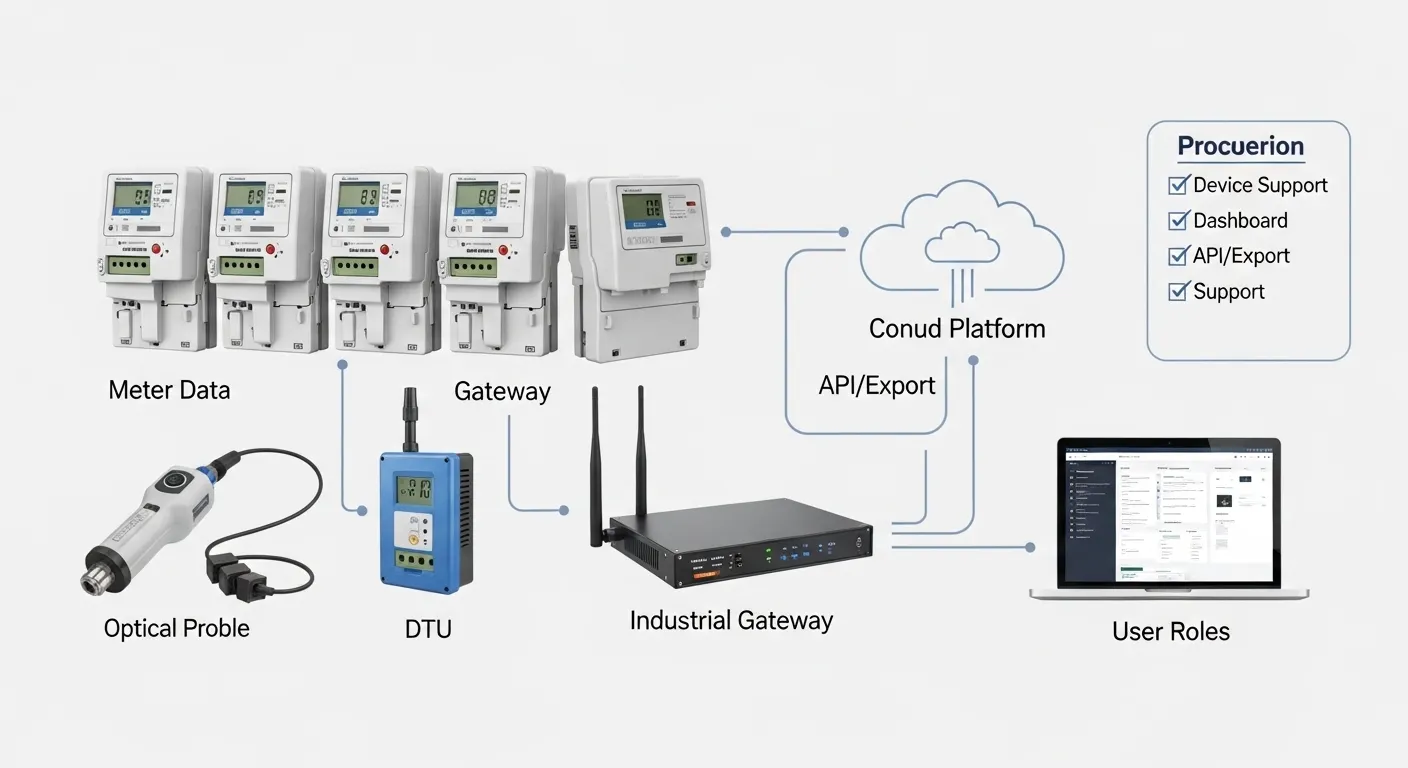

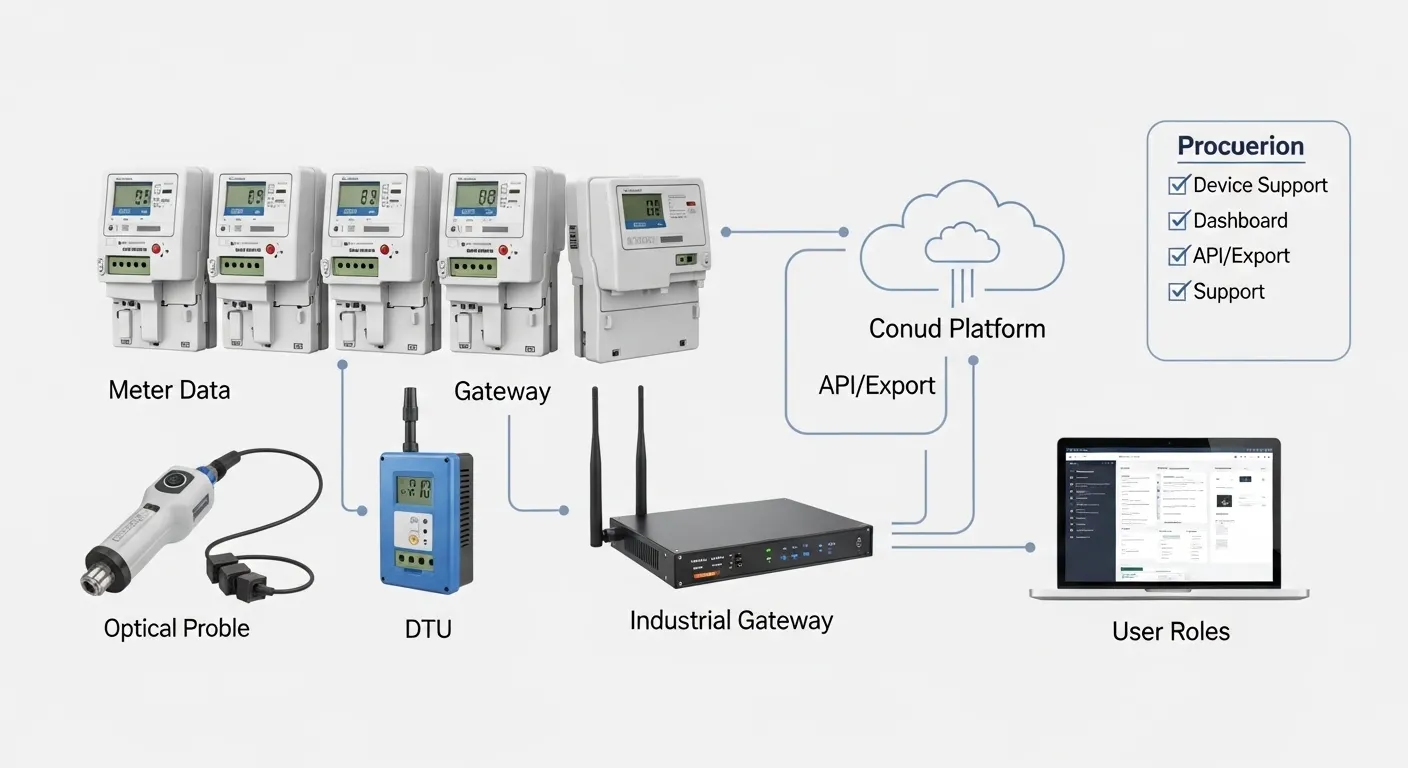
Tespro provides industrial metering, connectivity, and energy data solutions for utility IT teams, AMR/AMI project teams, metering engineers, industrial IoT integrators, and procurement buyers planning meter reading software projects. When choosing meter reading software, buyers should not evaluate the dashboard alone. The platform must fit the meters, field devices, communication network, data export workflow, alarm requirements, user roles, and support model behind the project.
For utility and industrial metering projects, software value depends on the full data path: meter, optical probe, DTU, industrial router, gateway, communication network, software platform, API/export, and billing or reporting system. A good shortlist process helps buyers confirm whether automatic meter reading software can work with existing meters, support future smart meter software requirements, and reduce integration risk before quotation or deployment.
This guide helps buyers compare software vendors and prepare the technical details Tespro needs to review a project, recommend suitable device options, and support quote, datasheet, demo, or consultation requests.
What Should Buyers Check Before Shortlisting Meter Reading Software?
Meter reading software should be shortlisted around operational fit, not only the interface design. A clean dashboard is useful, but it does not solve the project if the software cannot receive data from the meters, validate readings, export data to billing, or support field communication devices.
Before choosing a vendor, confirm these core criteria:
- Meter and device compatibility
- Dashboard and reporting structure
- Alarm, event, and exception handling
- User roles and access permissions
- Export, API, and billing integration options
- Remote configuration or remote maintenance needs
- Security and audit requirements
- Support for deployment, troubleshooting, and after-sales service
For a wider RFQ planning view, buyers can also review Tespro’s smart meter data workflow RFQ checklist.
Confirm Meter and Field Device Compatibility First
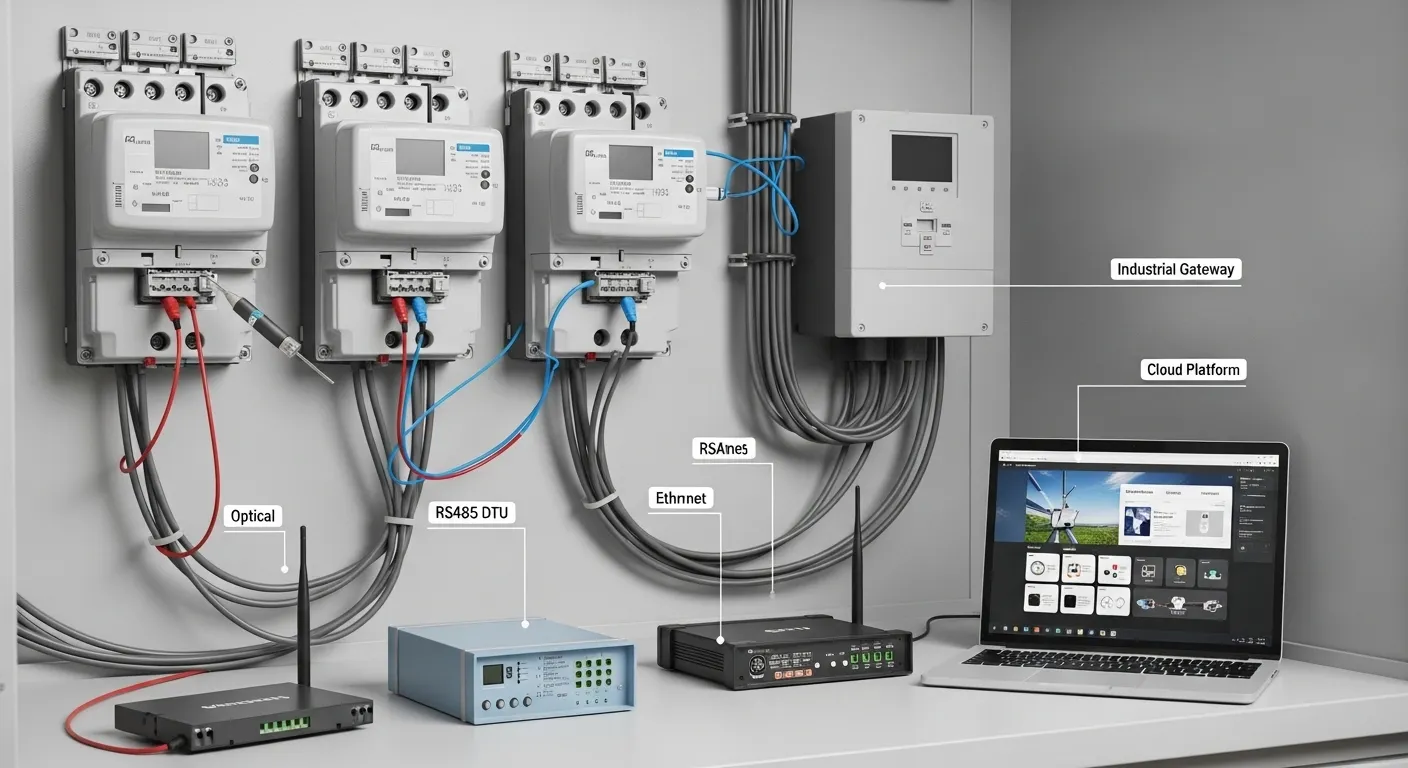
Software selection should start with the field layer. Many projects fail or become expensive because the platform is chosen before the buyer confirms how meter data will be collected.
Buyers should prepare details about the installed meters, meter communication ports, reading method, and required data frequency. In some projects, data may come from optical probes. In others, it may come through DTUs, industrial gateways, cellular routers, AMI devices, or a mixed communication system.
Important compatibility points include:
- Meter type: electricity, water, gas, heat, or industrial meter
- Meter brand and model, if available
- Reading method: manual, mobile AMR, fixed AMI, optical probe, gateway, or DTU
- Interface or port: optical, RS232, RS485, USB, Ethernet, pulse, M-Bus, or other project-specific connection
- Protocol or standard to confirm: DLMS/COSEM, IEC 62056, Modbus, M-Bus, Wireless M-Bus, or proprietary meter protocol
- Required read frequency: monthly, daily, hourly, interval, or near-real-time
Tespro’s field device categories, such as metering optical probes, data transmission units, industrial routers, and industrial gateways, can support different data collection architectures depending on the project requirements. For related hardware planning, visit the smart meter communication devices buyer checklist.
Dashboard, Alarms, and User Roles Should Match Real Operations
A smart meter software platform should help operations teams act on data, not only store readings. Buyers should check whether the dashboard can show the data views needed by billing teams, field technicians, IT administrators, and management users.
Useful dashboard and alarm requirements may include:
- Current and historical readings
- Missing read reports
- Abnormal consumption alerts
- Communication failure alerts
- Meter event logs
- Tamper or exception indicators where supported
- Device health or signal status where available
- Exportable reports for internal teams
- Role-based dashboards for different users
User roles also matter. A utility may need separate permissions for administrators, billing users, field technicians, supervisors, integrators, and read-only management users. Without clear access control, the platform can create operational risk and audit problems.
Export, API, and Billing Integration Are Commercial Decision Points
Meter reading software should be evaluated by how easily data moves into the buyer’s existing systems. For many utility projects, the software is not the final destination. Readings must support billing, customer service, reporting, energy management, SCADA workflows, ERP systems, or data analytics.
Before purchase, confirm which data exchange method is required:
- CSV export
- Fixed-width file export
- Scheduled report export
- REST API
- Webhook
- Database connection
- Billing, CIS, ERP, GIS, SCADA, or customer portal integration
Buyers should also ask about data format, authentication, testing process, error handling, and whether API access is included or requires additional development. A low-cost platform can become expensive if integration requires manual rework after deployment.
AMR, AMI, or Hybrid Workflow: Avoid Overbuying
Not every project needs the same software architecture. A buyer running route-based readings may need mobile AMR software with reliable export. A larger utility may need AMI software with fixed network reading, alarms, device status, remote configuration, and more frequent interval data.
In many projects, a phased approach is more practical:
- Start with mobile or semi-automatic meter reading
- Add DTUs, routers, gateways, or communication devices where remote reading is needed
- Build a stable data workflow into billing or reporting systems
- Expand toward AMI when read frequency, alarm visibility, or remote operations require it
For AMR project planning, see Tespro’s AMR meter reading system project checklist. For broader AMI planning, review the smart metering AMI kit buyer checklist.
Meter Reading Software Vendor Shortlist Scorecard
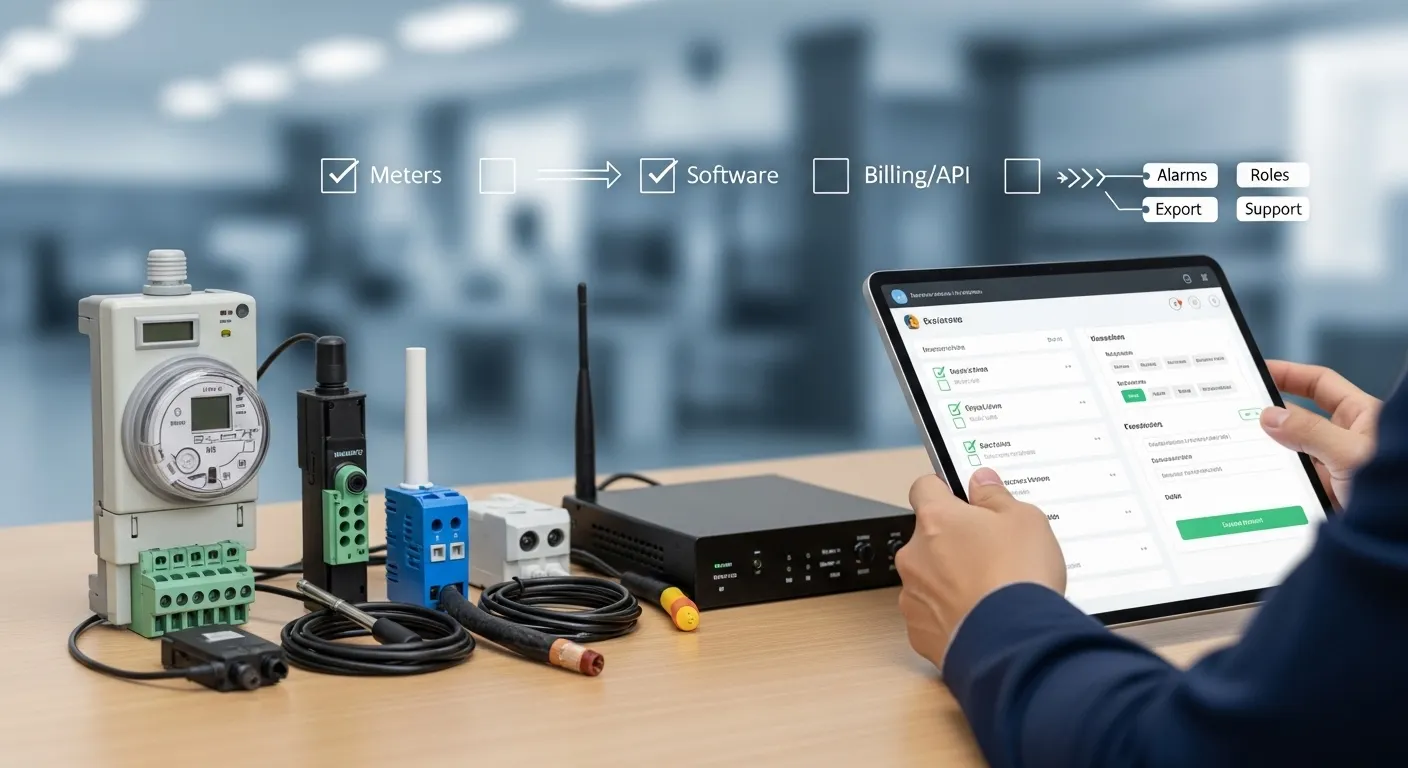
Use this scorecard to compare vendors before requesting a demo or quotation. The goal is not to choose the most feature-heavy platform. The goal is to choose software that fits the meters, field devices, integration requirements, and support expectations of the project.
| Shortlist criterion | What to check | Why it matters | Score 1–5 | RFQ or demo note |
|---|---|---|---|---|
| Meter/device support | Existing meter types, models, protocols, and reading methods | Prevents compatibility issues | Send meter list and photos if available | |
| Field device integration | Optical probes, DTUs, routers, gateways, or AMI devices | Connects software to real field data | Share system diagram or planned architecture | |
| Dashboard and reporting | Readings, trends, missing data, exports, user views | Supports daily operations | Ask for sample dashboard views | |
| Alarm and event handling | Communication failure, abnormal use, tamper, device health | Helps teams respond faster | Confirm which alarms are supported | |
| User roles | Admin, operator, billing, technician, viewer access | Reduces access and audit risk | Request role examples | |
| Export/API | CSV, fixed-width, API, webhook, database, billing export | Enables downstream integration | Share billing or ERP export format | |
| Remote configuration | Device settings, commands, firmware or maintenance workflow where required | Reduces field visits in suitable projects | Confirm scope before purchase | |
| Security and audit | Login control, encrypted transfer, audit trail, data access rules | Protects operational data | Ask what is standard and what is optional | |
| Support model | Deployment help, troubleshooting, documentation, after-sales service | Reduces rollout risk | Confirm support process and responsibility |
What Deployment Details Affect the Software Choice?
The same platform may perform differently depending on the field environment. Buyers should document site conditions before finalizing software or device selection.
Key deployment details include:
- Number of sites and meter locations
- Indoor, outdoor, cabinet, basement, substation, factory, or remote field environment
- Power availability for communication devices
- Cellular or network signal conditions
- SIM, APN, VPN, or static IP requirements
- Antenna and enclosure constraints
- Data frequency and bandwidth needs
- Maintenance access and technician workflow
- Security rules for remote access
- Existing billing, ERP, SCADA, or reporting systems
These details affect whether the project needs a simple reading/export workflow, a gateway-based architecture, a cellular router setup, or a more advanced AMI platform.
What Should Buyers Send Tespro Before Requesting a Quote or Demo?
A clear RFQ helps Tespro review the project faster and recommend suitable metering, connectivity, and software workflow options. Buyers do not need every detail finalized, but the more information provided, the easier it is to avoid wrong configuration.
Prepare these details before contacting Tespro:
- Project type: utility metering, AMR, AMI, energy management, industrial monitoring, smart city, or OEM/ODM project
- Meter type and quantity
- Meter brand/model if known
- Existing reading method
- Required software function: dashboard, alarm, report, export, API, billing integration, or remote configuration
- Protocol or standard requirements
- Interface or port requirements
- Network type: Ethernet, 4G/5G, NB-IoT, LoRaWAN, RF, Wi-Fi, or private network
- SIM, APN, VPN, or static IP needs if relevant
- Data frequency and retention expectations
- User role requirements
- Security and remote management needs
- Site environment and installation constraints
- Power supply conditions
- Datasheet, sample, demo, or consultation request
- Delivery destination
- Drawings, system diagrams, written specifications, or photos if available
Why Work With Tespro for Meter Reading Software Projects?
Tespro supports buyers who need more than a software screen. Meter reading projects often require field communication devices, reliable data transfer, interface matching, deployment planning, and technical support before the platform can produce useful data.
Our team can help buyers review the complete meter data path, including:
- Metering optical probes for local or field reading workflows
- DTUs for data transmission projects
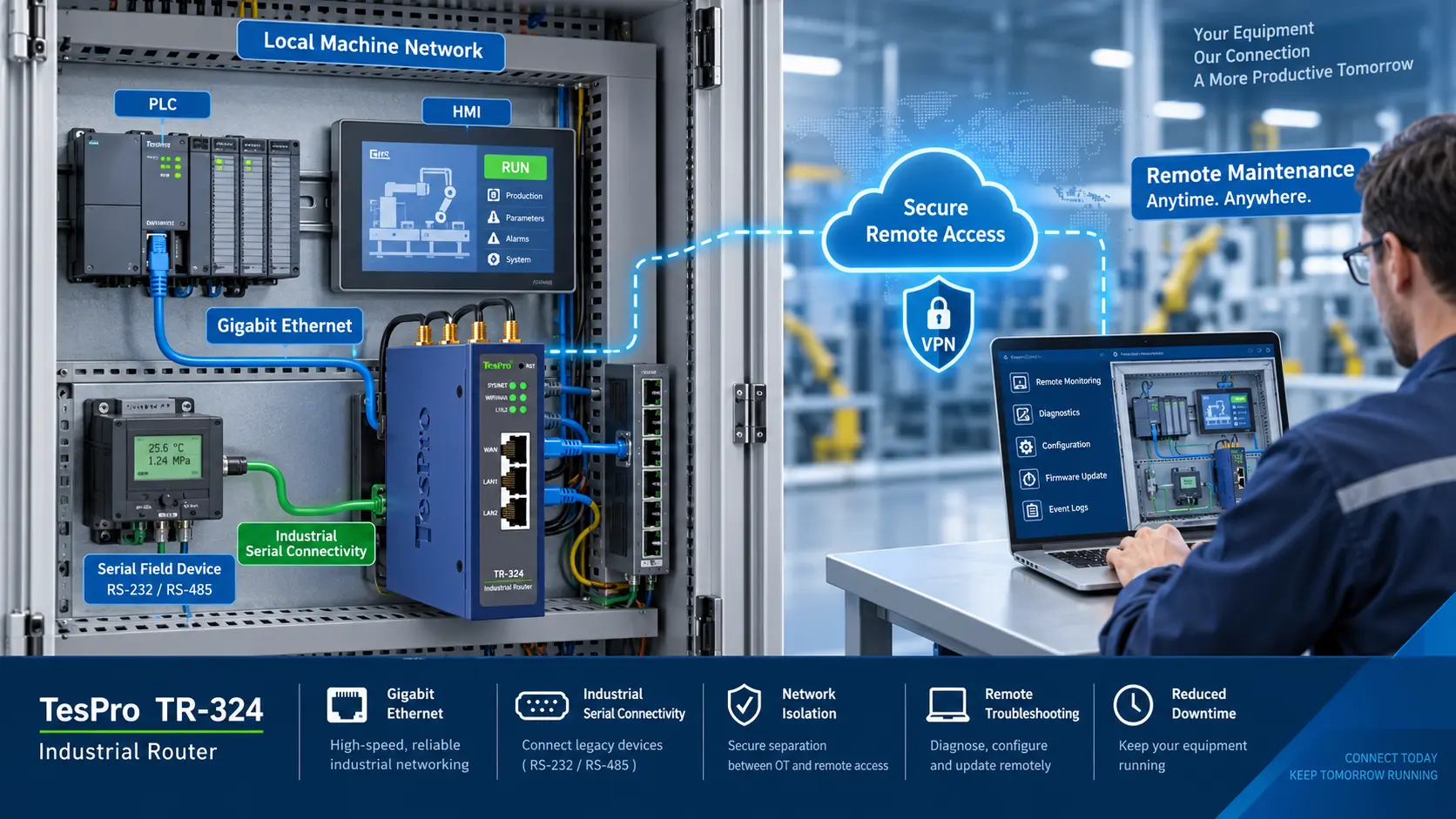
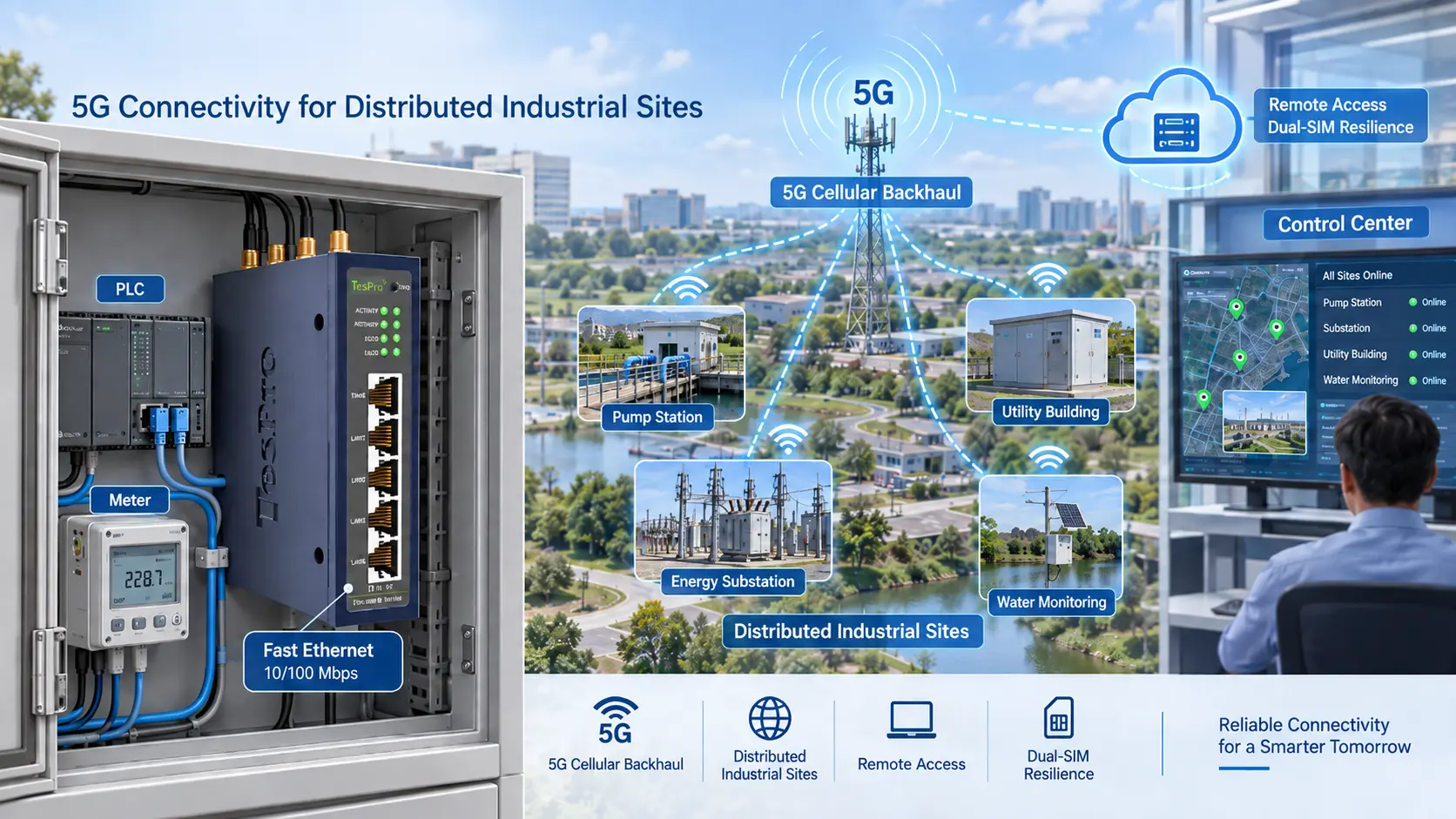
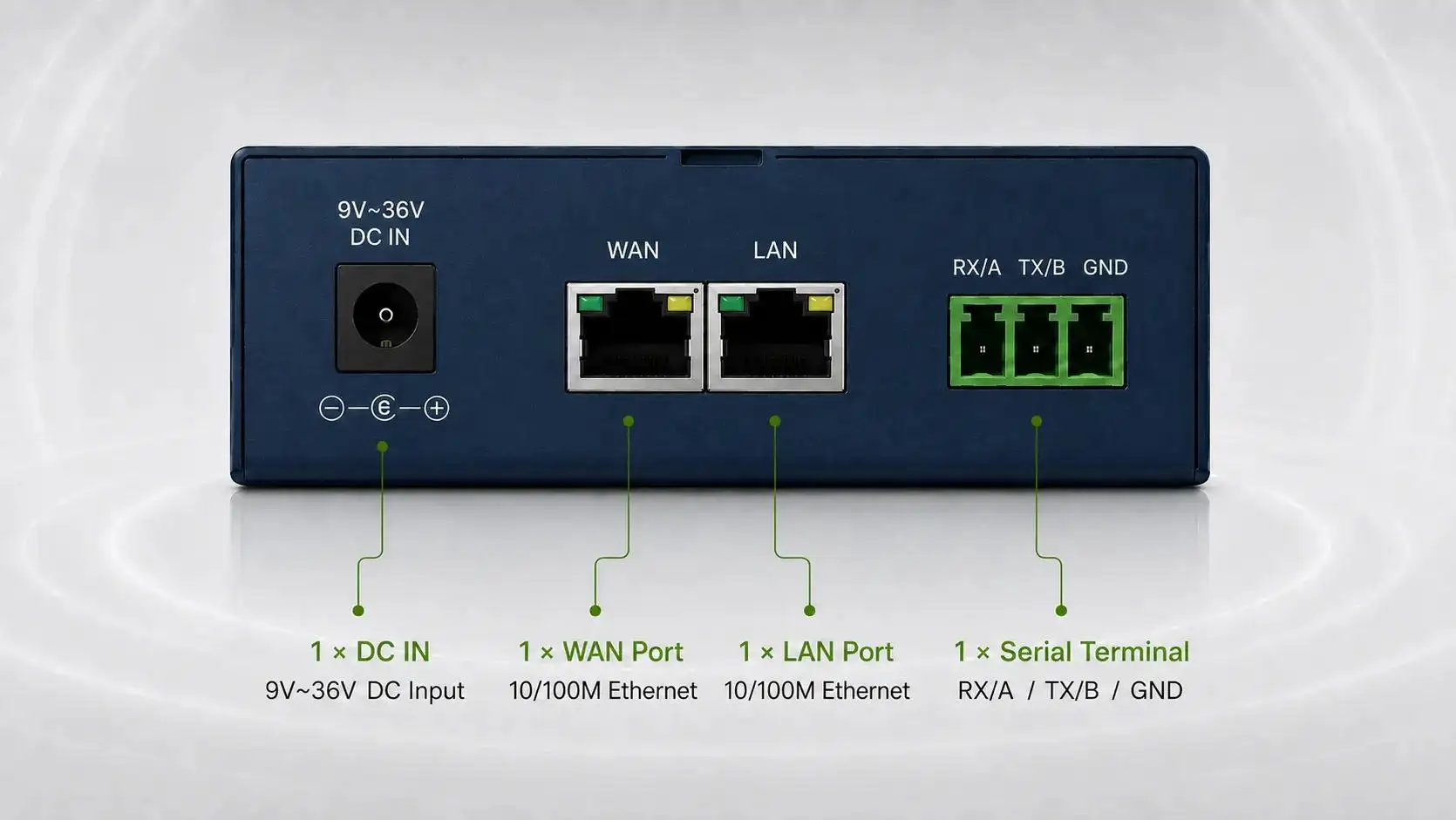
- Industrial routers for cellular or remote access connectivity
- Industrial gateways for device-to-platform integration
- Software/platform requirements for dashboard, export, and data workflow planning
- Smart metering, AMR/AMI, industrial IoT, and remote monitoring project support
This makes the shortlist process more practical for utility buyers, integrators, OEM/ODM partners, distributors, and procurement teams that need technical clarity before ordering.
Frequently Asked Questions
Can meter reading software work with existing meters?
It depends on the meter model, protocol, interface, and reading method. Buyers should confirm optical port, RS232, RS485, M-Bus, Modbus, DLMS, or other required connections before selecting a platform.
Do we need AMI, or is AMR software enough?
AMR may be enough for scheduled route-based reading and billing export. AMI is more suitable when frequent reads, alarms, remote monitoring, device status, or remote configuration are required.
What export options should buyers request?
Common options include CSV, fixed-width files, scheduled exports, REST API, webhook, or database integration. The right choice depends on the billing, ERP, CIS, SCADA, or reporting system.
What alarms should smart meter software include?
Useful alarms may include missing reads, abnormal consumption, communication failure, tamper events, leak indicators, low battery, weak signal, or device health status where the meter and field devices support them.
How do Tespro field devices connect with software?
Tespro field devices can support meter data collection and transmission workflows through optical probes, DTUs, routers, gateways, and related communication solutions. The exact setup depends on the meter interface, protocol, network, and platform requirements.
What should be confirmed before a software demo?
Confirm meter type, protocol, interface, data frequency, dashboard needs, alarm needs, user roles, export/API requirements, network conditions, and integration targets. A demo is more useful when it reflects the real project workflow.
To request a quote, datasheet, sample, demo, or technical consultation, send Tespro your project requirements. Include the meter type, quantity, application, meter model if available, protocol or standard, interface or port, network type, SIM/APN/VPN/static IP needs, dashboard and alarm requirements, API/export needs, power supply, operating environment, enclosure constraints, security or remote management needs, delivery destination, and any drawing, site detail, system diagram, or written specification.