-1791966549842.webp)






Tespro provides smart meter communication devices and metering connectivity solutions for utilities, meter manufacturers, AMI/AMR project teams, industrial IoT integrators, SCADA teams, energy management companies, and OEM/ODM buyers. The right device should be selected by meter interface, protocol, reading distance, network availability, power supply, deployment environment, and software or cloud integration needs.
For many meter reading system projects, one device is not enough for every site. A local technician may need an optical probe. A meter cabinet may need RS232 or RS485 communication. A remote site may need a DTU. A substation, factory, or smart grid project may need an industrial router or gateway. A larger AMI/AMR project may also need data workflow planning for platform, dashboard, API, SCADA, HES, or MDM integration.
This checklist helps buyers compare device options before requesting a quote, datasheet, sample, demo, or project consultation from Tespro.
Which Smart Meter Communication Device Fits Your Field Problem?
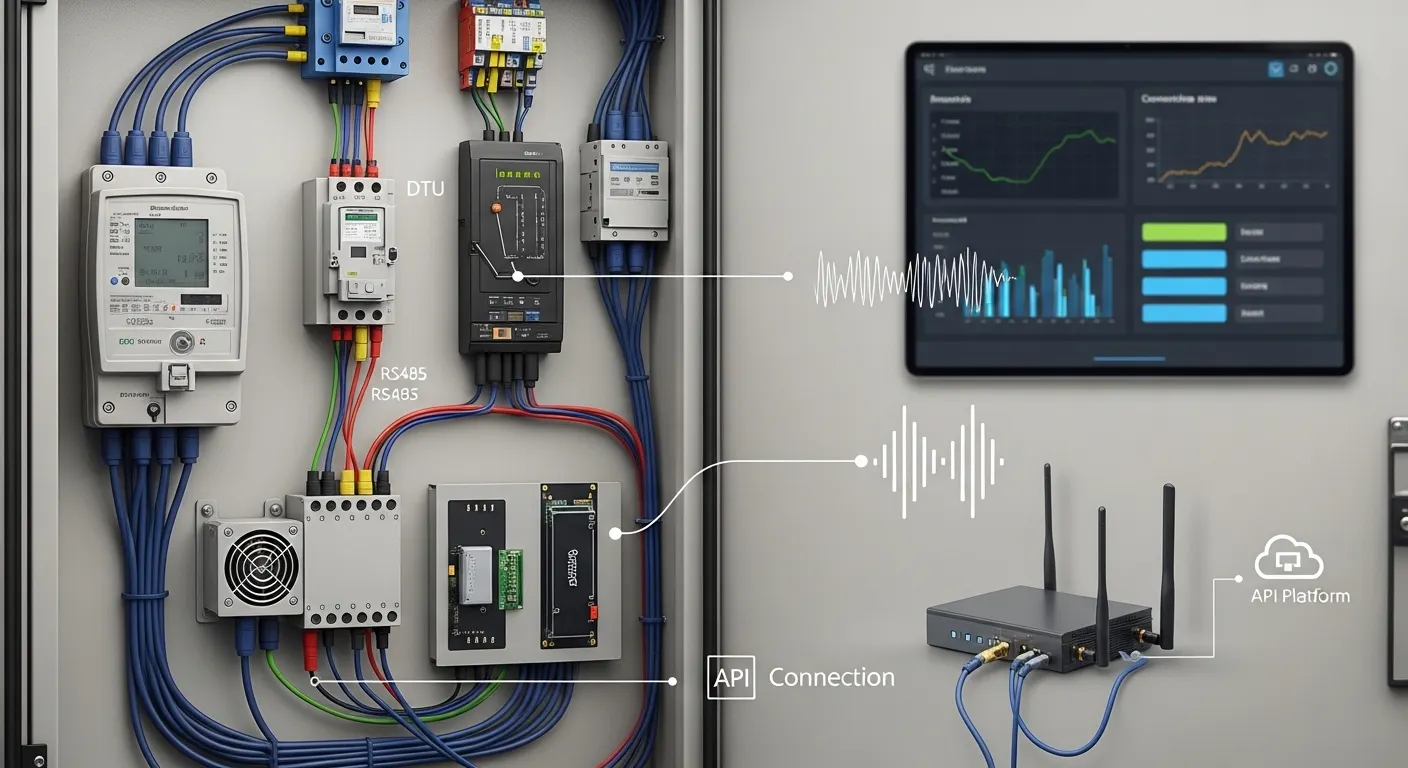
Start with the field problem, not the device name. A smart meter communication project can fail when buyers choose a product before confirming the meter port, protocol, power, network, and data destination.
Use this matrix as an early selection guide.
| Buyer need or field condition | Recommended device category | Typical interface or network | Best fit | Details to confirm before RFQ |
|---|---|---|---|---|
| Local meter reading, setup, or maintenance | Metering optical probe | Optical port, USB, Bluetooth, RS232 where applicable | Field technicians, labs, commissioning teams | Meter standard, software, cable/wireless preference, baud rate, magnet/attachment |
| Wired meter cabinet or short-distance meter access | RS232/RS485 communication | RS232, RS485, Modbus RTU, DLMS/COSEM where applicable | Meter rooms, panels, multi-meter wiring | Port type, wiring distance, meter count, serial parameters, grounding |
| Remote serial meter data transmission | DTU / data transmission unit | RS232/RS485 to cellular or TCP/IP | AMR retrofit, remote meter reading, unmanned sites | SIM, APN, static IP/VPN, server mode, antenna, power |
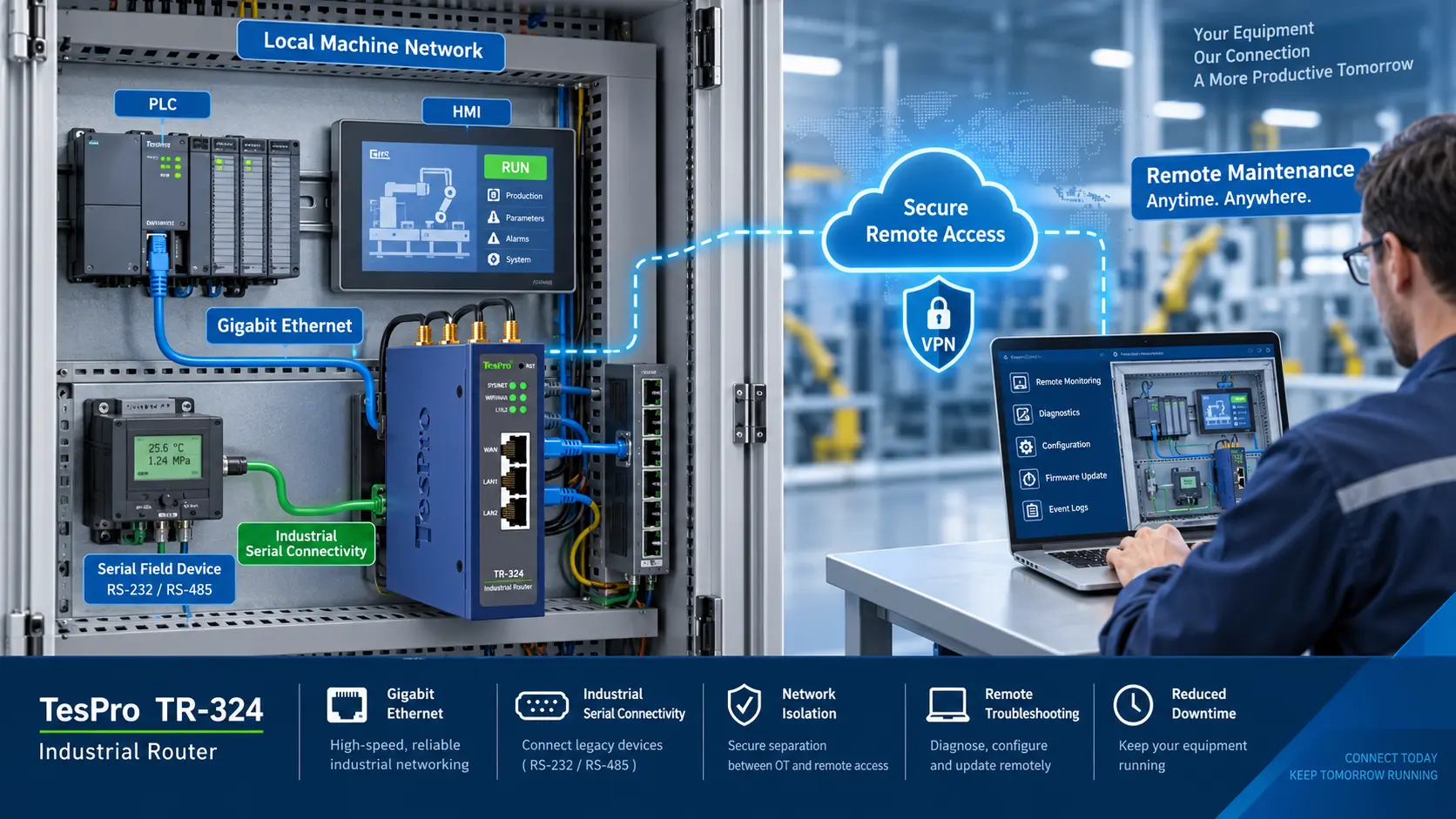
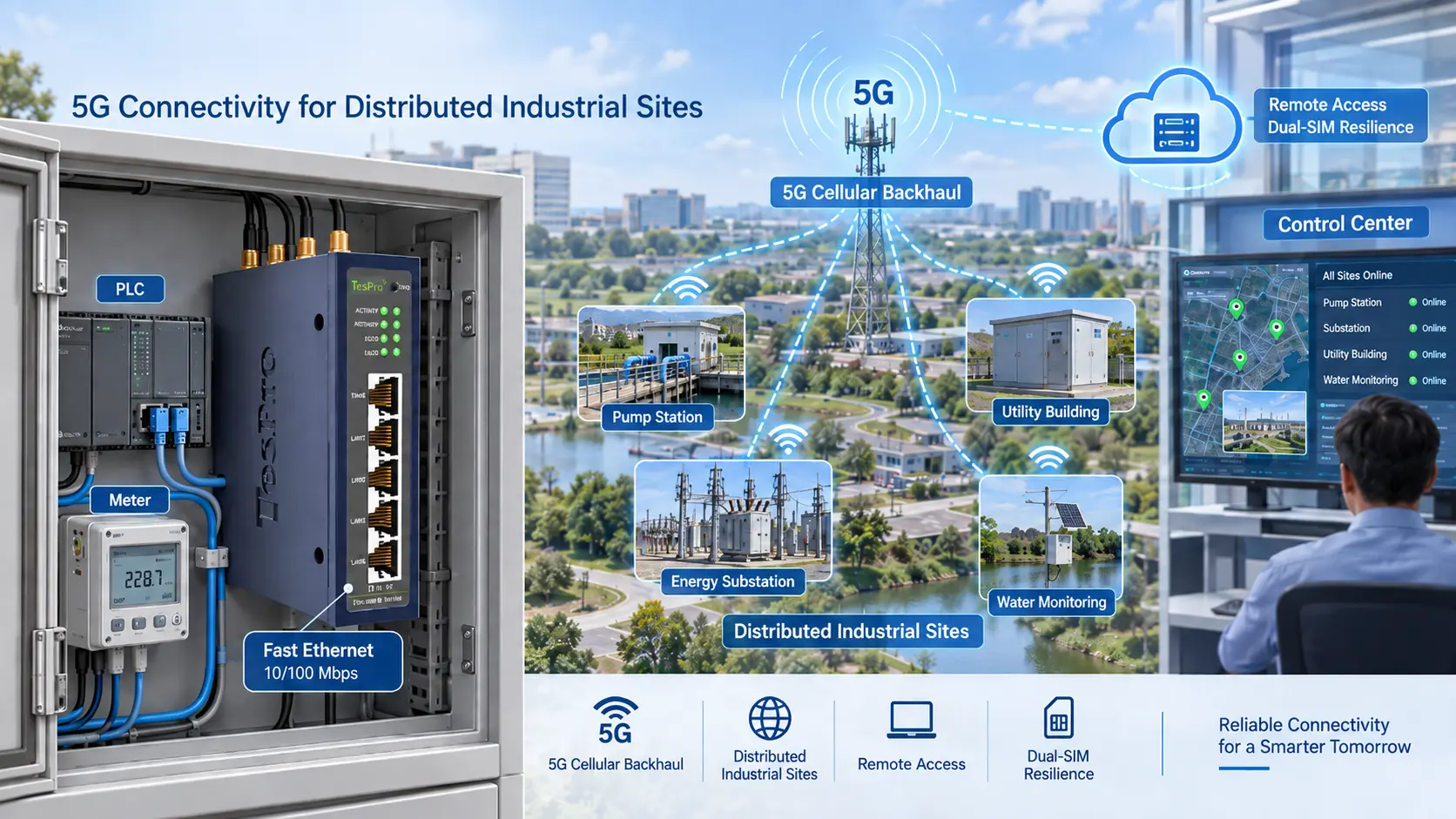
| Site networking and secure remote access | Industrial router | 4G/5G, Ethernet, VPN, LAN/WAN | SCADA, substations, factory automation, remote monitoring | Carrier, failover, VPN, LAN devices, power, enclosure |
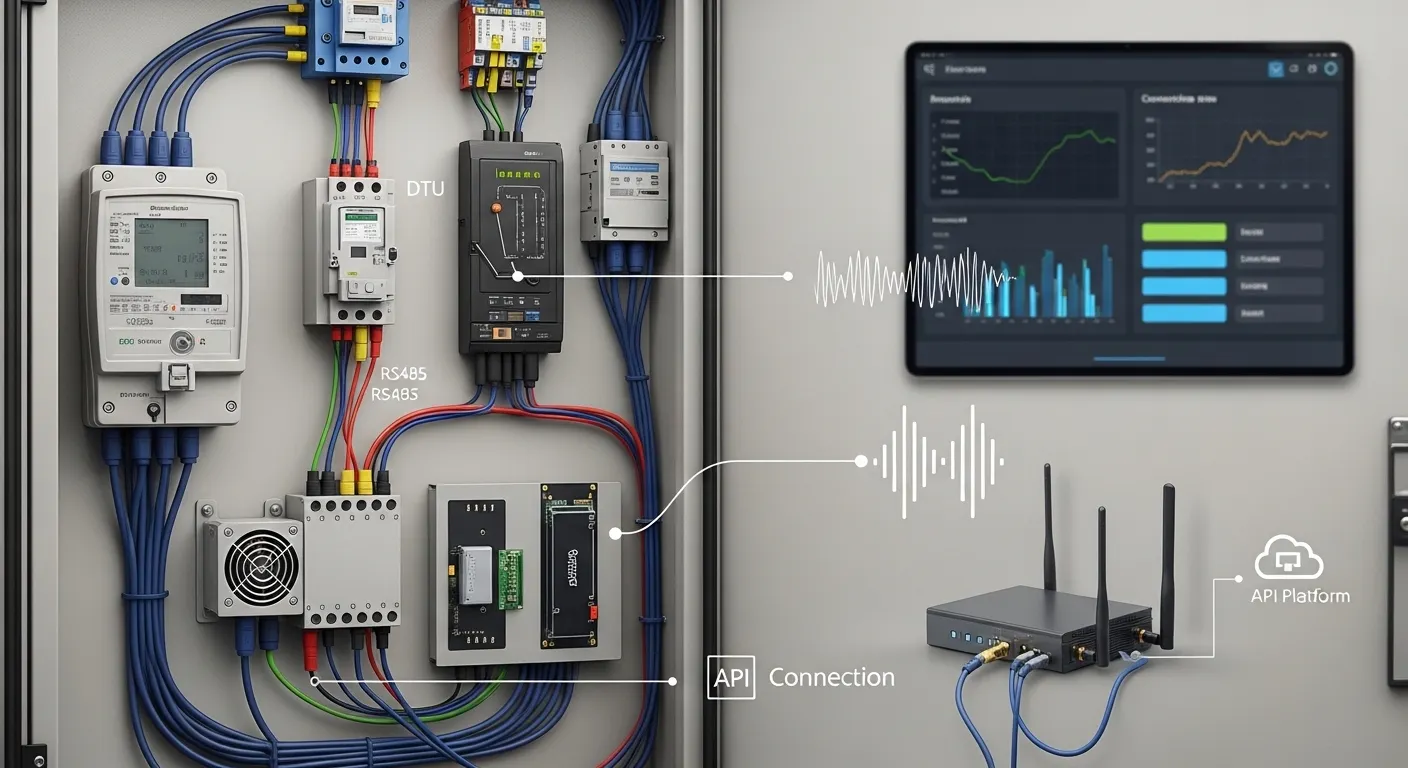
| Multi-meter collection and integration | Industrial gateway / DCU | RS485, Ethernet, Modbus, MQTT, API, cloud | AMI/AMR, smart grid, energy management, industrial IoT | Protocol conversion, data buffering, cloud/HES/SCADA needs |
| Data display, export, alarms, or workflow | Software/platform support | Dashboard, API, export, user roles, alarms | Utility operations, billing, energy monitoring | Data format, validation, user access, integration system |
For broader AMR planning, buyers can also review Tespro’s AMR meter reading system project checklist.
When Is an Optical Probe Enough?
An optical probe is suitable when the meter must be read, configured, tested, or maintained locally. It is often used by field technicians, meter manufacturers, QA labs, calibration teams, and service engineers who connect a laptop, handheld terminal, or software tool to a meter optical port.
Choose an optical probe when the project requires:
- Local meter data reading
- Meter configuration or commissioning
- Field service and maintenance
- Lab testing or calibration support
- Non-intrusive access to the meter optical port
- Compatibility checking before larger deployment
Before purchase, confirm the meter standard, communication software, interface type, cable or wireless preference, baud rate, operating workflow, and quantity. If the project requires continuous remote reading, an optical probe alone is usually not enough. The buyer may need a DTU, router, gateway, or software platform in the same system.
When Should RS232 or RS485 Be Used?
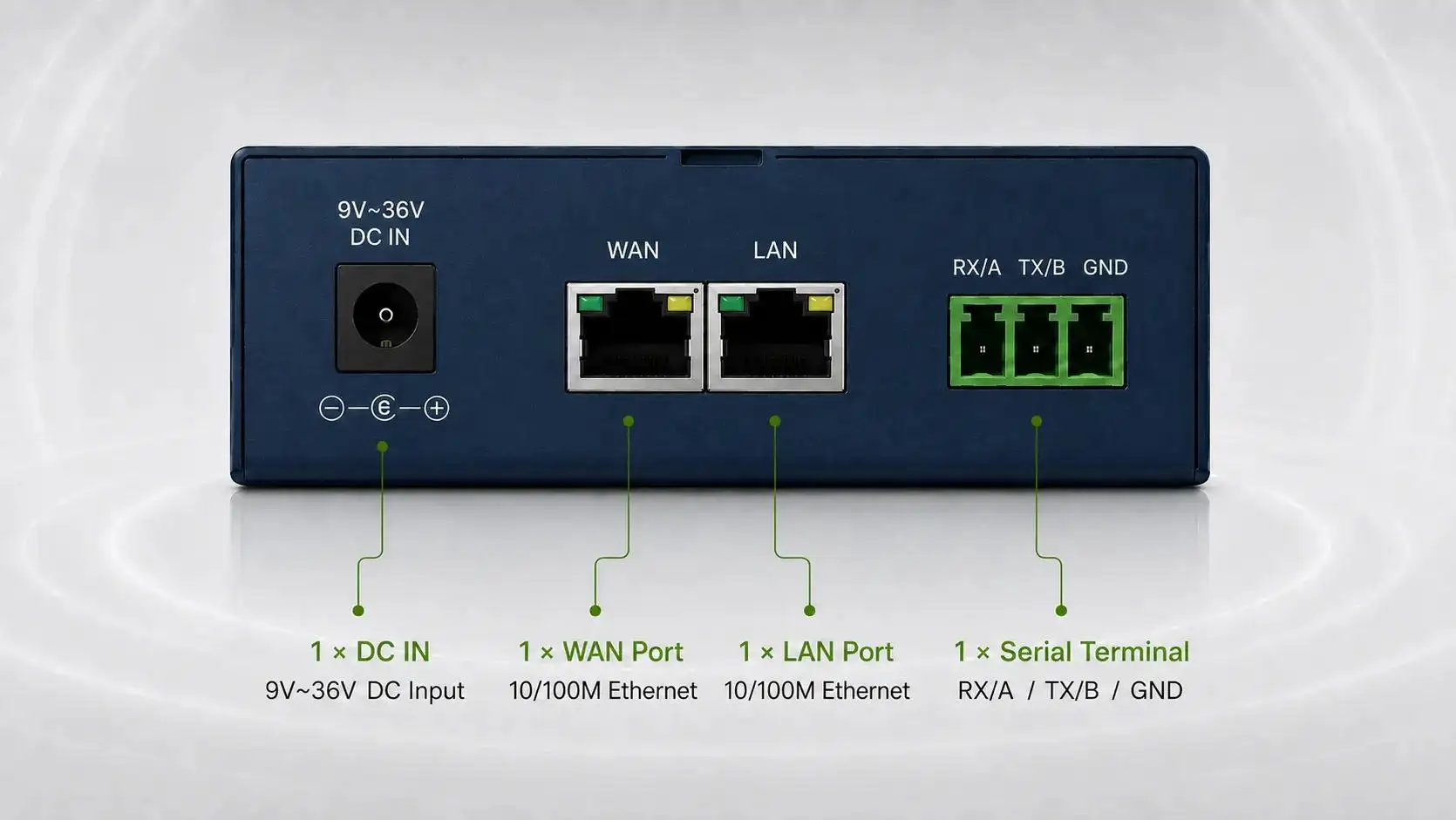
RS232 and RS485 are practical choices when meters already support wired serial communication. RS485 is especially useful in meter cabinets, industrial panels, multi-meter rooms, and short-to-medium-distance communication layouts.
Buyers should confirm:
- Meter interface: RS232, RS485, optical, M-Bus, Ethernet, or pulse
- Protocol: Modbus RTU, DLMS/COSEM, IEC 62056-21, ANSI C12, or project-specific protocol
- Serial parameters: baud rate, parity, stop bits, addressing
- Number of meters on the line
- Cable distance and wiring topology
- Electrical noise, grounding, surge, and isolation needs
- Whether the data will go to a DTU, router, gateway, or local software
A wired serial connection may solve the meter-side communication problem, but it does not automatically solve remote data access. If data must reach a cloud platform, SCADA system, HES, MDM, or server, the buyer should also define the backhaul device and data workflow.
When Does a DTU Fit Better Than a Router?
A DTU is usually the better choice when the main requirement is to transmit meter data from a serial port to a remote server or platform. It is often used for remote meter reading, AMR retrofit projects, and unmanned utility sites where a meter already has RS232 or RS485 output.
A DTU may fit when the project needs:
- RS232 or RS485 data transmission
- Transparent serial-to-IP communication
- Cellular backhaul for remote meter reading
- TCP/IP connection to a server or platform
- Basic remote configuration or device management
- Simple field deployment with limited local networking needs
However, a DTU is not always the best choice for every site. If the location needs secure remote access, multiple LAN devices, VPN, failover, firewall control, or broader industrial networking, an industrial router may be more suitable.
For DTU selection, buyers should confirm SIM requirements, APN, static IP or VPN needs, signal conditions, antenna placement, power supply, server connection mode, data frequency, enclosure constraints, and remote maintenance expectations.
When Does a Smart Meter Project Need an Industrial Router?
An industrial router is useful when the site needs network connectivity, not only meter data transmission. This is common in substations, factories, utility cabinets, renewable energy sites, smart grid projects, remote monitoring systems, and SCADA environments.
Choose an industrial router when the project requires:
- Cellular or Ethernet backhaul for a site
- VPN or secure remote access
- Connection for multiple LAN devices
- Router-level network management
- Dual SIM or failover planning where required
- Remote access to PLCs, gateways, meters, or monitoring devices
- Industrial power and enclosure planning
The router choice should be based on network coverage, carrier requirements, SIM/APN settings, VPN method, LAN/WAN ports, antenna placement, remote management, power source, cabinet design, and site access. Buyers should avoid choosing a router only by cellular generation. A well-planned 4G router may be enough for many metering projects, while 5G may be relevant for higher bandwidth, lower latency, or future-ready industrial networking.
When Is a Gateway or DCU Required?
A gateway or data concentrator unit is needed when the project requires more than simple communication pass-through. It becomes important when multiple meters, mixed protocols, local data handling, protocol conversion, cloud connectivity, or platform integration must be managed.
A gateway may be the right choice when buyers need:
- Multi-meter data collection
- RS485, Ethernet, or mixed device integration
- Modbus RTU/TCP communication
- MQTT, TCP/IP, REST API, or cloud endpoint planning where applicable
- Local buffering or data processing
- Connection to HES, MDM, SCADA, dashboard, or energy management software
- Remote updates, configuration, and maintenance planning
- Expansion from AMR toward AMI architecture
Gateway selection should start with the system architecture. Buyers should define which devices connect to the gateway, what data must be collected, how often data is read, where the data goes, and how the platform will use it.
For data flow planning, review Tespro’s smart meter data workflow RFQ checklist. For bundled AMI hardware planning, see the smart metering AMI kit buyer checklist.
Protocol, Interface, and Network Details to Confirm
Smart meter communication devices should not be quoted from a keyword alone. The same “meter reading system” may require different hardware depending on the meter, site, and platform.
Before selecting devices, confirm these technical details:
- Meter type: electricity, water, gas, heat, submeter, or multi-function meter
- Meter brand and model if available
- Available port: optical, RS232, RS485, M-Bus, Ethernet, RF, or pulse
- Protocol or standard: DLMS/COSEM, IEC 62056-21, ANSI C12, Modbus RTU/TCP, M-Bus, or project-specific protocol
- Data required: billing data, interval data, load profile, event logs, alarms, outage data, or power quality data
- Reading method: local, scheduled, on-demand, near real-time, or platform-triggered
- Number of meters per site
- Distance between meter and communication device
- Network type: 4G, 5G, Ethernet, Wi-Fi, NB-IoT, LoRa, RF, or PLC where relevant
- SIM, APN, static IP, VPN, or private network requirements
- Cloud, API, HES, MDM, SCADA, dashboard, or billing export needs
- Power supply, cabinet space, enclosure, antenna, and installation method
- Security, remote management, firmware, and maintenance expectations
These details help Tespro recommend a practical device combination instead of a single generic product.
Common Selection Mistakes to Avoid
A communication device may look suitable on a datasheet but fail in deployment if the site details are missing. The most common mistake is choosing hardware before checking meter compatibility and data workflow.
Buyers should avoid:
- Selecting a DTU when the site needs router-level VPN and LAN access
- Selecting a router when the project actually needs protocol conversion
- Using optical reading for a project that needs continuous remote data
- Ignoring baud rate, parity, meter address, and protocol settings
- Assuming every meter supports the same data objects or register map
- Forgetting SIM, APN, static IP, or VPN requirements
- Ignoring antenna placement and weak signal areas
- Underestimating cabinet space, power supply, surge, and grounding needs
- Choosing a device without planning software, API, or SCADA integration
A better approach is to map the full path: meter port → communication device → network → server/platform → user workflow.
RFQ Checklist for Smart Meter Communication Devices
To request a more accurate quotation, datasheet recommendation, sample discussion, or technical consultation, prepare these details before contacting Tespro:
- Required device category: optical probe, DTU, router, gateway, software, or complete solution
- Quantity and expected deployment scale
- Application type: AMR, AMI, energy monitoring, SCADA, smart grid, factory automation, smart city, or utility project
- Meter type, brand, and model
- Meter port or interface
- Protocol or standard
- Reading frequency and data type
- Number of meters per site
- Distance between meters and devices
- Network type and carrier requirements
- SIM, APN, static IP, VPN, or cybersecurity needs
- Cloud, API, dashboard, HES, MDM, SCADA, or billing export needs
- Power supply and backup requirements
- Indoor or outdoor installation conditions
- Enclosure, DIN rail, antenna, and cabinet constraints
- Remote configuration or firmware management needs
- Datasheet, sample, demo, or OEM/ODM requirements
- Delivery destination
- Any drawing, wiring plan, site photo, system diagram, or written specification
The more complete the RFQ information is, the easier it is to match the correct communication device to the project.
Why Work With Tespro for Meter Communication Projects?
Tespro supports industrial metering, connectivity, and energy data projects with multiple device categories, including metering optical probes, data transmission units, industrial routers, industrial gateways, meter test stands, calibrators, and software platforms.
This multi-device scope matters because smart meter communication projects are rarely solved by one product name. A utility may need optical probes for service teams, DTUs for remote meters, routers for site access, gateways for data collection, and software support for workflow integration.
Tespro can help buyers prepare a more practical device shortlist by reviewing meter interface, protocol, network, deployment, and platform requirements before quotation.
Frequently Asked Questions
Which device is best for smart meter communication?
The best device depends on the field problem. Use optical probes for local reading, RS232/RS485 for wired meter access, DTUs for remote serial transmission, routers for site networking, and gateways for multi-meter integration or protocol conversion.
Is an optical probe enough for remote meter reading?
Usually no. An optical probe is best for local reading, configuration, testing, and maintenance. Remote meter reading normally needs a DTU, router, gateway, or platform connection depending on the site and data workflow.
When should I use RS485 for meter reading?
Use RS485 when the meter supports serial communication and the installation needs wired access in a cabinet, panel, or multi-meter site. Confirm protocol, baud rate, address, wiring distance, termination, grounding, and the device that will collect the data.
What is the difference between a DTU and an industrial router?
A DTU mainly transmits serial meter data to a remote server or platform. An industrial router provides broader site networking, VPN, LAN/WAN access, failover, and remote access for multiple devices.
When is a gateway or DCU needed?
A gateway or DCU is needed when the project involves multiple meters, protocol conversion, local buffering, cloud connection, HES/MDM/SCADA integration, or AMI expansion beyond basic remote reading.
Do I need static IP, private APN, or VPN?
It depends on the server connection model, telecom setup, cybersecurity policy, and remote management needs. Some projects can use client-mode connections, while others require private APN, VPN, or static IP planning.
Request a Smart Meter Communication Quote from Tespro
Share your meter model, port type, protocol, device quantity, project application, network type, SIM/APN/VPN/static IP needs, cloud or platform requirements, power supply, installation environment, enclosure constraints, and any system diagram or written specification.
Tespro can review your requirements and help recommend the right optical probe, DTU, industrial router, gateway, software workflow, datasheet, sample, demo, or OEM/ODM support for your smart meter communication or meter reading system project.