-1791966549842.webp)






Tespro provides industrial metering, connectivity, and energy data solutions for utility companies, AMR/AMI project teams, meter manufacturers, system integrators, and industrial IoT buyers planning automatic meter reading projects. Before choosing an AMR meter reading system, buyers should confirm the collection method, meter interface, protocol, network path, software destination, power supply, installation conditions, and RFQ requirements.
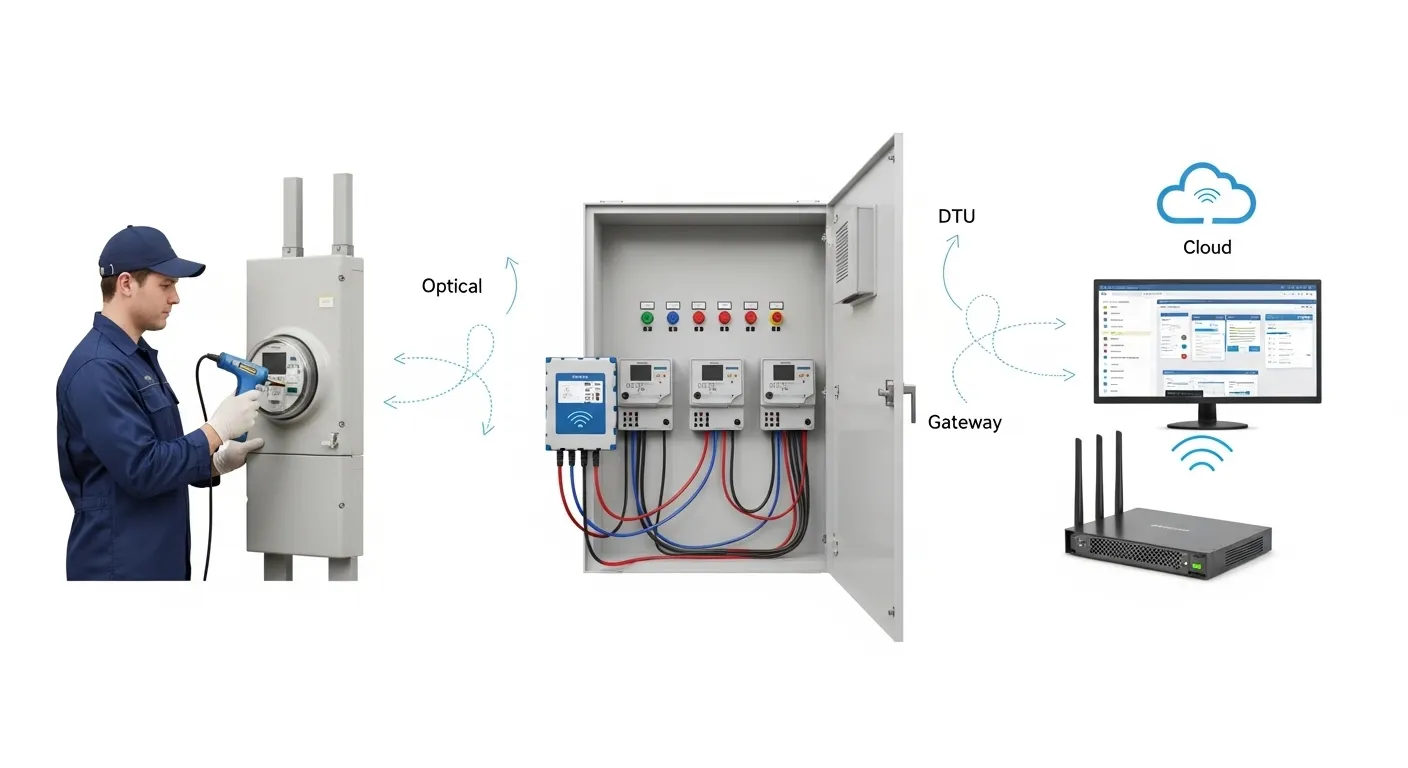
For most automated meter reading projects, the first decision is not the brand or model. It is the deployment pattern. Some projects need handheld optical meter reading for technician routes. Some need DTU fixed collection for scheduled remote data from meter clusters. Others need an industrial router or gateway for backhaul, SCADA connectivity, cloud integration, or multi-site monitoring.
This checklist helps buyers prepare a clear AMR project specification before requesting a quote, datasheet, sample, demo, or consultation from Tespro.
Choose the AMR Deployment Pattern First
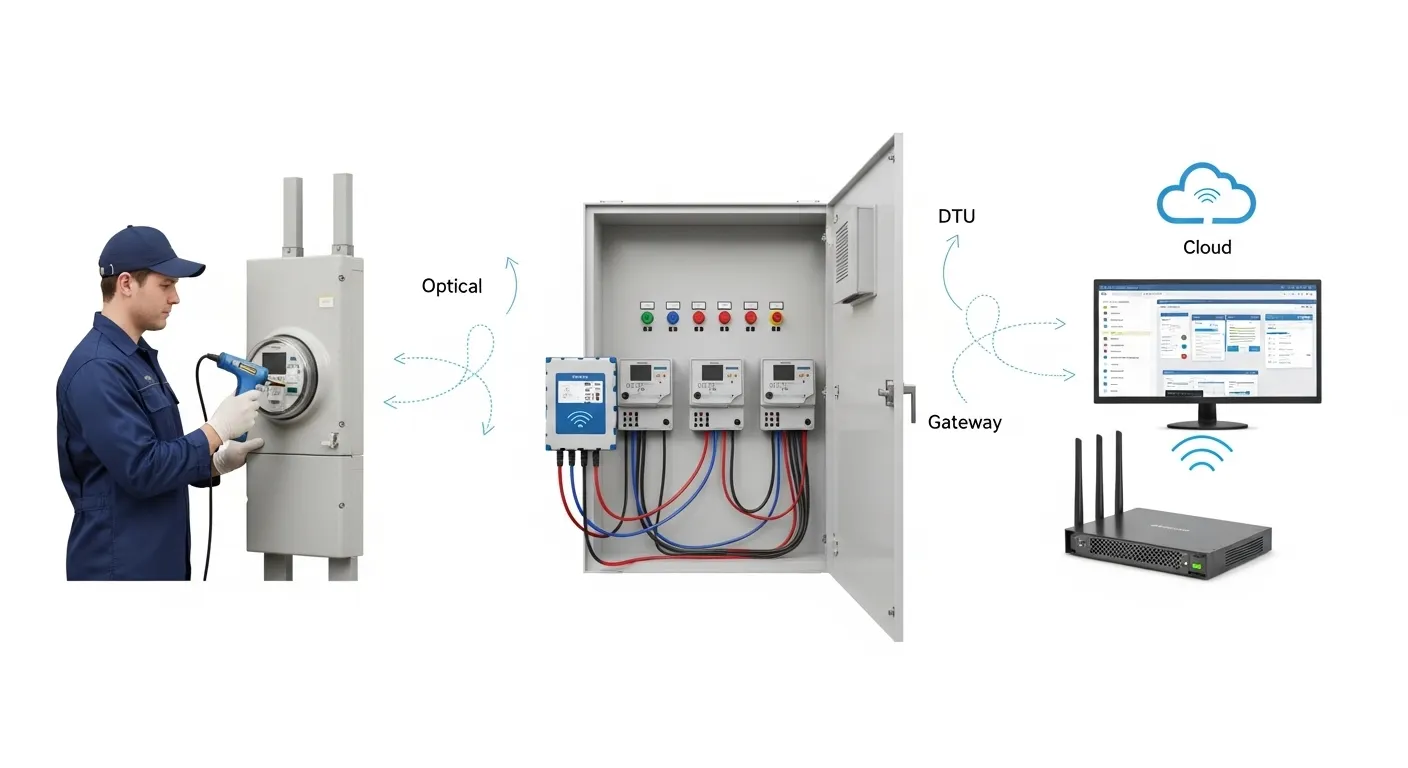
An AMR rollout can fail when buyers select hardware before defining how meter data will move from the field to the software system. A small utility route, a factory meter room, and a smart city energy platform may all need meter reading, but they do not need the same architecture.
Start by choosing one of three practical patterns:
- Handheld optical reading for field technicians, route-based reading, meter testing, or low-frequency data collection.
- DTU fixed collection for remote reading from serial-connected meters, meter rooms, substations, buildings, or industrial energy monitoring points.
- Router or gateway backhaul for larger sites, cloud platforms, SCADA systems, protocol conversion, VPN access, remote monitoring, and multi-device integration.
This decision affects the device type, interface, network, installation work, software integration, and final quotation.
Project Sizing Table for AMR Meter Reading
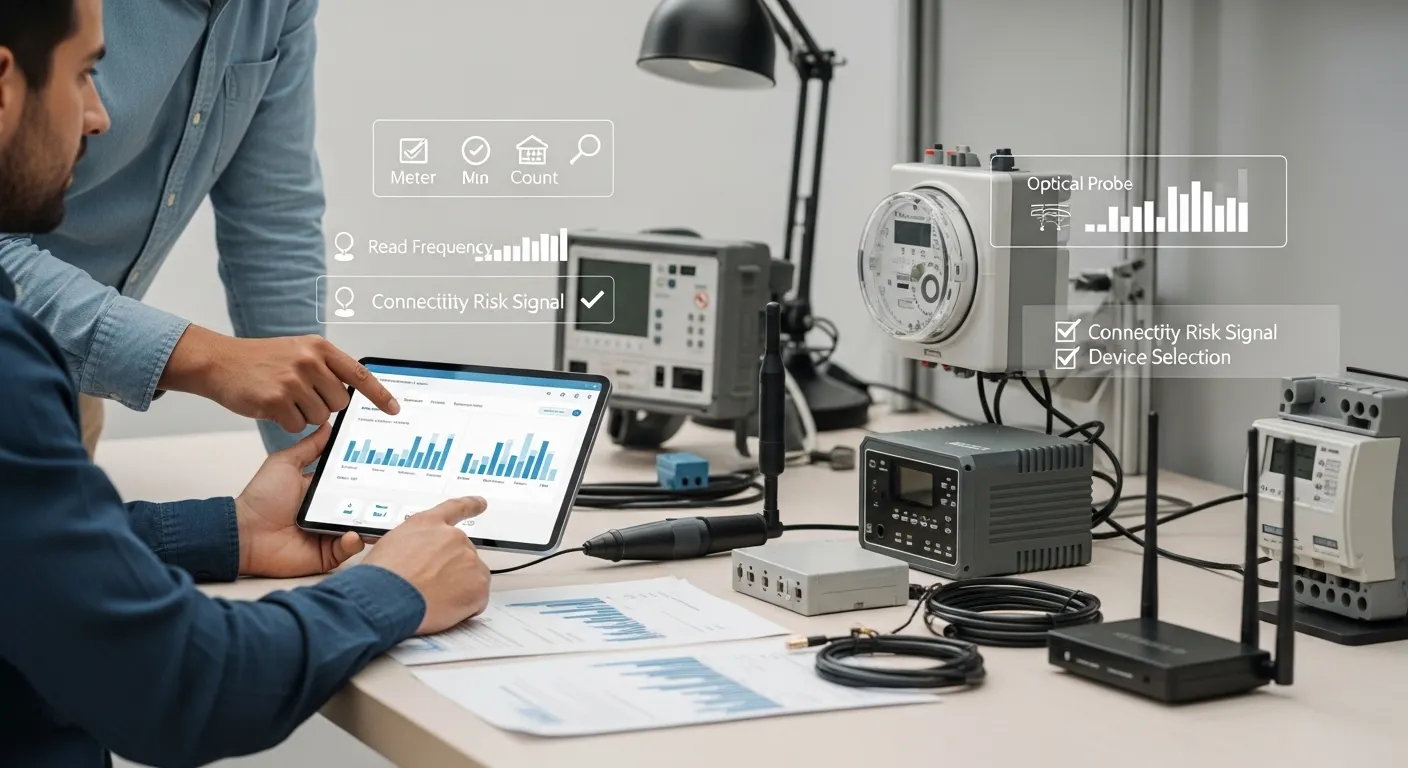
Use this table as a starting point before creating the final RFQ. The exact configuration should still be checked against the meter model, protocol, site layout, and software requirements.
| Project condition | Read frequency | Connectivity risk | Recommended deployment pattern | Key details to confirm |
|---|---|---|---|---|
| Small number of meters, technician route reading | Monthly or occasional | Low | Handheld optical reading | Meter optical port, protocol, reading software, cable or wireless preference |
| Existing meters in a lab, QA room, or service workflow | Occasional or scheduled | Low | Optical probe or handheld reading tool | Meter standard, driver/software compatibility, operator workflow |
| Meter room or building with several meters | Daily or hourly | Medium | DTU fixed collection | RS485/RS232 interface, number of meters, polling interval, power, SIM or Ethernet |
| Industrial site with energy monitoring points | Hourly or frequent | Medium to high | DTU or industrial gateway | Modbus/DLMS requirements, local network, data buffering, platform endpoint |
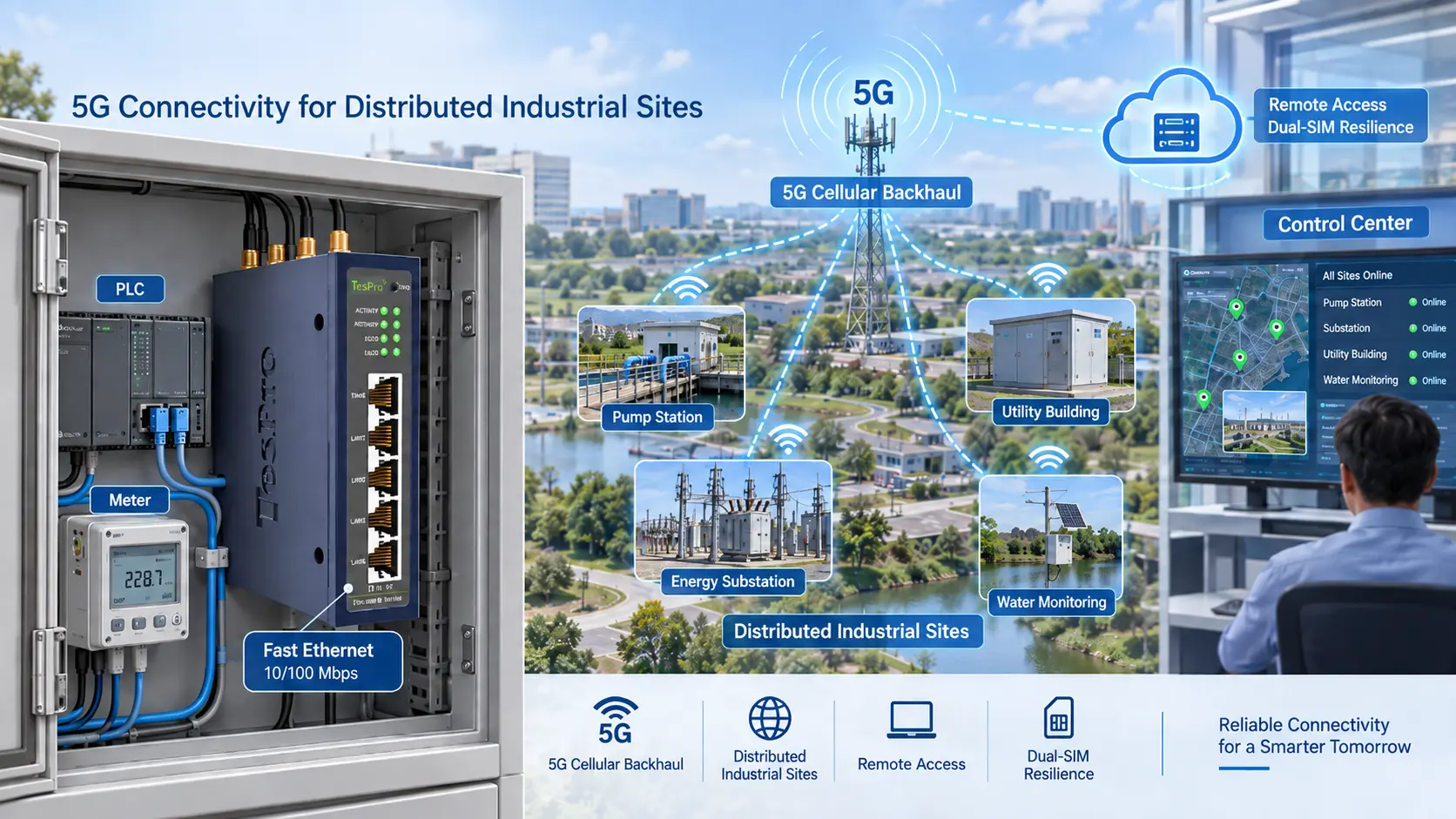
| Remote utility site or weak-signal location | Daily, hourly, or event-based | High | Industrial router or gateway backhaul | Cellular coverage, antenna, APN, VPN/static IP, remote management |
| Multi-site AMR, SCADA, or cloud integration | Frequent or near real-time | High | Router/gateway with platform integration | MQTT/TCP/IP/API, cybersecurity, user roles, alarms, data export |
Pattern 1: Handheld Optical Reading for Field Routes
Handheld optical reading is suitable when technicians still visit meter locations but need faster and more accurate digital data collection. This pattern is common for utility routes, service teams, meter testing, troubleshooting, and projects where a fixed network is not yet justified.
For this setup, buyers should confirm:
- Meter type and model.
- Optical port type and physical fit.
- Required communication standard or protocol.
- USB, RS232, Bluetooth, or other interface preference.
- Field software or meter reading software compatibility.
- Cable length, magnetic attachment, and operator workflow.
- Quantity needed for technicians, labs, or service teams.
This option can be practical for low-frequency AMR meter reading, especially where meters are spread across accessible routes. It also helps buyers avoid overbuilding a fixed system when field reading is enough.
However, it is not ideal when the project needs frequent remote data, real-time alarms, or automatic upload from many locations. In that case, a fixed DTU, router, or gateway architecture may be more suitable.
Pattern 2: DTU Fixed Collection for Remote AMR
A data transmission unit is a strong fit when meters can be connected through serial or other field interfaces and the project needs scheduled remote data collection. This is often used in meter rooms, buildings, substations, industrial facilities, and energy monitoring projects.
A DTU-based AMR setup usually connects field meters to a communication network and then sends data to a server, cloud platform, or management system. It may reduce technician visits and support more frequent reading than manual routes.
Before choosing a DTU, confirm:
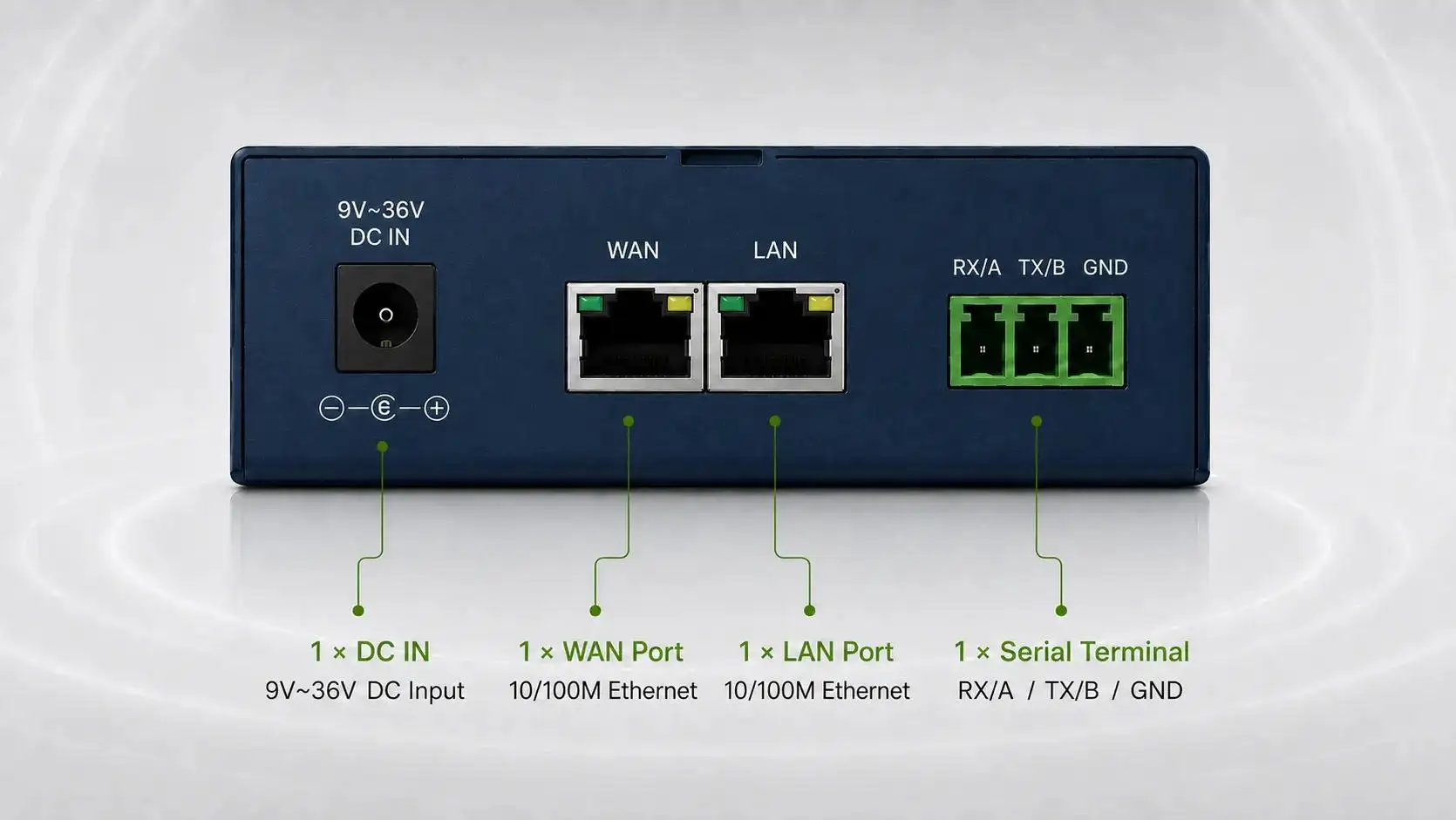
- Meter interface, such as RS485, RS232, optical, RJ11, or other available port.
- Meter protocol or standard, such as DLMS/COSEM, IEC 62056, Modbus, M-Bus, or project-specific protocol.
- Number of meters connected to each device.
- Read frequency and data volume.
- Cellular, Ethernet, or Wi-Fi network availability.
- SIM, APN, VPN, static IP, or private network requirements.
- Power supply and installation location.
- Antenna position and signal quality.
- Data mode, such as TCP/IP, MQTT, transparent transmission, or server upload.
This pattern is useful when the buyer already knows the meter interface and wants fixed AMR without building a full AMI network. It also works well for phased upgrades where the system may later connect into a larger smart metering or energy data platform.
Pattern 3: Router or Gateway Backhaul for AMR Integration
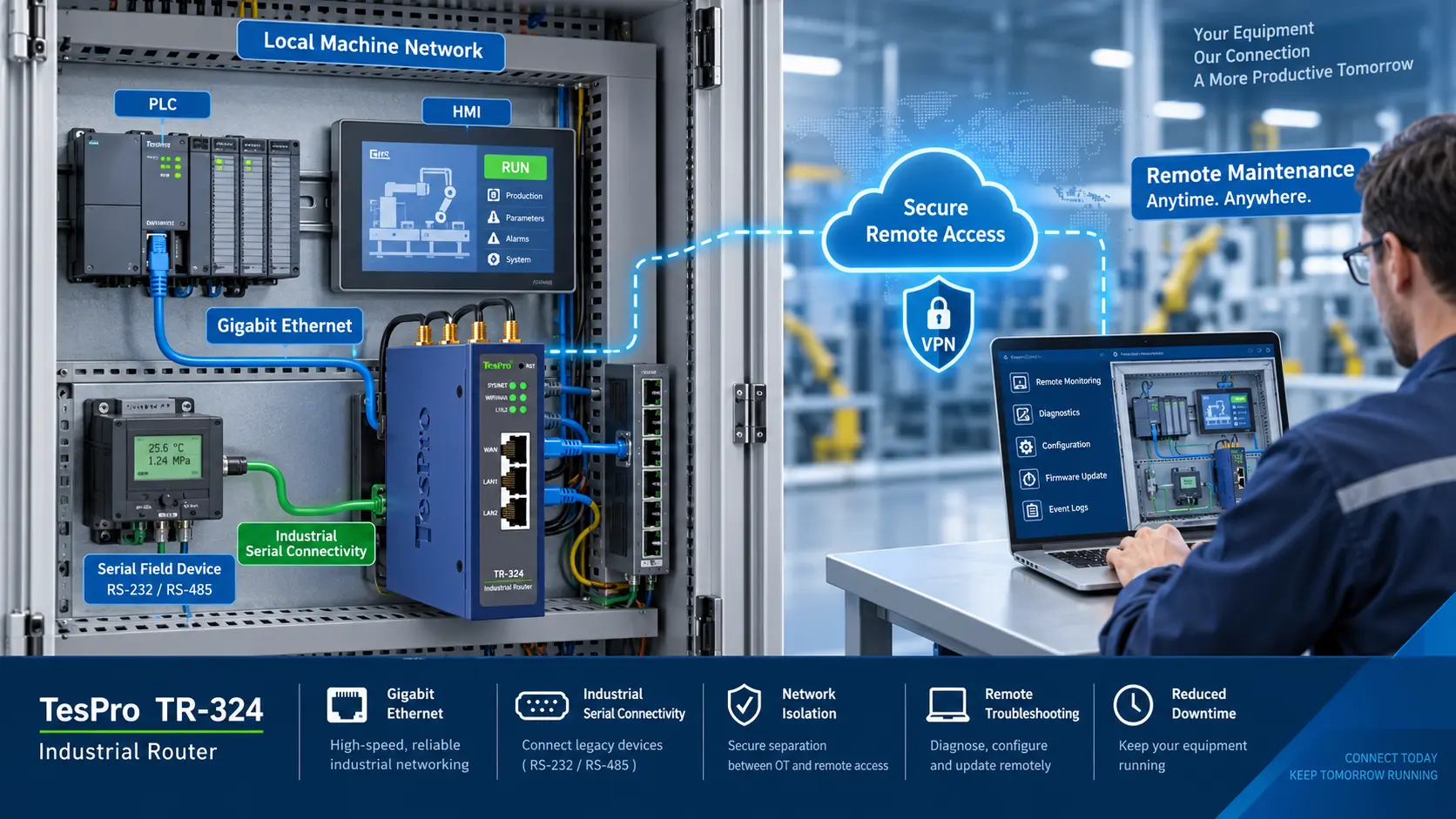
Industrial routers and gateways become important when AMR is part of a wider industrial connectivity project. This may include SCADA, cloud dashboards, factory automation, smart grid monitoring, remote access, or multi-site energy management.
A router is often selected for reliable network backhaul, VPN access, cellular connectivity, failover planning, and remote site communication. A gateway may also support protocol conversion, data acquisition, edge processing, buffering, and device-to-platform integration.
Buyers should consider router or gateway backhaul when the project includes:
- Multiple meters, sensors, PLCs, or field devices.
- Modbus RTU/TCP, MQTT, TCP/IP, REST API, or cloud endpoint requirements.
- SCADA, HES, MDM, billing, or energy management platform integration.
- Remote configuration or remote maintenance needs.
- VPN, firewall, user access, or cybersecurity requirements.
- Weak cellular signal, external antenna needs, or remote site risk.
- Local data buffering when the network is unstable.
- Industrial cabinet, DIN rail, enclosure, or harsh-site installation.
This option is often better than a simple meter-reading device when the buyer needs a stable industrial data path, not just meter data capture.
Meter Compatibility Checklist Before Purchase
Meter compatibility should be checked before selecting any AMR hardware. A buyer may know the project needs automated meter reading, but the device choice depends on the actual meter interface and data protocol.
Prepare these details before contacting Tespro:
- Meter type: electricity, water, gas, heat, or sub-meter.
- Meter brand and model, if available.
- Meter communication port: optical, RS232, RS485, RJ11, M-Bus, pulse, Ethernet, or other.
- Protocol or reading standard required by the project.
- Whether the meters are new, existing, or mixed across multiple sites.
- Whether the project needs one-time reading, scheduled reading, or frequent monitoring.
- Whether meter data must go to local software, cloud, SCADA, billing, HES, MDM, or an API.
If the meter protocol or port is unclear, send photos, datasheets, or wiring diagrams. This helps the technical team recommend a safer configuration.
Network and Site-Readiness Checks
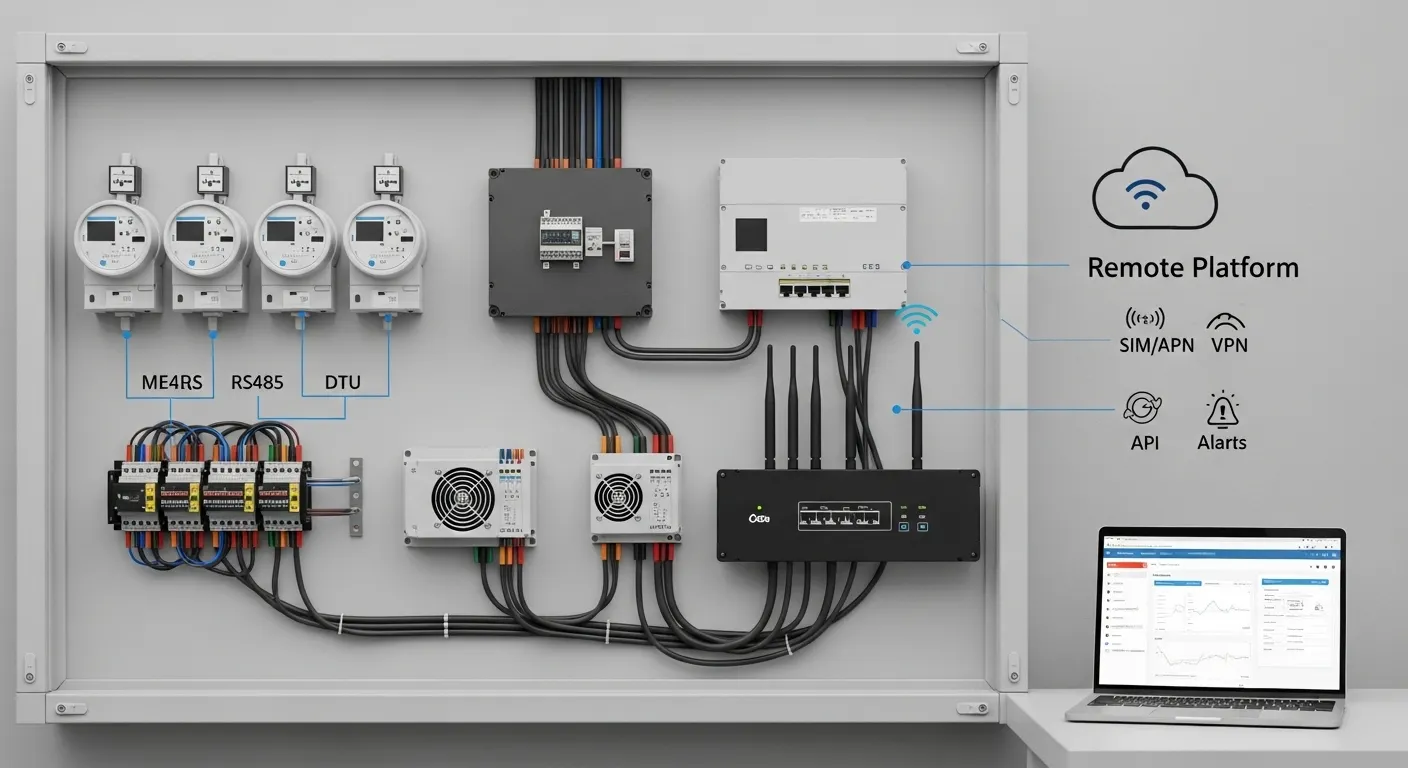
AMR deployment depends heavily on the field environment. A device that works in a control room may not work the same way in a basement meter room, rural utility site, metal cabinet, or outdoor industrial location.
Check these network and site factors early:
- Cellular coverage at the actual installation point.
- SIM type, APN, VPN, or static IP requirements.
- Ethernet or Wi-Fi availability if cellular is not preferred.
- Antenna placement and cabinet material.
- Power supply voltage and backup power needs.
- Indoor, outdoor, panel-mounted, or DIN rail installation.
- Temperature, dust, moisture, vibration, or enclosure constraints.
- Maintenance access for technicians.
- Security requirements for remote access and data transfer.
These details affect product selection, accessory selection, installation planning, and quotation accuracy.
Data Workflow and Software Integration
AMR data only creates value when it reaches the correct system in a usable format. For some buyers, a simple export is enough. Others need alarms, dashboards, APIs, billing export, validation, or integration with existing platforms.
Before finalizing the system, define:
- Where the data should go.
- How often the system should send data.
- Whether the data should be pushed or pulled.
- Whether the platform needs raw data, processed data, or event alarms.
- Whether API, MQTT, TCP/IP, CSV export, or database integration is required.
- Whether user roles, remote configuration, or device status monitoring are needed.
- Whether the project needs future AMI migration support.
For a deeper RFQ view of meter data flow, buyers can also review Tespro’s smart meter data workflow RFQ checklist.
Common AMR Project Risks to Avoid
Many AMR issues appear after purchase because the RFQ did not include enough technical detail. The most common risks include:
- Choosing optical reading when fixed remote collection is required.
- Selecting a DTU without confirming the meter protocol.
- Ignoring cellular signal quality at the installation point.
- Forgetting SIM, APN, VPN, or static IP requirements.
- Assuming the software platform can read every device format.
- Underestimating installation constraints in cabinets or meter rooms.
- Choosing a router when a gateway is needed for protocol conversion.
- Choosing a gateway when a simpler DTU is enough.
- Not planning for future AMI, SCADA, or cloud integration.
If the project may expand into a larger AMI system, review Tespro’s smart metering AMI kit buyer checklist before finalizing the architecture.
RFQ Checklist for Tespro AMR Projects
A complete RFQ helps Tespro recommend the correct device category and configuration. Before requesting a quote, datasheet, sample, demo, or consultation, prepare the following information:
- Product or device type needed: optical probe, DTU, industrial router, gateway, software platform, or complete solution.
- Quantity required.
- Application type: utility AMR, factory energy monitoring, smart city, SCADA, building metering, OEM/ODM, or integration project.
- Meter type and meter model.
- Protocol or standard required.
- Interface or port requirements.
- Read frequency and data volume.
- Network type: cellular, Ethernet, Wi-Fi, or mixed.
- SIM, APN, VPN, static IP, or private network requirements.
- Cloud, API, SCADA, HES, MDM, billing, or dashboard requirements.
- Power supply and backup power needs.
- Operating environment and enclosure constraints.
- Security or remote management requirements.
- Datasheet, sample, or demo needs.
- Delivery destination.
- Any site drawing, wiring diagram, meter list, system diagram, or written specification.
The more complete the RFQ, the easier it is to avoid wrong-device selection and unnecessary revisions.
Why Work With Tespro for AMR Project Planning
Tespro supports industrial metering, smart meter communication, data transmission, routers, gateways, software platforms, test equipment, and calibration-related solutions. This allows buyers to discuss the AMR project as a full data path, not only as a single device purchase.
For utility teams, this helps connect meter reading hardware with AMI/AMR planning. For industrial buyers, it supports remote monitoring, energy data collection, and device-to-platform integration. For OEM/ODM buyers and distributors, it helps define technical requirements before sample requests or project quotations.
Tespro can help buyers review the required device type, communication interface, network condition, software destination, and deployment environment before choosing the final configuration.
Frequently Asked Questions
Which AMR deployment pattern should we choose?
Choose handheld optical reading for route-based field work, DTU fixed collection for scheduled remote meter data, and router or gateway backhaul for larger sites, SCADA, cloud integration, or higher connectivity risk.
Can AMR work with existing meters?
It may work if the existing meters have a usable communication port and supported reading method. Buyers should provide the meter model, protocol, port type, and any available datasheet before selecting hardware.
When is a DTU better than handheld reading?
A DTU is better when meters need scheduled remote reading without regular technician visits. It is useful for meter rooms, buildings, substations, and industrial energy monitoring points with available interfaces and network access.
When do we need an industrial gateway?
Use an industrial gateway when the project needs protocol conversion, multi-device data collection, cloud or SCADA integration, local processing, buffering, or more advanced device-to-platform communication.
What network details affect AMR device selection?
Cellular coverage, SIM type, APN, VPN, static IP, Ethernet access, Wi-Fi availability, antenna location, and cabinet conditions can all affect the correct device choice and installation plan.
What should we send for an AMR quotation?
Send the meter list, quantity, interface, protocol, read frequency, network requirements, software destination, power supply, site conditions, installation constraints, and any drawings or system diagrams.
Request AMR Device Selection Support from Tespro
Share your AMR meter reading project requirements with Tespro to request a quote, datasheet, sample, demo, or technical consultation. Include the device type, quantity, meter model, protocol, interface, network type, SIM/APN/VPN/static IP needs, platform or API requirements, power supply, operating environment, enclosure constraints, delivery destination, and any site drawing or system diagram.
Tespro’s team can help review whether your project is better suited for handheld optical reading, DTU fixed collection, industrial router backhaul, gateway integration, or a combined AMR/AMI-ready solution.