Home / Best Security Practices for Industrial Router Remote Management
#Industry Blog #News · July 15, 2026 · About 11 minutes
views

Best Security Practices for Industrial Router Remote Management

Written By

Tespro

Industrial Router Remote Management

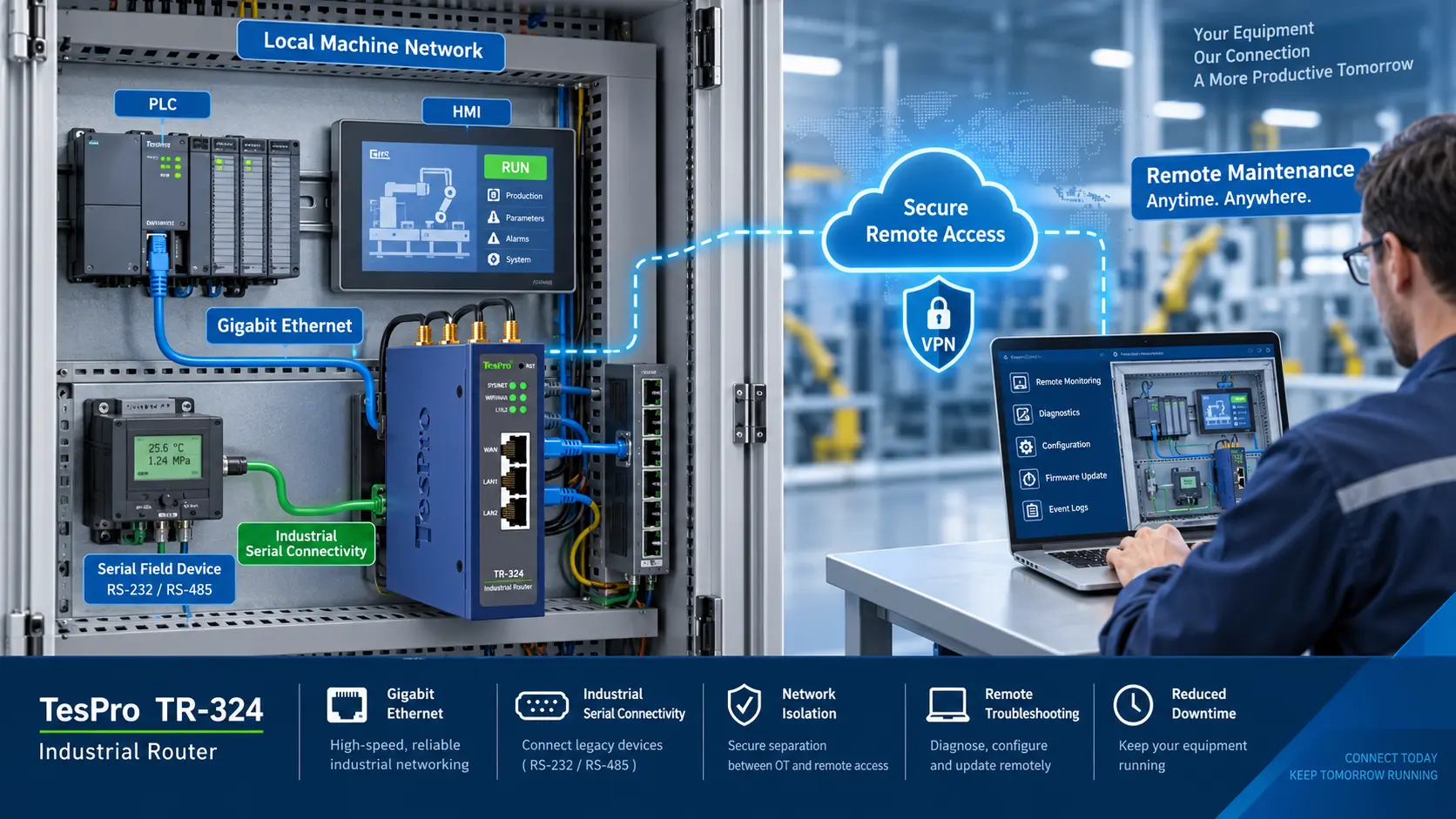
The interconnectivity of industrial networks is facilitating the remote management of routers by engineers from any location. However, utilizing remote access can leave industrial routers vulnerable to credential harvesting, malicious software, unauthorized modifications, and DoS attacks.

Because industrial routers bridge IT, OT and cellular networks, insecure deployment can expose RTUs, PLCs, SCADA systems and other assets to additional risk.

1. Remove Default Credentials

Various credential attack vectors require tapping into default credentials. Default credentials are widely known and can be the answer to many credentials during a brute force attack.

Prior to router deployment:

•Replace all default credentials.

•Assign a unique credential for each industrial router.

•Do not post/share credentials.

•Disable factory default/temporary accounts.

•Ensure that temporary installer accounts are purged after system commissioning.

•Credentials must be stored in a password manager.

Privacy augmenting and security best practice passwords must be utilized. Use strong, unique passwords and enable multi-factor authentication for administrator accounts where supported.

2. Role-Based Access Control

Not every user needs to have Admin level access.

An example of a role-based access model includes:

•Admin: Users who control firewall, VPN, and similar system settings.

•Engineer: Users who can see and modify set operational limits.

•Operator: Users who can see device status and alarms.

•Audit Users: Users that can view logs and configurations, and can also conduct audits.

Role-based access reduces the impact of mistakes or compromised accounts.

Rights should be assessed at set intervals, and accounts of off-boarded employees and accounts of projects that have been completed/closed should be purged.

3. Encrypted Remote Connections

Management traffic should traverse private, secure connections.

A few controls that can be utilized are:

•Use of a VPN prior to accessing a router

•Preference of secure HTTP(S) over plain HTTP

•Preference of secure shell (SSH) over Telnet

•Support for old encryption frameworks is disabled/removed

•Revocation lists/digital certificates are respected

•Remote access is only permitted to specified VPN gateway(s)

Common VPN protocols that are used are IPsec and OpenVPN, the choice should be in line with the security policy of the organization and be supported by the industrial router and central management system.

As a general security practice, web-management pages, SSH, and other administrative services should not be exposed to the Internet.

4. Access Control by Source Address

Remote management of an industrial router should be enabled only from trusted management locations.

Exposure can be minimized by:

•Using a management allowlist

Where appropriate, apply region-based restrictions as an additional control

•Restricting traffic to specified management servers

•Limiting connections to private APNs

•Terminating all connections from unknown WAN interfaces

•Terminating all unused inbound connections

A firewall that uses a "deny by default" policy is more secure compared to a firewall that uses a broad allow and a threat block policy.

5. Segregate Management and Production Networks

Management traffic should not be able to traverse the same networks as operational control traffic.

Examples of effective segmentation are:

•Use of an exclusive management VLAN.

•Separation of IT and OT networks.

•Positioning of remote-access services within an industrial DMZ.

•Use of firewalls to implement segmentation within network zones.

•Use of distinct field and management interfaces.

Limit PLC communication exposure to external networks.

Effective segmentation reduces the lateral propagation of attacks on the network, and mitigates threats that can arise from the compromise of individual nodes on the network, such as user accounts and workstations, or even routers.

6. Disable Services Not in Use

Disabling services reduces the number of attack vectors.

Assess the router configuration and disable services as the case may be. The following services should be considered for disabling:

•Telnet

•HTTP and FTP services

•Unused cloud and Wi-Fi management services

•Serial gateways, discovery protocols, and VPN services

Administrative interfaces should also be disabled on production-facing LAN ports when remote management is meant to be done over a dedicated interface or VPN.

7. Ensure Security of Firmware and Configuration

Industrial routers should be fully integrated into a company's process of managing vulnerabilities and changes.

Best practice would entail:

•Keeping an eye out for security updates from the manufacturer.

•Keeping documentation on the router's firmware versions.

•Only trustworthy websites are used to download firmware.

•Use of signature or hash verification.

•Updates are first applied to a device that is not part of the production process.

•Updates are scheduled with the operations team's input.

Keep secure, version-controlled configuration backups and protect them with encryption and access control.

•   A roll back is established.

Testing industrial firmware is often done with a significant degree of caution and for good reason. It is critical that industrial firmware is compatible with PLCs, SCADA Servers, and all other devices that are employed for industrial communication.

8. The Security Implications of Backing Up Configurations

Router configuration files may contain a variety of sensitive data, including:

•VPN credentials

•Firewall rule sets

•Inter-node communication addresses

•User accounts

•Settings for cellular communication.

•Routing information.

•Certificates for devices.

Configuration backups should be enciphered and should be controlled for access. Organizations should frequently check that backups have the ability to be restored.

9. Configure Logging and Security Notification Systems

Logging allows monitoring of remote activity and changes to a system's configuration.

Examples of activity you may want to log include:

•System access (both successful and unsuccessful)

•Account lockout

•Establishment of a VPN session

•Changes to the firewall

•Upgrades of the system's firmware

•Configuration changes and exports

•Unexpected system reboots

•SIM card failover events

•Changes to LAN or WAN interface configuration

Where possible, logs should be sent to a centralized logging system, or a security information and event management (SIEM) system. Notifications can be set up to assist the operational teams to deal with sustained failed logon attempts, unexpected configuration changes, and unusual network activity.

How Tespro TR-245 Supports Remote Connectivity

The Tespro TR-245 can provide a practical hardware foundation for industrial router remote management when deployed with appropriate security policies.

Capabilities include:

•5G cellular connectivity with dual-SIM backup

•Four 100 Mbps LAN ports

•One RS485 and one RS232 interface

•Dual-band Wi-Fi and built-in GNSS

•VPN client/server support for OpenVPN, L2TP, and PPTP

•12–36 V DC input

•Operating temperature from -40°C to 75°C

•IP65-rated protection

•Support for Modbus RTU/TCP, BACnet, M-Bus, IEC 61850, DLMS, and OPC UA

For security-sensitive deployments, use OpenVPN rather than legacy PPTP. Microsoft does not recommend PPTP or standalone L2TP because of their limited security features.

Closing Words

Effective industrial router remote management depends on more than selecting a router with security features. Organizations must control who can connect, encrypt every management session, separate network zones, disable unnecessary services, maintain firmware, monitor activity, and protect field installations.

Utilizing a mixture of technical controls, regular audits, and stringent operational procedures, industrial organizations are able to achieve the benefits of remote management. At the same time, they can minimize the cyber security threats to essential equipment and production processes.

FAQs

Q1. What is management of industrial router remote access?

Management of industrial router remote access permits the remote monitoring, configuration, and troubleshooting of routers by authorized users.

Q2. Is remote management of routers safe?

Remote management of routers can be safe if it is implemented in conjunction with VPNs, firewalls, strong authentication, and network segmentation.

Q3. Is it safe to expose the management ports of routers to the internet?

No. Management ports of routers should only be available on a secure VPN or a trusted management network.

Q4. Which protocols are undesirable?

Telnet, HTTP, and FTP are examples of unencrypted protocols and should be avoided whenever possible.

Q5. What is the benefit of using multi-factor authentication?

If a password is stolen or breached, multi-factor authentication acts as an additional barrier.

Recent Articles

Request Your OEM/ODM Solution

Share your requirements, and our hardware and software experts will design a solution optimized for accuracy, reliability, and efficiency.