-1791966549842.webp)






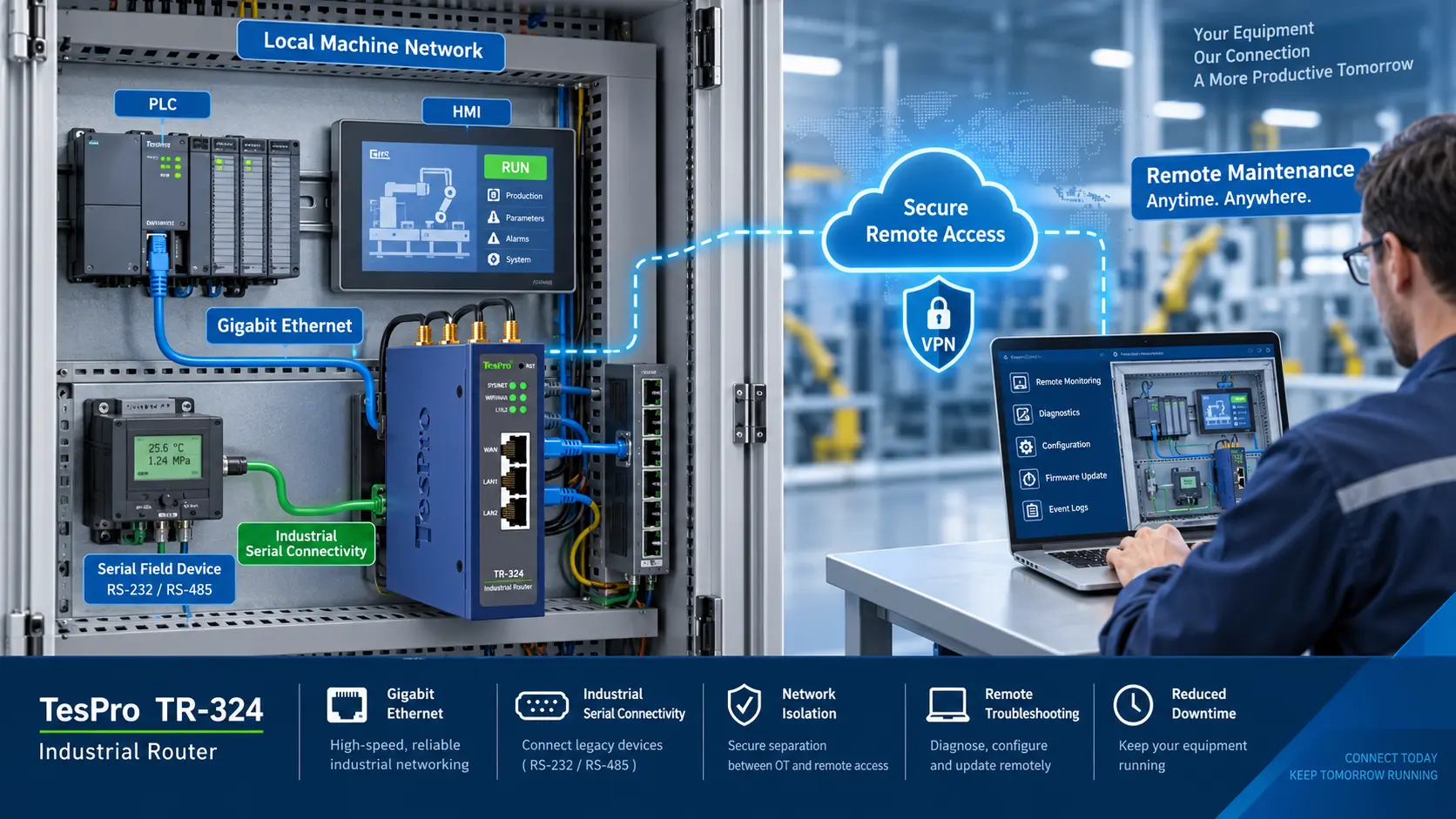
An Industrial Router With VPN For PLC Remote Access creates a secure communication channel between engineers and PLC equipment at remote and/or unsupervised sites. It enables remote diagnostic work, as well as programming and parameter adjustments, the access of HMIs, and the commissioning of equipment, all without requiring the PLC to be connected to the public internet.
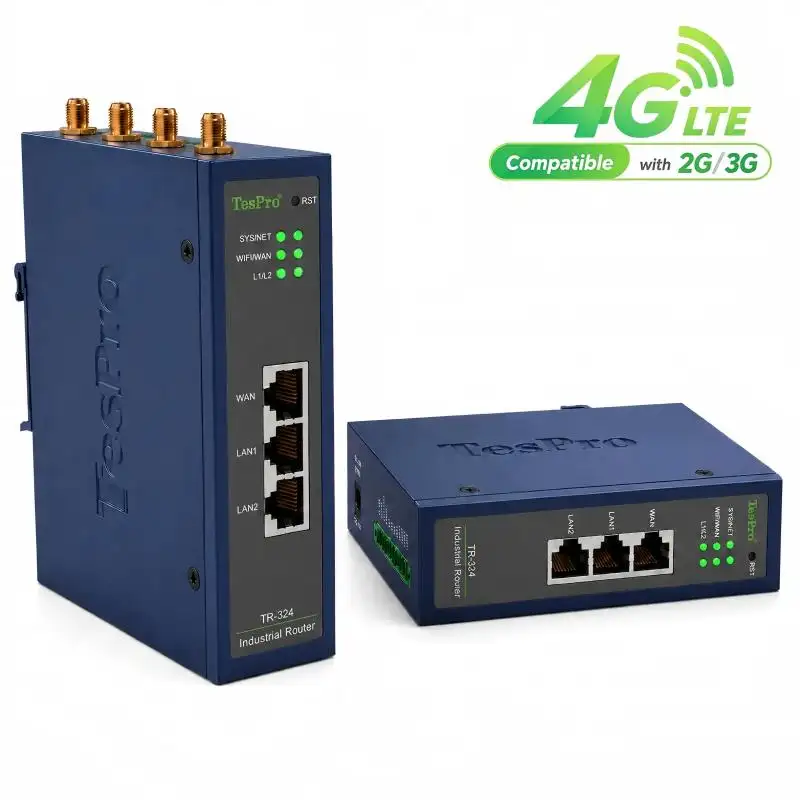
At Tespro, we view PLC remote access as an OT network engineering task—not simply a matter of installing a SIM card and enabling VPN. A reliable solution must address cellular availability, VPN topology, PLC protocols, IP routing, cybersecurity, failover, and long-term device management.
How an Industrial VPN Router Connects to a PLC
A typical connection path is:
Engineering PC → VPN Gateway Or Platform → Cellular Network → Industrial Router → Ethernet LAN → PLC
The PLC remains on a private LAN behind the router. After the engineer is authenticated, the router permits traffic only to the approved PLC address and service ports.
An Industrial Router With VPN For PLC Remote Access can support:
•PLC fault-code and operating-status diagnosis
•Online variable and I/O monitoring
•Authorized parameter adjustment
•PLC program upload and download
•Remote access to HMIs and industrial computers
•Support for commissioning and software updates
•Centralized access to multiple remote stations
Program changes can affect machinery operation. Remote maintenance procedures should therefore include authorization, PLC program backup, version control, on-site safety confirmation, and a defined rollback plan.
VPN Access Compared With Other Methods
VPN should be selected by comparing security, manageability, and operational cost.
| Access Method | Security Control | Practical Limitation |
| VPN tunnel | Encryption, authentication, routing, and firewall policies | Requires correct certificate and network configuration |
| Port forwarding | Limited control | Exposes PLC-related ports to external scanning |
| Vendor cloud access | Centralized access and device management | Depends on platform and controller compatibility |
| Private APN | Carrier-level network isolation | Additional operator service and configuration may be required |
| On-site maintenance | No remote network exposure | Longer response time and higher service cost |
Port forwarding is easy to configure but unsuitable as a long-term PLC access strategy. A VPN reduces exposure, but it must still be combined with segmentation, least-privilege access, event logging, and controlled credentials.
Selecting the Correct VPN Architecture
An Industrial Router With VPN For PLC Remote Access may use one of three architectures:
Client-to-Site VPN
A technician's engineering computer connects to the remote site. This is suitable for occasional diagnostics and maintenance of individual machines.
Site-to-Site VPN
A permanent tunnel connects a control center with one or more plants. It is better suited to continuous SCADA communication or centrally managed production sites.
Platform-Managed VPN
The router creates an outbound connection to a management platform. This architecture is useful for large device fleets and cellular SIMs operating behind carrier-grade NAT.
Before selecting a model, confirm:
•Required VPN protocol and encryption method
•Whether the router must operate as client, server, or both
•Number of concurrent engineers and connected sites
•Certificate, key, and account-management workflow
•Public IP, private APN, dynamic IP, or CGNAT conditions
•Access-log and remote-management requirements
Specific VPN protocols should be confirmed against the selected router's datasheet rather than assumed across an entire product family.
PLC Protocol and Network Compatibility
VPN connectivity does not automatically guarantee that PLC programming software will work. The router must forward the required traffic, and the PLC must have a valid return route.
Traffic carried over Industrial Ethernet encompasses Modbus TCP, EtherNet/IP, PROFINET, and other vendor-specific traffic, as well as engineering and protocol development traffic. Each of these may have specific requirements for TCP/UDP ports and device discovery.
Prior to deployment, the following should be verified:
•Type and version of PLC firmware
•Interface and programming software for the PLC
•TCP/UDP ports
•Presence of conflicts on remote and local subnets
•Requirement for source NAT and static routing
•IP addresses for HMI, cameras, IPC, and additional PLCs
Broadcast-based PLC address discovery will not cross a routed VPN. If a tunnel is established but the software is unable to discover the PLC, it may be necessary for the engineer to specify the IP address. It is also necessary to correct any overlapping subnets (i.e. 192.168.1.0/24 at both ends).
Industrial Router Selection Matrix
| Decision Factor | Engineering Requirement |
| Cellular connection | Local carrier coverage and supported 4G/5G bands |
| SIM configuration | Failover, CGNAT, and APN |
| Ethernet | Speed and quantity of LAN/WAN ports |
| VPN | Tunnel capacity and reconnect, encryption overhead |
| NAT, routing, address filtering and firewall | Control of the network |
| Reliability | Power restart, link detection, and automatic recovery |
| Management | Remote control of the router, logs, status, and firmware |
| Installation | Mounting, antenna, and operating environment |
4G vs. 5G for PLC Remote Access?
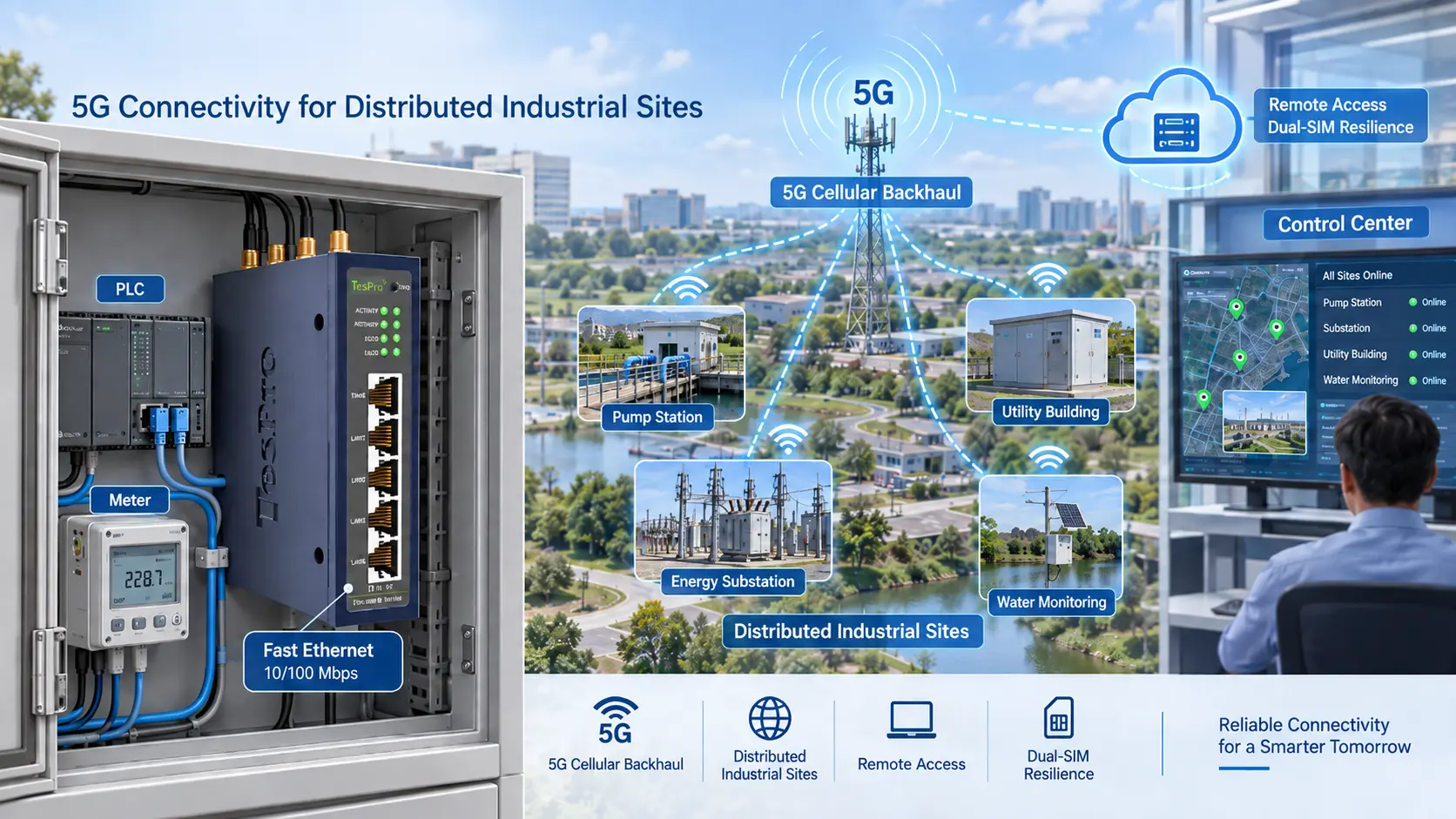
Moderate bandwidth is all that is required for PLC diagnostics and program transfers. For the majority of sites, better coverage with 4G is more useful than the faster speeds of 5G.
5G is more appropriate when the same connection carries:
•Multiple PLC and HMI sessions
•High-resolution surveillance video
•Large software or data transfers
•Edge-computing traffic
•High-frequency operational data
Engineers should compare latency, jitter, packet loss, signal quality, and recovery time—not bandwidth alone.
Secure Deployment and Commissioning
Tespro's process for commissioning an Industrial Router with VPN for PLC Remote Access is as follows:
- All PLCs, HMIs and IPCs should be listed along with their addresses, protocols, and service ports.
- Make sure your SIM has an assigned IP and the right APN. Check your carrier coverage for this.
- Assign different LAN and remote access subnets.
- The control network must be separated from the office network and from public Wi-Fi.
- Only the PLC addresses and ports should be accessed that are necessary.
- Set keepalive tunnels that reconnect automatically and failure switchover.
- Test the keepalive tunnels and check the behaviour during power cycling, SIM swapping and the upload and download of data.
- Back up the configurations of the routers, the PLC programs and the certificates.
Investigate poor and unstable access. Measurement of signals, latency and packet loss, MTU, VPN overhead, and the carrier routing should be taken into account, as well as the installation of the antennas. A VPN icon does not mean that a production-ready link has been established.
Tespro's Approach to PLC Remote Connectivity
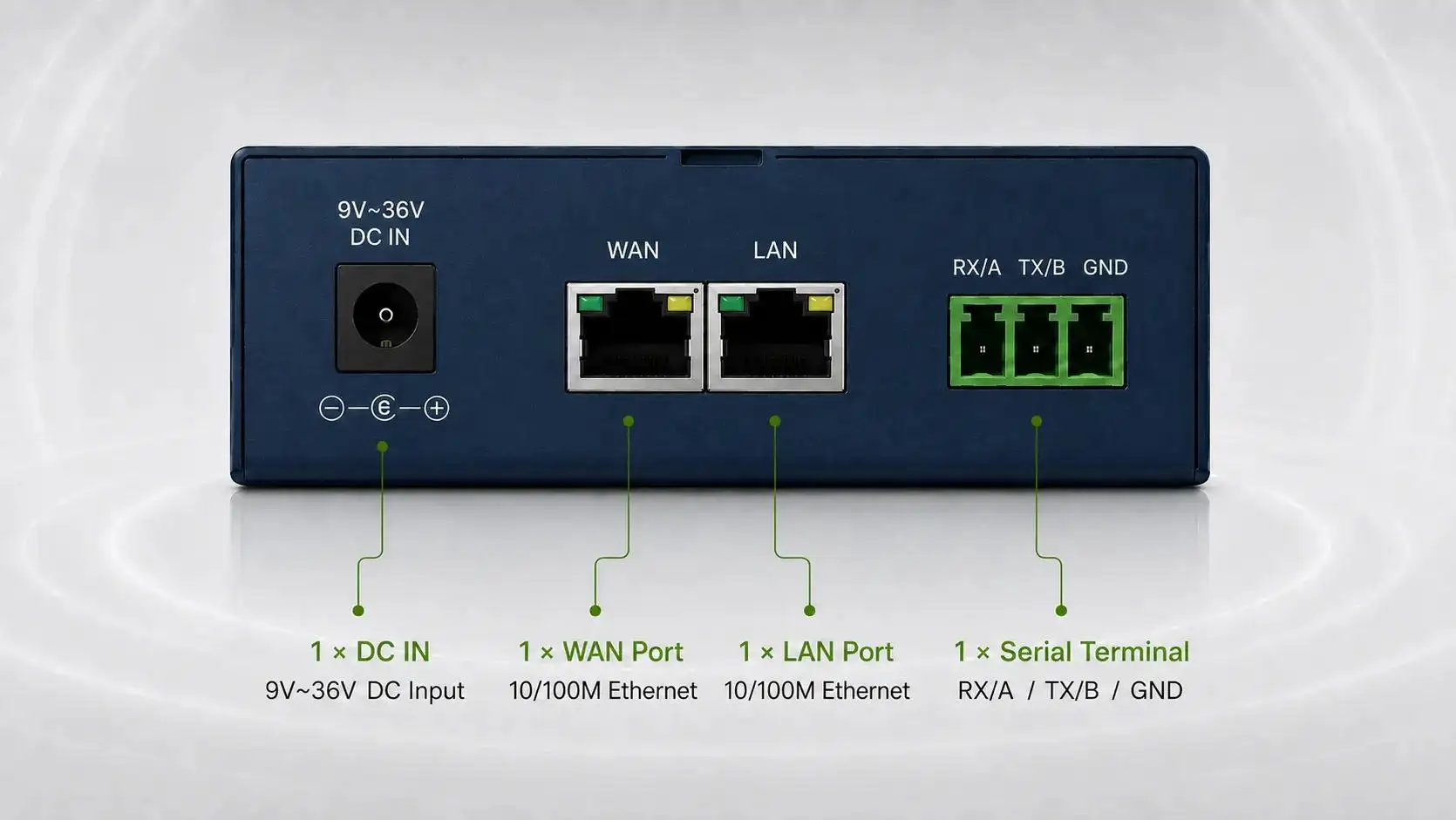
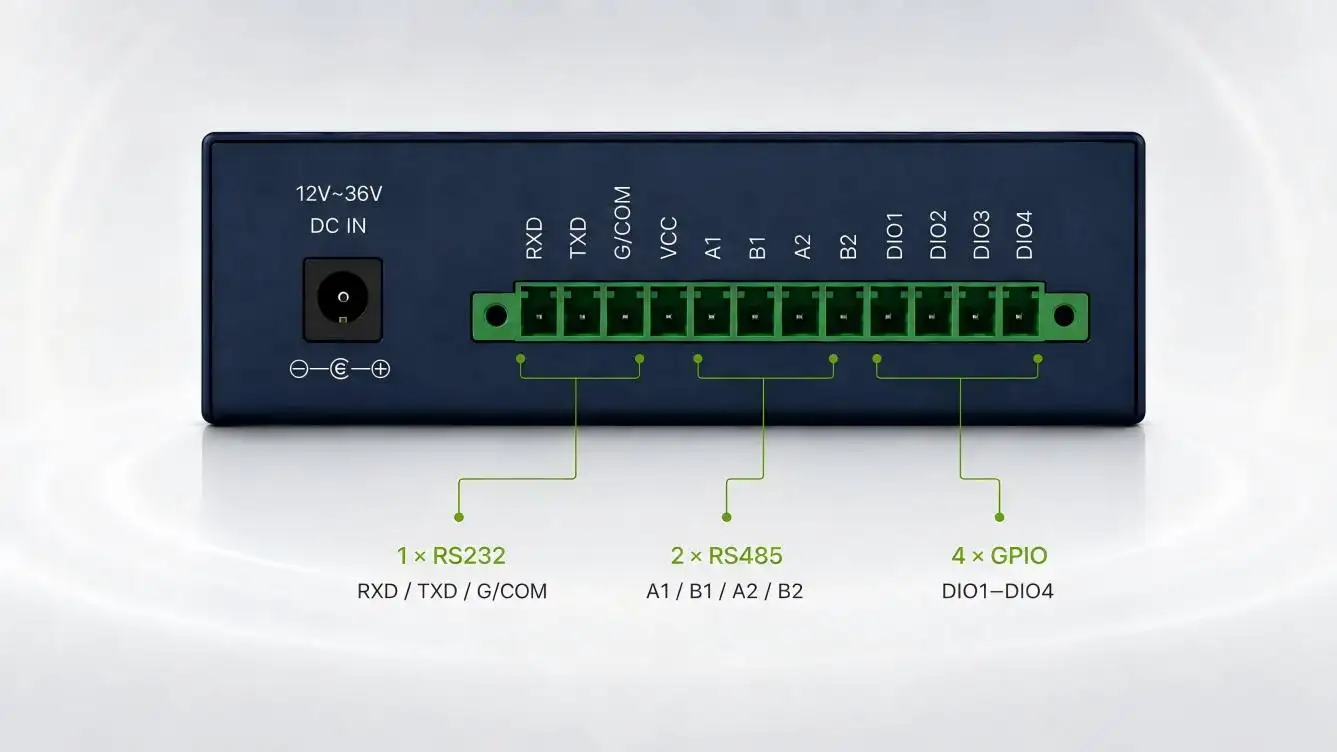
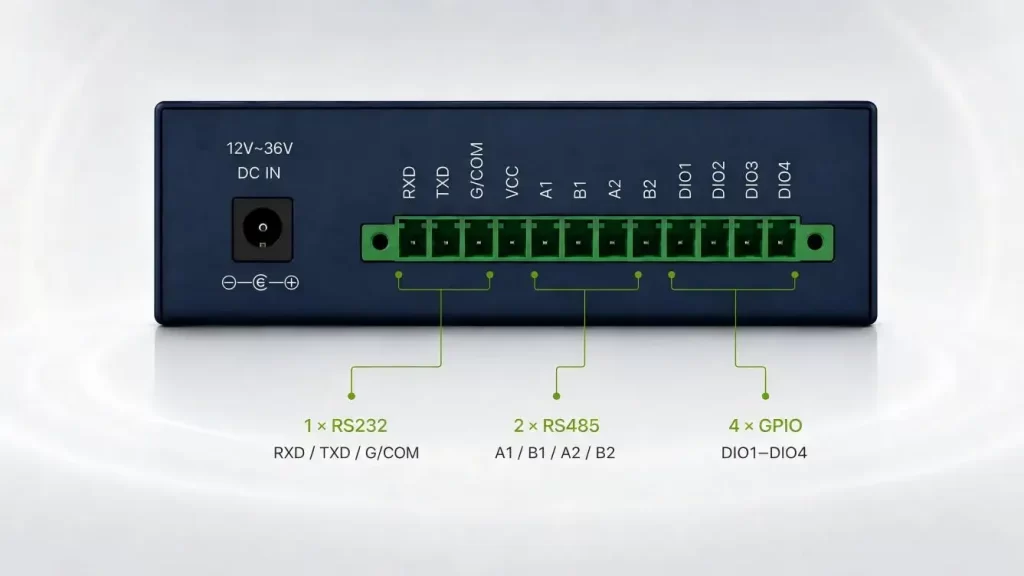
Tespro industrial cellular routers provide 2G–5G connectivity options, Ethernet and Wi-Fi interfaces, VPN support, dual-SIM capability, failover, and cloud-based remote management. The range includes different LAN/WAN quantities and Fast Ethernet or Gigabit configurations for different automation topologies.
From our perspective, the correct Industrial Router With VPN For PLC Remote Access should be selected around the actual PLC network—not only the preferred cellular generation. Tespro's hardware and software OEM/ODM capabilities can also support projects requiring specific interfaces, cellular bands, device-management functions, or deployment configurations.
If you are planning secure PLC remote maintenance, share the PLC model, interface, VPN architecture, deployment country, carrier, connected-device count, and management requirements with Tespro. Explore our industrial cellular router range to identify a suitable platform for your application.
FAQs
Q1. How does dual-SIM failover improve PLC remote access?
Dual-SIM functionality allows the router to use an alternative cellular connection when the primary SIM or operator network becomes unavailable. The failover policy, reconnection behavior, and carrier compatibility should be tested during commissioning.
Q2. Can Tespro industrial routers connect to different PLC brands?
Tespro routers can support IP-based access to PLCs connected through Ethernet, provided the network routing, programming ports, and VPN settings are correctly configured. Compatibility should be evaluated according to the PLC model, software, protocol, and required discovery method.
Q3. Should I choose a 4G or 5G Tespro router for PLC remote access?
Stable 4G is sufficient for most PLC diagnostics and program transfers. A 5G router is more suitable when PLC traffic shares the connection with cameras, multiple HMIs, edge devices, or high-volume industrial data.
Q4. Which VPN protocols do Tespro industrial routers support?
VPN capabilities may vary by product model and firmware. Buyers should confirm the required protocol, encryption method, client/server mode, tunnel capacity, and authentication method with Tespro before selecting a router.
Q5. Can a Tespro router work with a cellular SIM behind CGNAT?
Yes, but CGNAT may prevent direct inbound connections. Depending on the project, the solution may require a router-initiated VPN, management platform, private APN, or SIM card with a fixed public IP address.