-1791966549842.webp)





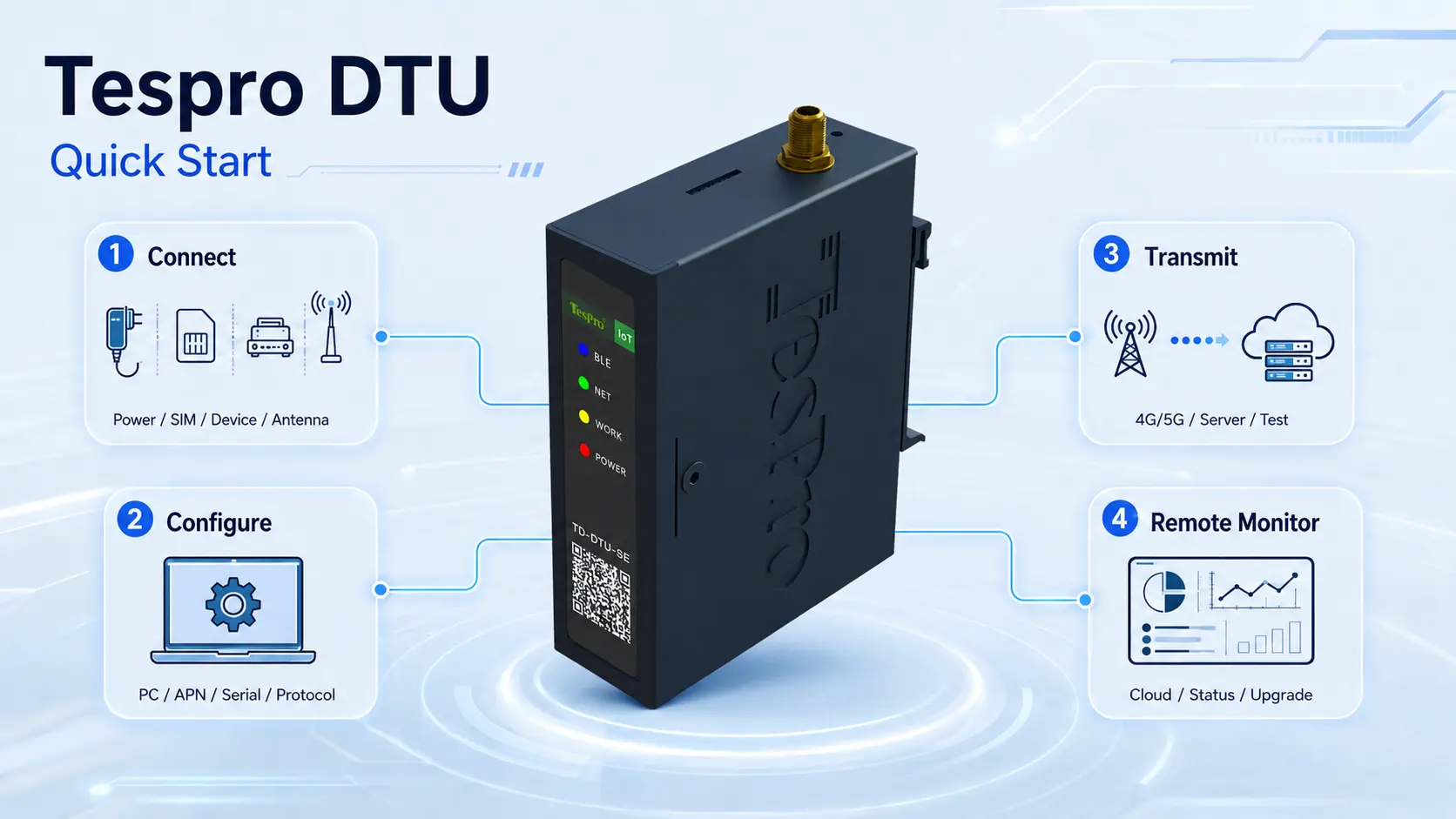
Using a DTU (Data Transfer Unit) typically involves several core steps aimed at securely and stably transmitting data from field devices to a remote platform. Tespro DTU is designed with user-friendliness and ease of use in mind, making the deployment and operation process simpler and more efficient.
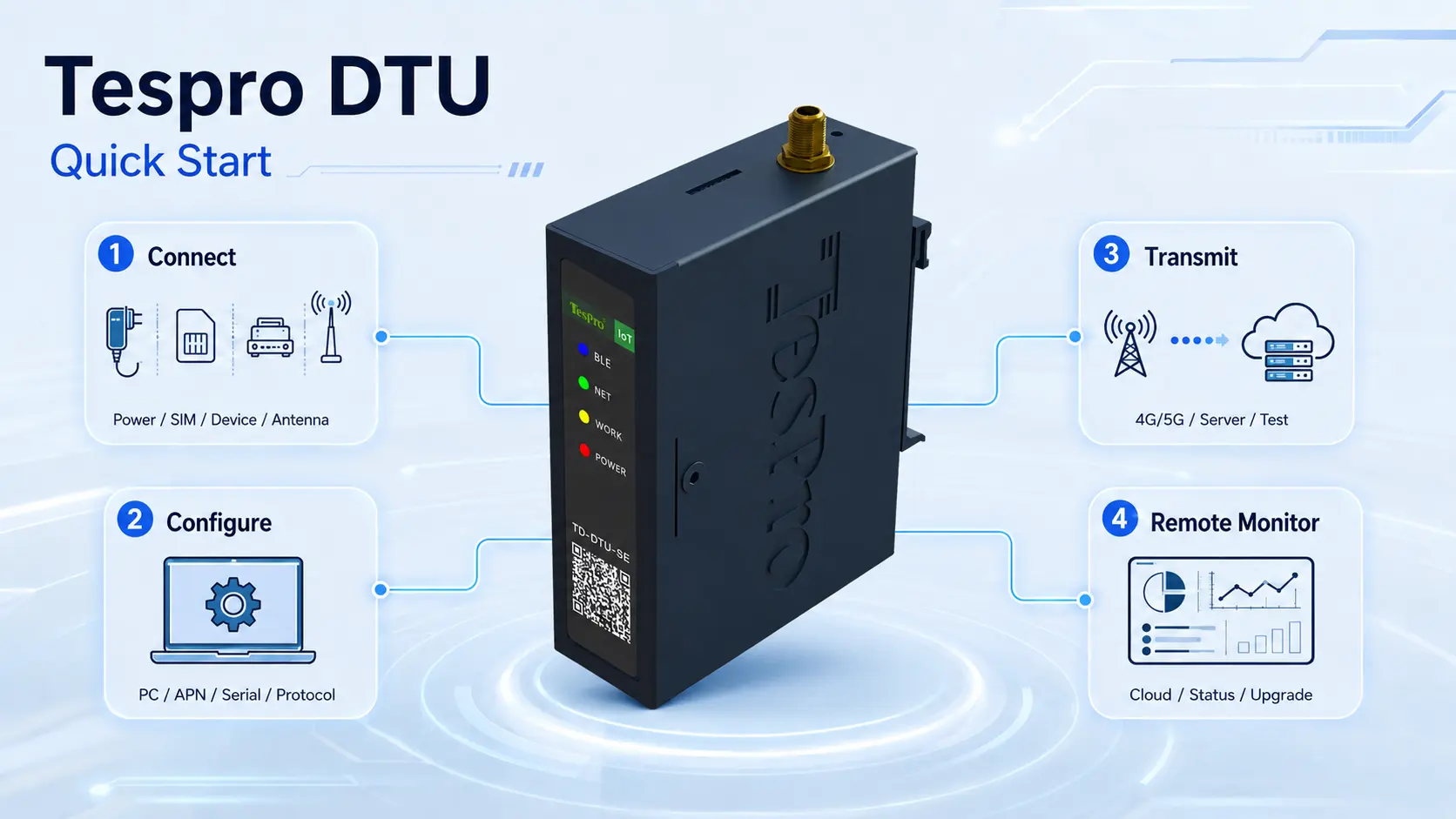
Basic Usage Steps for DTU:
- Hardware Connection:
- Power Supply: Connect the DTU to an appropriate power source (usually a wide-voltage industrial power supply).
- SIM Card Installation: Insert an industrial-grade SIM card with activated data service (supporting 4G/5G networks).
- Device Connection: Connect the DTU to the field devices that need data collection (such as PLCs, sensors, meters, etc.) via RS232/RS485 serial cables or Ethernet cables.
- Antenna Installation: Properly install the 4G/5G antenna to ensure good signal reception.
- Parameter Configuration:
- Connect to PC: Connect the DTU to a computer via a USB interface or Ethernet port.
- Configuration Software: Run the dedicated configuration tool software provided by Tespro. The software interface is intuitive and easy to operate.
- Network Parameter Settings: Configure APN, server IP address, and port number (i.e., the address of the remote data receiving platform).
- Serial Port Parameter Settings: Set serial port parameters matching the field device, such as baud rate, data bits, stop bits, parity bits, etc.
- Protocol Parameter Settings: Configure according to the field device protocol (e.g., Modbus RTU/TCP, DL/T 645, etc.), or select a preset protocol from Tespro’s rich protocol library.
- Heartbeat and Registration Packet Settings: Configure heartbeat packet sending interval and registration packet content, used to maintain connection and device identity recognition.
- Data Transmission and Testing:
- Power On and Run: After configuration, power on the DTU, observe the indicator lights, and confirm whether the network connection and data transmission are normal.
- Data Testing: Send test data from the field device and check if it is successfully received on the remote server or cloud platform. Tespro DTU usually provides data transparent transmission function to ensure complete transmission of raw data.
- Remote Monitoring and Management:
- Platform Access: Connect the DTU to Tespro’s ISTAR Industrial IoT platform or other third-party cloud platforms.
- Remote O&M: Monitor DTU operating status, signal strength, data traffic in real-time through the platform, and perform remote configuration modifications, firmware upgrades, fault diagnosis, and other operations.
Tespro DTU Usage Features:
- “Foolproof” Configuration: Tespro is committed to simplifying user operations, providing graphical configuration tools and detailed user manuals, allowing even non-professionals to quickly get started.
- Plug and Play: After basic configuration, Tespro DTU can achieve plug-and-play with various devices, significantly shortening deployment time.
- Powerful Remote Management Platform: Combined with the ISTAR software platform, users can centrally manage and maintain thousands of DTUs, achieving efficient remote operation and maintenance, reducing the frequency and cost of on-site inspections.
- Stable and Reliable: Tespro DTU has mechanisms such as auto-reconnect and data re-sending, ensuring maximum continuity and integrity of data transmission even when the network is unstable.
Proper use of Tespro DTU will effectively improve the data acquisition efficiency and management level of Industrial IoT systems.