-1791966549842.webp)





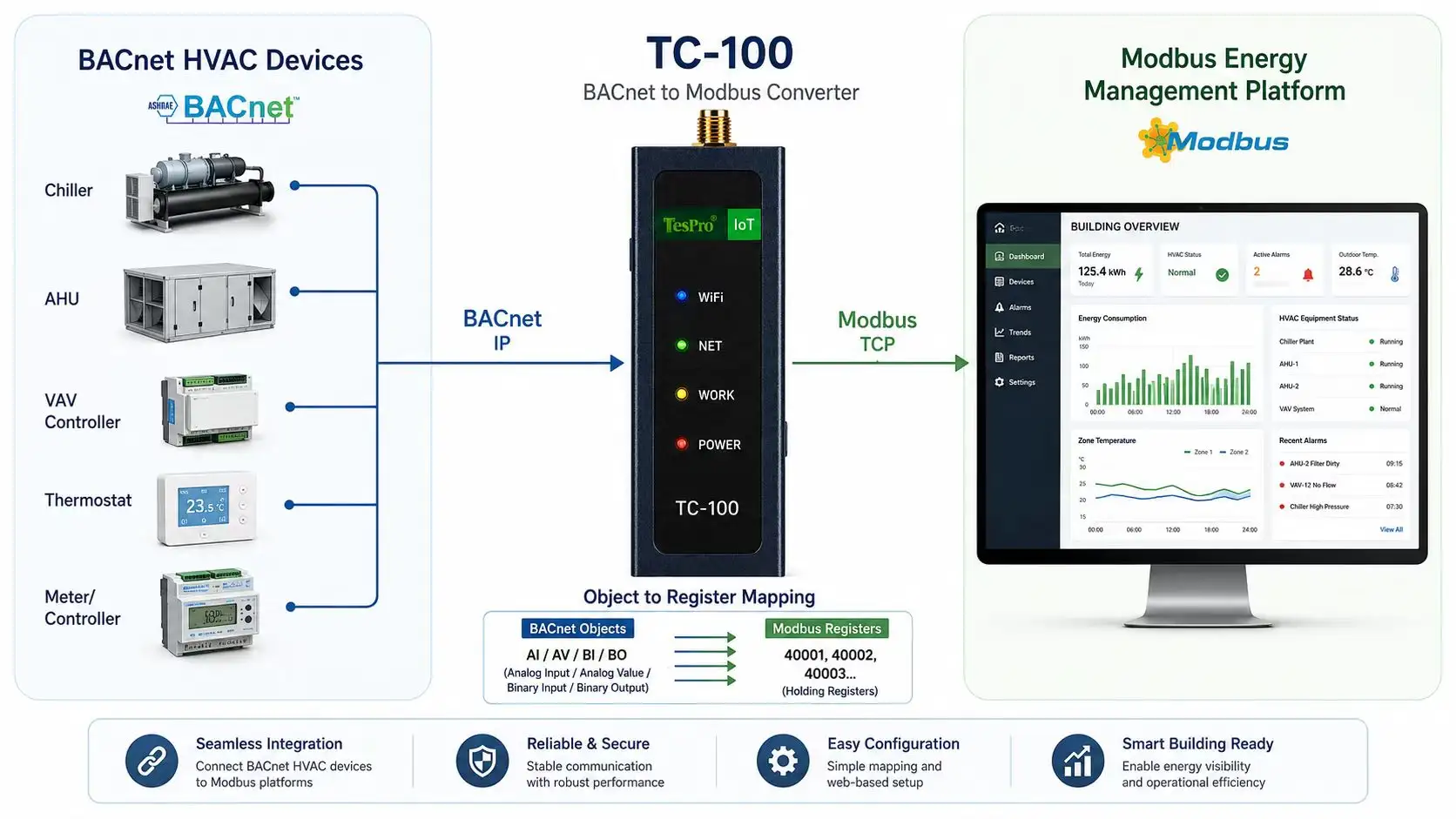

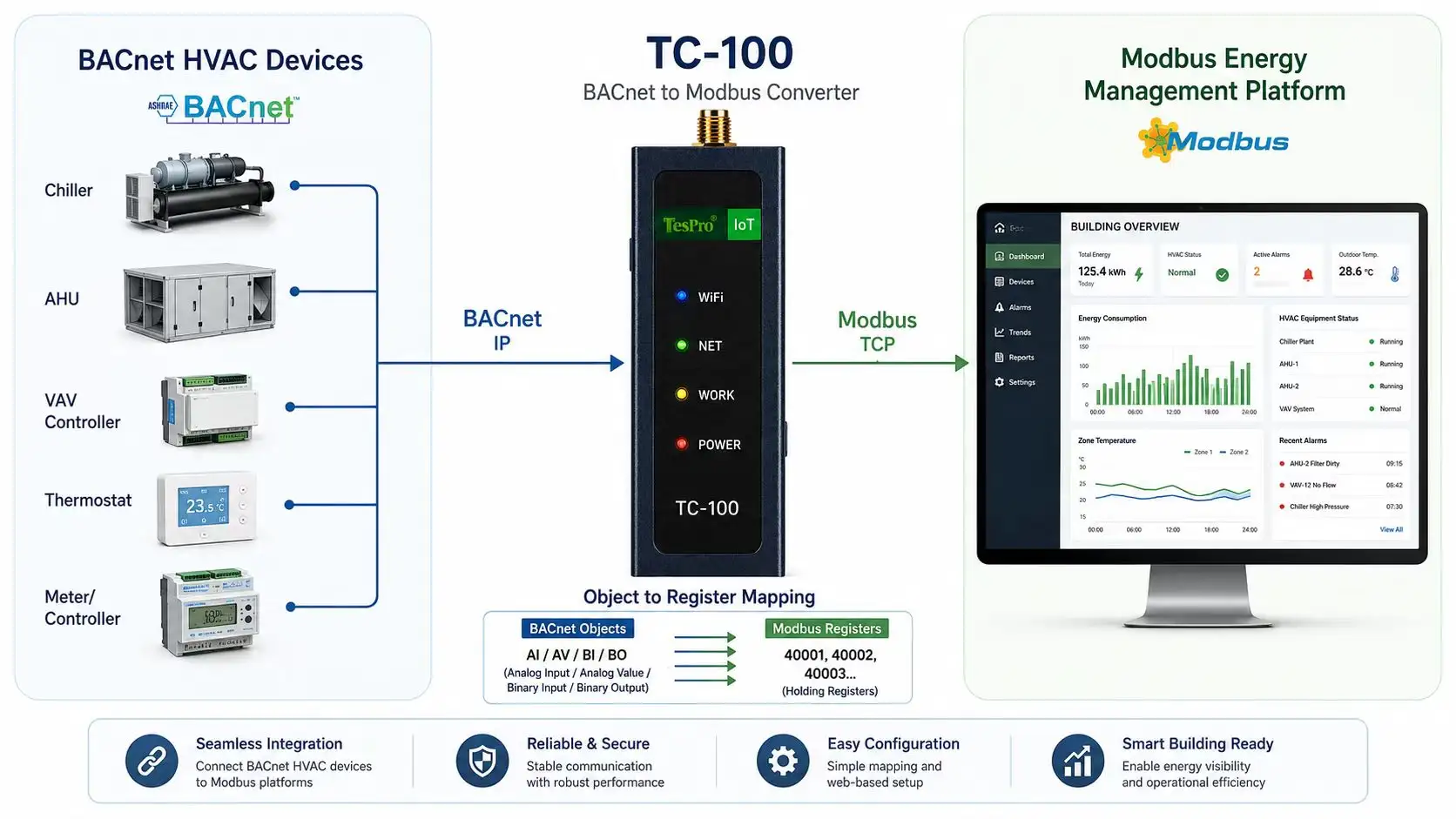
A BACnet-to-Modbus converter reads BACnet objects and maps them into Modbus registers, or exposes data in the opposite direction. The project must define BACnet/IP or MS/TP, Modbus RTU or TCP, object and register maps, data types, units, scaling, refresh and read/write permissions.
Key Takeaways
• Conversion requires a complete map and is not automatic compatibility.
• Writing HVAC setpoints requires a safety boundary.
• A converter fits focused bridging; a gateway may fit complex data-platform needs.
How objects map to registers
Map Analog Input, Binary Value and other objects to Modbus addresses and define floating point, integer, bits, byte order and invalid values.
Polling and writes affect behavior
Scan cycle, timeout and device count affect latency. Writes should be limited by address, range and user, with a defined failure state.
Commissioning requires tools on both sides
Inspect both BACnet objects and Modbus registers and record values, quality and exceptions before and after conversion.
How Tespro Fits
Tespro TC-100 can be evaluated for conversion among confirmed BACnet, Modbus and OPC UA combinations, with interface options such as RS485, RS232 or CAN depending on configuration. Confirm points, direction, protocol combination and performance through current documentation and mapping tests.
Compatibility and Selection Checklist
✓ BACnet/IP or MS/TP and object list
✓ Modbus RTU/TCP and register map
✓ Data types, byte order, units and scaling
✓ Polling, timeout and device count
✓ Write scope, security and failure state
✓ Sample devices, packets and acceptance points
Frequently Asked Questions
Q: Can a BACnet-to-Modbus converter discover points automatically?
A: Do not assume so. Device object lists and register mapping are required.
Q: Can conversion support bidirectional writes?
A: It depends on direction, device permissions and product configuration and must be validated separately.
Q: Can the converter replace a BMS?
A: No. It bridges data but does not provide full monitoring, alarms and history.