



A gateway at a remote pumping station remains online, yet its Modbus readings have stopped updating. The cellular connection is active, the cloud dashboard shows no obvious network fault, and the maintenance team has no direct access to the PLC. At another site, a firmware update has changed communication behavior without anyone documenting the previous configuration.

Both problems become expensive when repeated across dozens of installations.
An Industrial Gateway with TesproOS Cloud Management allows distributed gateways to be monitored, configured, and maintained through a centralized platform. At Tespro, we combine industrial protocol connectivity with remote status monitoring, batch configuration, log diagnostics, and cloud-based firmware updates. The engineering challenge is determining which faults the platform can identify remotely and which still require verification at the equipment level.
1. Recognize Gateway Availability vs Equipment Health
A cloud heartbeat means that the gateway is connected to its management platform. It does not confirm that PLCs, meters and sensors connected to the gateway are returning good data.
Refer to RS485 Modbus RTU network. The gateway may maintain its MQTT connection while a loose terminal, incorrect slave address or serial timeout causes an unsuccessful register poll.
A good design in monitoring separates timestamps in the following order:
• Last gateway management heartbeat
• Last successful device response
• Last good telemetry
Engineers should monitor three separate indicators: the last management heartbeat, the last successful field-device response, and the last valid telemetry data received by the platform. A management heartbeat only confirms connectivity between the gateway and the management platform; it does not verify PLC or meter communication or successful telemetry ingestion. If field-device responses are successful but telemetry data is not updating, troubleshooting should focus on the gateway's data parsing, publishing process, upstream communication, and platform data ingestion rather than the field-device connection.
TesproOS provides real time cluster status monitoring and remote diagnostics. Other field device health indicators should be verified against selected firmware and cloud configuration. Similarly, alarm integration rules should be verified against selected firmware and cloud configuration.
2. Select Gateway Hardware According to Site Connectivity
Using same gateways for all sites makes the inventory management simple, but may increase the overall hardware costs, or may leave sites without a suitable communication interface.
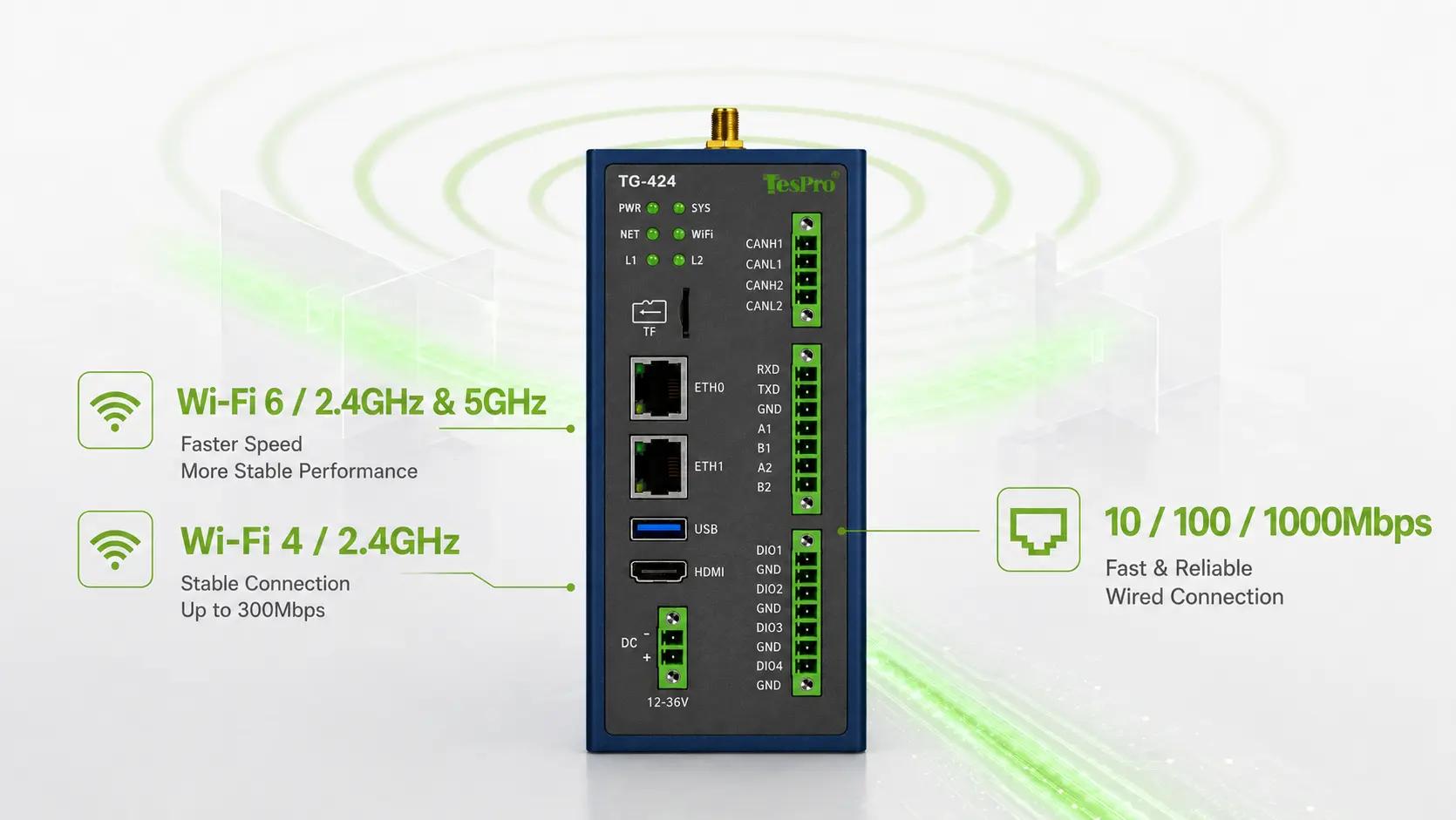
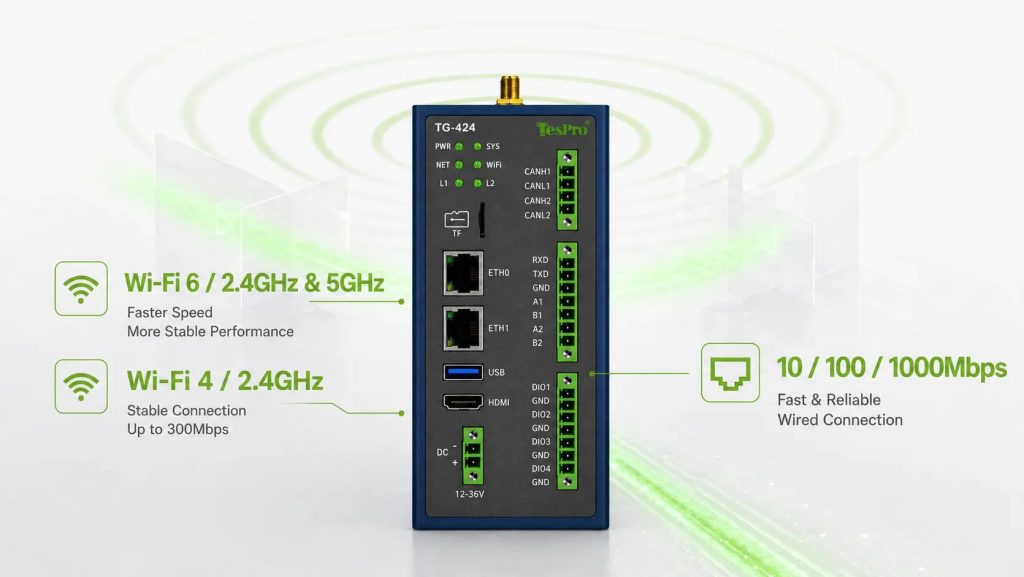
Tespro's TG-325 and TG-424 industrial gateways offer different network interfaces.
• The TG-325 offers 2G/3G/4G/5G cellular, Gigabit Ethernet, Wi-Fi 4/5, two RS-485, RS-232 and configurable GPIO.
• The TG-424 offers 2G/3G/4G cellular, Gigabit Ethernet, Wi-Fi 4/6, two RS-485, RS-232 and configurable GPIO.
Both the TG-325 and TG-424 offer TesproOS remote management.
Verify the Complete Data Path
While considering available ports for hardware selection is a good practice, but there are other factors as well. For example,
• For serial network, consider termination, biasing, baud rate, parity, addressing, timeouts, and equipment response time.
• Consider protocol registration and type, permitted operations, scaling factors, byte order and endianness.
• In the case of cellular network, consider operator availability, signal quality, frequency bands, and shutdown of the network.
• Consider site conditions, cabinets, antenna, power supply, grounding, and exposure to condensation.
A gateway with 5G capability offers little advantage where the available cellular network or application workload does not justify it.
For heterogeneous sites, we recommend validating the actual device register maps and reporting requirements before standardizing gateway configurations.
3. Prevent Configuration Drift Without Losing Remote Access
Configuration drift often begins with legitimate maintenance.
One modifies a Modbus polling interval to suit a slow meter. The other adjusts firewall rules to allow VPN access. Months later, the same gateways have to behave the same way.
TesproOS enables remote batch configuration of parameters. Therefore, Tespro gateway engineers can change configuration settings on multiple devices from a central location.
- From a risk perspective, applying a configuration to an entire fleet means there is a risk of a common mode failure. For example, an incorrect WAN setting can disconnect all the targeted gateways.
- Tespro gateways have a set of security, WAN and other settings that can be baselined and managed during a deployment.
- Also, during a deployment, devices can be grouped based on components that may cause incompatibility.
- Prior to the wide-scale implementation of changes, configuration settings should be tested for compatibility on a sample of representative gateways.
Since configuration settings can impact management plane connectivity of the Gateways, the impact of the changes should be verified.
Tespro gateways support configuration backups, and potential buyers should additionally request assurances from their Cloud service providers for support for rollback and configuration audit logging.
4. Understand Failure of Cellular Connectivity
Using dual SIM/eSIM cards can provide a redundant cellular connection, but the process of swapping SIM cards is not the same as uninterrupted telemetry.
During a network failure, the gateway may need to detect the loss of connectivity, switch its active link, register with the operator, establish a new IP session, and reconnect its VPN or MQTT client.
Each stage introduces delay.
The TG-325 and TG-424 support dual SIM/eSIM switching options. Whether these deliver acceptable service continuity depends on operator coverage, switching policies, and application behavior.
Does the Gateway Preserve Missing Measurements?
A remote gateway can remain operational locally while its upstream connection is unavailable. The critical issue is whether acquired measurements are retained or lost.
Engineers should consider the following:
• Local buffering, availability and storage limits
• Timestamp preservation for delayed measurements
• Replay order and duplicates on reconnection
• MQTT delivering and receiving application behavior
• MQTT QoS settings alone do not ensure historical data retention through a gateway restart or prolonged outage.
Persistence, storage, and retransmission for the specified TesproOS deployment should be confirmed. The best way to do this is to break the WAN connection while field polling is active, and upon reconnection compare received timestamps and sequence records.
5. Co-ordinate OTA Updates and Secure Remote Maintenance
TesproOS supports cloud-based OTA firmware updates and bulk firmware management. While this reduces the need for site visits, the responsibilities for firmware compatibility and update recovery remain on the engineers.
Updating all gateways at the same time can potentially make the entire fleet vulnerable to the same firmware defect.
New firmware and remote maintenance should be validated on field representative and controlled production units prior to deployment. Verify the application retains the unit configuration and upgrade status. Validate the recovery procedures.
Remote administration also needs to be validated.
Selected Tespro industrial gateways, such as the TG-325, support VPN protocols including IPsec and OpenVPN for encrypted communication over untrusted IP networks. Actual VPN features depend on the gateway model and firmware version. While a properly configured VPN helps protect data in transit, it does not automatically restrict administrative access to PLCs or other field devices. Network segmentation, firewall rules, strong authentication, and role-based access controls should be implemented separately where supported.
Fleet managers need to define and limit trusted management paths, and also isolate operation networks. They should verify authentication and account separation, revocation of access, and audit capabilities.
6. What Should Procurement Test Before Fleet Deployment?
A datasheet outlines the software and hardware features of a gateway. It does not show how a system behaves when communication conditions deteriorate.
| Acceptance scenario | Required verification | Failure to investigate |
| PLC communication loss | Gateway remains reachable while failed device polling is identified | Online gateway masking stale process data |
| Batch configuration | Settings apply only to intended devices and management access survives | Fleet-wide disconnection |
| Cellular outage | Link recovery and telemetry continuity are measured | Missing or duplicated measurements |
| Interrupted OTA update | Device state, retained configuration, and recovery procedure are confirmed | Gateway becomes inaccessible |
| VPN access test | Authorized connections work while restricted routes remain blocked | Unnecessary OT network exposure |
The greatest evidence for multi-site projects comes from field tests with real devices and "natural" (or as close to natural as practicable) interruptions to the communications network, as opposed to dashboard demonstrations.
Tespro provides a range of industrial gateways with TesproOS management for distributed industrial installations. To review the gateways or discuss more in detail, contact our technical team to assess your requirements and determine if our products are appropriate for your situation.
FAQs
Q1. What is TesproOS Cloud Management?
TesproOS is Tespro's proprietary management system for industrial networking devices. It supports centralized status monitoring, remote configuration, log diagnostics, and firmware maintenance.
Q2. Can TesproOS monitor industrial gateways across multiple sites?
Yes. TesproOS supports real-time cluster status monitoring, allowing operators to oversee distributed gateways through a centralized web-based management interface.
Q3. Does TesproOS support remote batch configuration?
Yes. TesproOS supports remote batch parameter configuration. Engineers should group compatible gateways and verify connectivity after applying changes.
Q4. Can Tespro industrial gateways receive OTA firmware updates?
Yes. TesproOS supports cloud-based OTA firmware upgrades. Update compatibility, interruption recovery, and rollback availability should be confirmed for the selected model and firmware.
Q5. Which Tespro industrial gateways support 5G connectivity?
The Tespro TG-325 supports 2G/3G/4G/5G connectivity. The TG-424 supports 2G/3G/4G cellular networks. Regional frequency compatibility should be verified before deployment.