

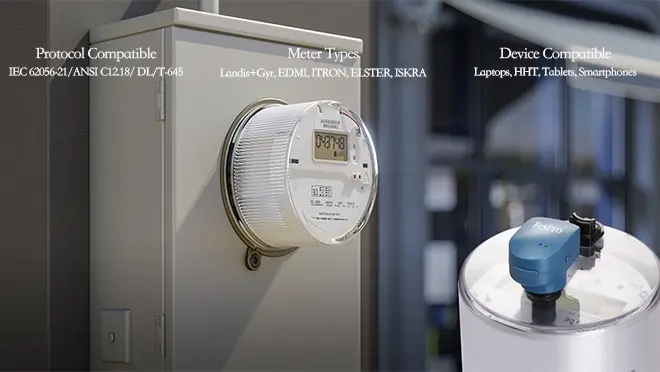
A technician connects an optical probe to an electricity meter and receives a valid identification response. The physical link works, but the maintenance application fails when requesting load-profile data or attempting to change configuration parameters.
Replacing the probe may not solve the problem. In many DLMS/COSEM implementations, successful optical communication establishes only the transport path. Access to specific data objects depends on the meter's authentication requirements, application association, and assigned permissions.
For utilities and meter manufacturers selecting an Optical Communication Probe for Smart Meters, the engineering question is therefore not simply whether the probe can read data. It is whether the complete system can establish an authorized session, protect sensitive information, and reliably distinguish communication faults from security-related rejections.
1. Where Does Optical Communication End and Data Security Begin?
A communication optical probe converts electrical data from the host interface into infrared signals and converts incoming optical signals back into electrical data. It provides local communication without direct electrical contact with the meter's communication circuitry.
For IEC 62056-21 applications, communication may begin with an identification exchange. In Mode E, the connection can transition to HDLC-based communication after the required initialization sequence.
Neither operation establishes permission to access protected meter functions.
In a DLMS/COSEM system, security is enforced at the application layer:
•Authentication: Establishes whether the client possesses the credentials required for the requested association.
•Authorization: Determines which COSEM attributes the client can read or modify and which methods it may invoke.
•Message protection: Uses configured cryptographic mechanisms to protect application data against disclosure or unauthorized modification.
•Replay protection: Uses invocation counters in applicable ciphered exchanges to help reject repeated or outdated messages.
Protocol frames are carried by the optical probe. Access rights, cryptographic keys and authentication data typically belong to the host application and meter.
This distinction is very important when designing hardware. A probe that supports IEC 62056-21, does not necessarily support DLMS Authentication, Encryption and Adaptation to a meter's security configuration.
2. How Does DLMS/COSEM Restrict Local Meter Access?
DLMS/COSEM allows meters to define different application associations and access permissions for different clients.
A reading application may be permitted to retrieve energy registers while being denied access to tariff configuration, security settings, or relay-control functions.
Authentication Is Not the Same as Encryption
| Mechanism | Technical function | Main limitation |
| No authentication | Allows access through an association configured without client authentication | Available operations depend on the meter's access restrictions |
| Low-Level Security (LLS) | Uses a shared secret for authentication | Does not itself provide message confidentiality |
| High-Level Security (HLS) | Uses a challenge-response mechanism | Requires compatible authentication algorithms and credentials |
| Application-layer ciphering | Protects DLMS messages using configured cryptographic keys | Requires compatible security parameters and correct invocation-counter management |
HLS authentication and message ciphering are separate capabilities. A meter can require challenge-response authentication without necessarily encrypting every subsequent application message.
Access permissions are also at the object level. Successful association doesn't mean full read/write access to all COSEM Attributes or invocation of all methods.
For procurement testing, successful login is not sufficient. Engineers should verify the read, write and action operations required for maintenance workflow.
3. Which Tespro Optical Probe Interface fits Secure Field Operations?
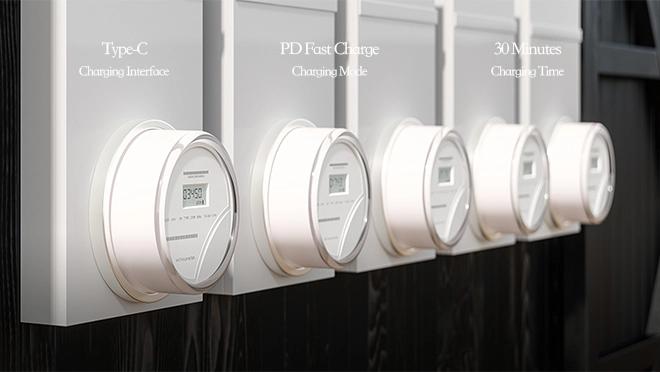
Tespro offers optical communication probes with USB, RS-232, USB Type C and Bluetooth interfaces. Product families are TP-USB, TP-232, TP-Type C, and TP-BT.
These options address different host connections and maintenance environments. They should not be interpreted as interchangeable security solutions.
Wired and Wireless Interface Considerations
| Interface | Suitable deployment | Integration constraint | Security verification |
| USB | Engineering laptops and test benches | USB-to-serial drivers and operating-system compatibility | Host access permissions and credential storage |
| RS232 | Legacy service terminals | Serial voltage levels, connector wiring, and port configuration | Physical terminal access and application permissions |
| USB Type-C | Portable computers and compatible tablets | USB host/OTG capability and driver support | Device authorization and local data handling |
| Bluetooth | Mobile field maintenance | BLE/SPP compatibility, application support, and connection stability | Pairing security, device authentication, and wireless data exposure |
For example, Tespro's TP-USB series includes variants intended for IEC 62056-21, ANSI C12.18, and DL/T 645 applications. Engineers must select the appropriate variant rather than assume one configuration supports every optical-port protocol.
Bluetooth provides an additional communication link between the probe and host device. Pairing the two devices does not ensure secure meter access. Separate analyses of the radio link's and DLMS/COSEM link's security are necessary.
A wired connection removes the radio link; however, risks remain, i.e. exposure of maintenance personnel's credentials, exposure of diagnostic records, etc.
4. What Causes Secure Local Communication to Fail?
In this context, this refers to secure optical and serial communication. Though an optical connection, failure at the application layer and cryptographic processing can also occur. In general, an assumption of defect should not be made when diagnostic tests fail.
Initialization and Protocol Mismatch
In HDLC, the Meter may require a particular identification exchange and baud-rate transition before HDLC communication can begin.
Premature switching, incorrect serial settings, or inappropriate time-outs may interrupt the identification exchange.
•Verification: Capture the transmitted and received frames and serialize settings after the baud-rate transition.
Authentication and Association Rejection
In DLMS/COSEM, unsupported or invalid authentication credentials may result in client/server association rejection.
Also, a meter may respond properly at the HDLC layer but may reject the subsequent Association request.
•Verification: Check client and server addressing and the requested authentication methodology, and compared it with the meter's authorized methodology.
Ciphering and Invocation Counters Errors
In inconsistent Cryptographic settings, protected messages are rejected.
Incorrect settings of system titles, security control, or invocation counters may result in protected messages being rejected.
A worn out invocation counter can cause problems after an interrupted maintenance window or incomplete client state restoration.
•Verification: Check security configuration and counter synchronization using the meter manufacturer's documented procedures. Production keys should never be included in diagnostic exports.
Optical or Wireless Transmission Errors
With optical communication, misalignment between the probe and meter port can cause an attenuated signal. Other factors including dirt, magnetic positioning, and movement of the communication cable can also cause signal loss.
For Bluetooth models, disconnections and incorrect handling of fragmented application data can cause issues during otherwise valid exchanges of the protocol.
•Verification: Are frame traces from repeated authorized reads showing a wire probe failed and a wireless probe passed? If a wired probe is working and a wireless probe is not working, check the Bluetooth software and host first, and modify meter security parameters last.
5. What is the Proper Method for Utilities to Verify Security before Bulk Procurement?
A successful single-meter reading does not necessarily confirm deployment readiness.
As per Tespro, optical probes need to be assessed with host software and integrated with representative meter models.
Acceptance should evaluate:
•Physical compatibility, including magnetic attachment, and operational stability with the expected environmental conditions in the field.
•Protocol compatibility, including the initialization and serial settings for data exchange against all the required meter standards and firmware.
•Access authorization, to validate meter access and retrieval of protected data.
•Access controls, to verify that only authorized users can perform the operations for which they are authorized.
•Cryptographic behavior, to test the sessions protected by the given cipher, and to assess the integrity and conduct of a counter, and to validate recovery after communication is interrupted.
•Data protection, to assess the security of the meter reading process, including how meter reading software and maintenance applications manage credentials, meter readings, diagnostic logs, and meter firmware updates.
Testing permitted and prohibited meter operations and assessing the integrity of meter reading and maintenance applications provides stronger evidence than reading a single public register.
For projects involving protected data, probe qualification should also document which security functions are implemented by the meter, host application, and communication hardware. Tespro's published interface specifications alone do not establish end-to-end security compliance.
Tespro Optical Probes for Smart Meter Integration
Tespro provides wired and wireless optical communication probes for meter reading, diagnostics, and system integration.
Explore our optical communication probe range or contact Tespro with your meter protocol, host interface, and application requirements to identify a suitable probe for compatibility and security testing.
FAQs
Q1. What is a Tespro optical communication probe used for?
Tespro optical probes enable local communication with smart meters for data reading, diagnostics, and configuration through compatible host software.
Q2. Do Tespro optical probes support secure DLMS/COSEM communication?
They can provide the optical communication link for compatible DLMS/COSEM applications. Authentication, encryption, and access permissions depend on the meter and host software.
Q3. Which communication standards do Tespro optical probes support?
Tespro offers probe variants for IEC 62056-21, ANSI C12.18, and DL/T 645. Buyers should verify the specific model against their meter's interface and protocol requirements.
Q4. Can Tespro optical probes access password-protected smart meter data?
Yes, when the connected application provides valid credentials and the meter authorizes the requested operation. The probe itself does not bypass authentication.
Q5. Does the Tespro TP-USB optical probe support IEC 62056-21 Mode E?
Yes. The TP-USB-IEC variant supports IEC 62056-21 Mode C and Mode E. The host application must handle the required communication sequence.